71 72
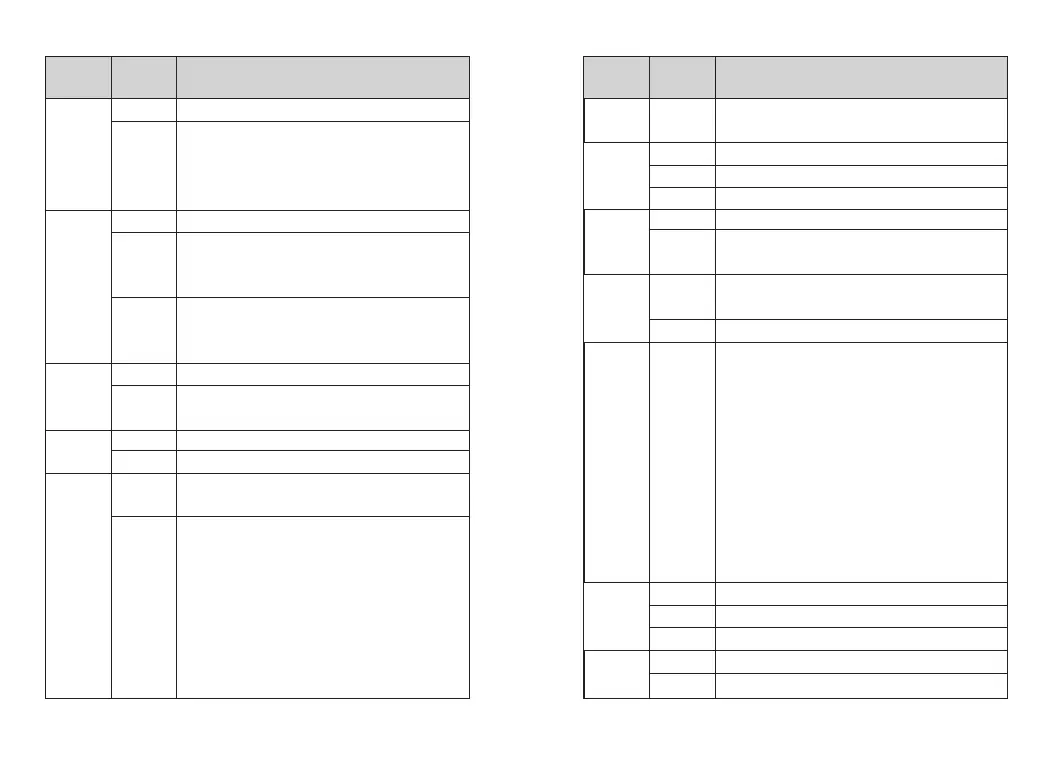
VOX is turned off;
It is not necessary to press PTT when this option is on;
you can speak to transmit directly; voice sensitivity of the
host computer can be set to 1~10, level 1 is the highest
sensitivity level, and level 10 is the lowest sensitivity level
Single channels mode
Switch upper and lower channels through the keypad;
when the machine works in the main channel, the
sub-channel can’ t transmit or receive
Scan main channel and sub-channel in turn; call is locked
when the reception is effective; you can press PTT to talk
with the other party
Turn off encryption
Turn on encryption function, and the two sides must pair
the key to make the call normally
Turn off power saving mode
Turn on the power saving mode; power saving ratio is 1:4
Options: Off/On. Turn off all tones when Off is selected,
but do not include emergency alarm tone
Options: Off / Digital / Analog. Pressing the PTT button
will transmit the signal through the channel and will sound
a tone that prompts the user to start speaking.
>OFF: Turn off this function
>Digital: Enable this tone only for digital channels
>Analog: Enable this tone only for analog channels
>Digital and Analog:Enable this tone for analog
channels and digital channels
Off
On
Off
Single Wait
Double Wait
Off
On
O
ff
On
All Tone
Call Permit
6.VOX
7.Double
wait
8.Encrypt
9.Power
Save
10.Beep
Setting
options
Options
and Range
Description of operation
Options: Off/On. There is no prompt tone when Off is
selected
Always on (power saving disabled)
Always Off
Turn off the backlight automatically when the time is up
Press and hold # to lock, press MENU and * to unlock
Auto lock; lock automatically at set time; press MENU
and * to unlock
The indicator (transmission, receiving, boot, etc.) does
not work when it is off
Default option is on
Input correct password to enter the setup menu; the
password can be configured by default on host
computer
Options: On or Off / Changes boot password
>On or Off: Turn on if it is turned off, and turn off if itis
turned on; when On is selected, you need to enter the
correct password and press the MENU button to start
the unit
>Change boot password: You can enter a new
password not more than 6 digits; please remember after
changing
The channel mode is displayed by channel number
The channel mode is displayed by channel name
The channel mode is displayed by frequency mode
Display according to the picture provided by the customer
Two lines, can be edited by Software
Key Beep
Always On
Always Off
5/10 秒
Manual
5/10/15 sec
Off
On
Enter
password
CH NO.
CH NAME
CH Freq
Picture
Character
10.Beep
11.Backlight
12.Keypad
Lock
13.LED
Indicator
14.Pass-
word Lock
15.Mode
16.Screen
Setting
options
Options
and Range
Description of operation














 To Next Page