R5900096 /00 CX-50 35
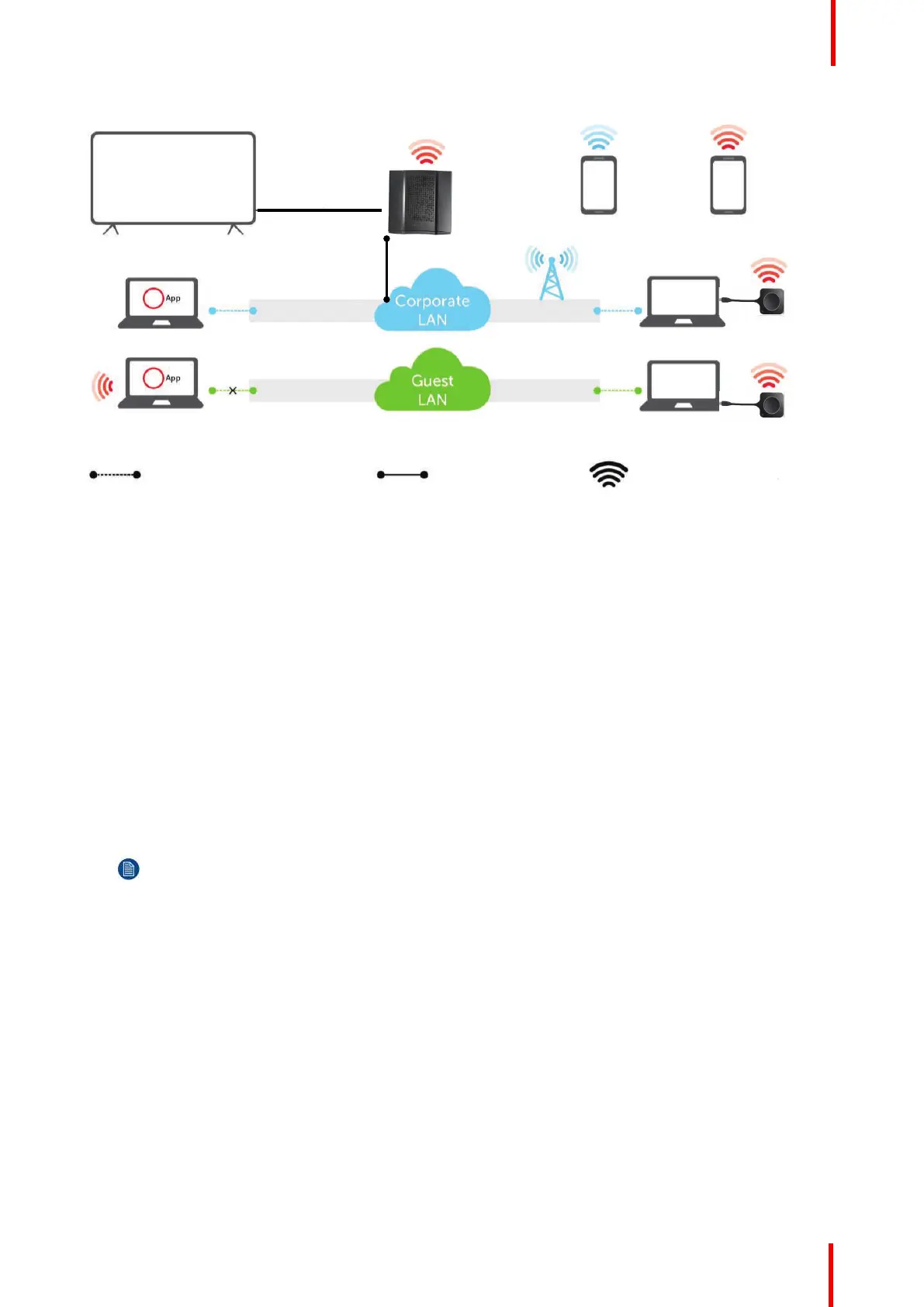
Image 4-3: Out-of-the-Box use with Ethernet link
A Meeting room screen
B Employee mobile
C Guest mobile
D Employee laptop
E Guest laptop
F Wireless or Ethernet connection
G Ethernet connection
H Wireless connection
Using the ClickShare Base Unit and Buttons directly out of the box is ideal for temporary setups, visitors'
centers and small to medium installations without network integration needs. The Ethernet connection allows
employees to use the ClickShare App without switching their Wi-Fi network.
4.6 Video signal connections to the Base unit
About Video signal connection
A single screen can be connected to the Base unit.
To connect a display, an HDMI connection should be made between the Base Unit and the display.
To connect
1. Connect the Base unit to the display using a display cable.
Note: No display cables are included in the ClickShare box at purchase.
When setting up a display configuration, connect the HDMI cable to the display. When necessary, use an
adapter piece to connect to a display port or a DVI port on the display side.
CX-50 Installation















 To Next Page