R5900096 /00 CX-50 89
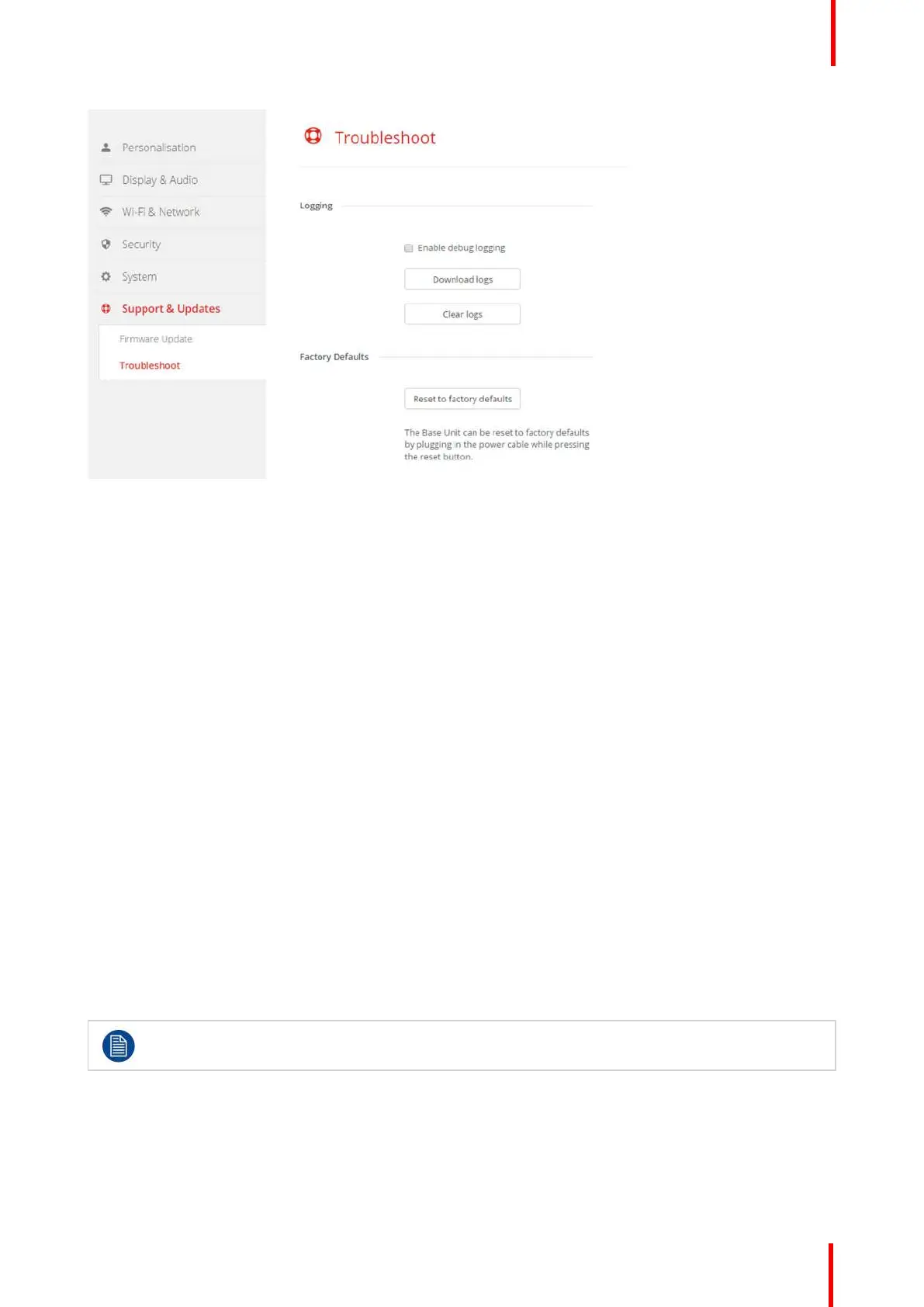
Image 6-36: Troubleshoot, logging
3. To create a debug log, check the check box next to Enable debug logging.
4. Reproduce the issue you want to report.
5. To download the current log file, click on Download logs.
6. To clear the current log file, click Clear logs.
6.25 Factory defaults
About default settings
The ClickShare Base Unit can return to the factory default settings.
The following settings are the defaults:
• Meeting room identification info is cleared.
• Language is set to English.
• Custom wallpapers are removed and the default wallpaper is restored.
• Standby timer is reset to 10 min.
• Hostname and SSID is set to clickshare-serialnumber.
• The SSID is broadcasted
• WiFi password is reset to clickshare.
• The default WiFi channel is set back to frequency 5 GHz, channel 36.
• The update history is cleared.
• The table with the associated Buttons is cleared.
• The admin password is reset to admin.
• Debug logging and remote logging are disabled.
Restoring to factory defaults will require a repairing of the Buttons used with this Base Unit and the
setup flow has to be redone..
How to restore factory defaults
1. Log in to the Configurator.
2. Click Support & Updates → Troubleshoot.
CX-50 Configurator















 To Next Page