R5900096 /00 CX-50 85
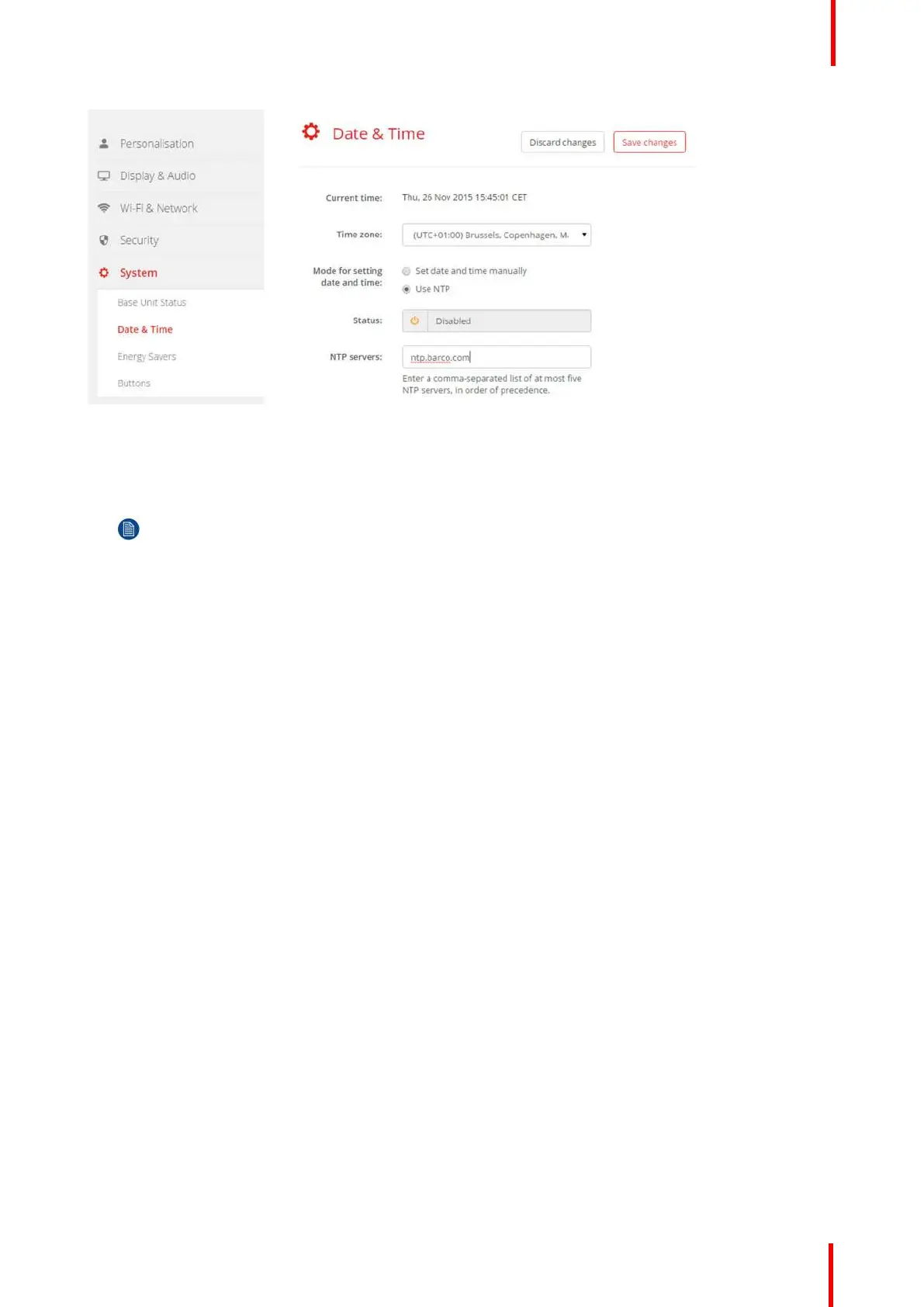
Image 6-32: Time server setup
The current time is indicated next to Current time.
3. Check the radio button next Use NTP.
4. Enter a NTP server address next to NTP servers. Enter the IP address or server name.
Note: Multiple servers (maximum 5) can be added, separated by a comma.
5. Click Save changes to apply.
A synchronization with the NTP server takes place. The status field indicates the progress.
6.21 Energy savers
About standby
Standby after (minutes): If there is no client connection detected during the standby timeout period, the Base
Unit will enter the selected standby mode.
Default setting: Time to standby: 10 min, the Base Unit will enter the Eco standby mode.
Eco mode
When the Base Unit enters ECO standby mode, it will disable the HDMI output signal and go in low power
mode. The Base Unit's LEDs will be breathing white to indicate the ECO standby mode.
Power consumption in Eco standby: 2.6W
The Base Unit will wake up with one of the following actions:
• Button or app connecting with the Base Unit
• Press the standby button on the Base Unit
• Pairing a Button on the Base Unit's USB port
• Plugging in an HDMI display
• Plugging in an HDMI source
Standby mode
When the Base Unit goes in deep standby mode, it will shut down all processes, including the Wi-Fi access
point and the secondary LAN connection.
The Base Unit will go to network standby whenever there is an active network connected to the Base Unit.
In this case, the Base Unit's LEDs will be breathing white.
If no network is detected, it will enter deep standby and the Base Unit's LEDs will be dark.
CX-50 Configurator















 To Next Page