25
Instructions For Use
5.3 Sizing Tools
Gridlines can be viewed over the ultrasound image to provide an effective tool to estimate
vessel diameter.
• Press the
DepthMarkerbutton(/:\)to toggle the image gridlines on and off.
Catheter size icons are displayed in proportion to the vessel image at a selected depth. These icons
assist clinicians in determining the appropriate catheter size for the vessel being imaged.
• PresstheF9keytotogglethecathetersizechartonandoff.
5.4 Image Depth
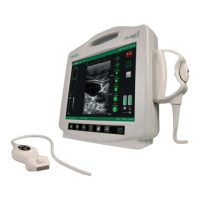
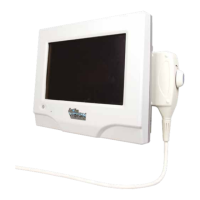
The Site~Rite* 6 Ultrasound System image depth may be changed to image structures at different
depths. Adjusting the depth also adjusts the focus of the ultrasound. Adjusting the depth to place the
structure of interest at the appropriate focus will improve the ultrasound image.
Image Depth Setting Focal Depth
1.5 cm 0.6 cm
3.0cm 1.5 cm
4.5 cm
3.0cm
6.0 cm 5.0 cm
• Press the Depth button (cm) to select the image depth with the focal depth closest to that of the
target structure.
5.5 Image Gain
The image gain can be adjusted to amplify the signal returned to the ultrasound scanner.
Adjusting the gain effects the entire image. Increasing gain will amplify the signal from the target struc-
ture along with non-targeted structures.
• PresstheGainbuttons(
) to select the gain that provides the best ultrasound image for the
targeted structure.
,



 To Next Page