en_BA_O200_IO-Link_V1.docx 30/34 Baumer Electric AG
15.08.2018/ Frauenfeld, Switzerland
5.2.2 Single Point Mode: 2-Point Teach (Only O200.G, O200.R)
Defines SP1 based on TP1 and TP2 for an optimized switching behaviour.
O200.G:
Teaches the position of the object and of the background.
O200.R:
Teaches the sensor hitting the reflector with and without an object in between
Command sequence:
- Place object at desired switching distance
- Execute Teach SP1 TP1 to teach TP1
- Execute Teach SP2 TP2 to teach TP2
- Execute Teach Apply to store the setpoint
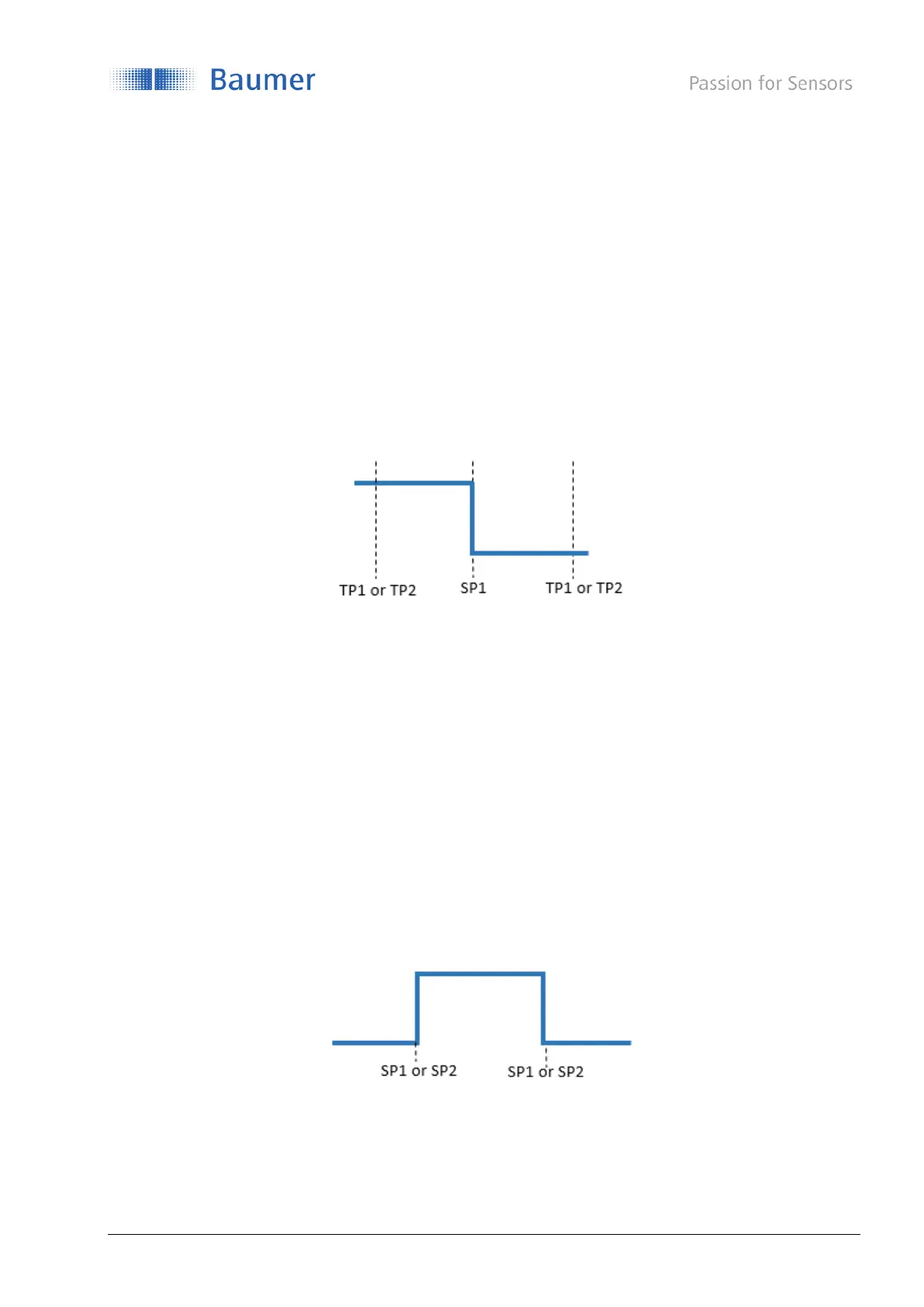
Figure 26: 2-Point Teach, switching behavior
O200.G: SP1 = (TP1 + TP2) / 2
O200.R: SP1 = sqrt(TP1 * TP2)
5.2.3 Window Mode: Window Teach (Only O200.G)
If the selected SSC is configured to Window mode (Section 4.3.2.1), following command sequence can be
applied to teach-in SP1 and SP2:
Command sequence:
- Place object at desired switching distance
- Execute Teach SP1 to teach-in the distance related to SP1
- Execute Teach SP2 to teach-in the distance related to SP2
- Execute Teach Apply to store the setpoint
By executing Teach Cancel the teach-in procedure can be canceled at any state as long Teach Apply has not
been used before.
Figure 27: Window Teach, switching behavior
Which SP was teached at a higher distance does not have any influence on the switching behavior
(SP1<SP2, SP1>SP2).



 To Next Page