en_BA_O200_IO-Link_V1.docx 29/34 Baumer Electric AG
15.08.2018/ Frauenfeld, Switzerland
5.2.1 Single Point Mode: 1-Point Teach
If the selected SSC is configured as Single Point mode (Section 4.3.2.1), following command sequence is
required to teach-in SP1:
Command sequence:
- Place object (O200.G), reflector (O200.R) or reference (O200.S) at desired position
- Execute Teach SP1 to teach-in the position
- Execute Teach Apply to store the resulting setpoint
By executing Teach Cancel the teach-in procedure can be canceled at any state, as long Teach Apply has
not been used before.
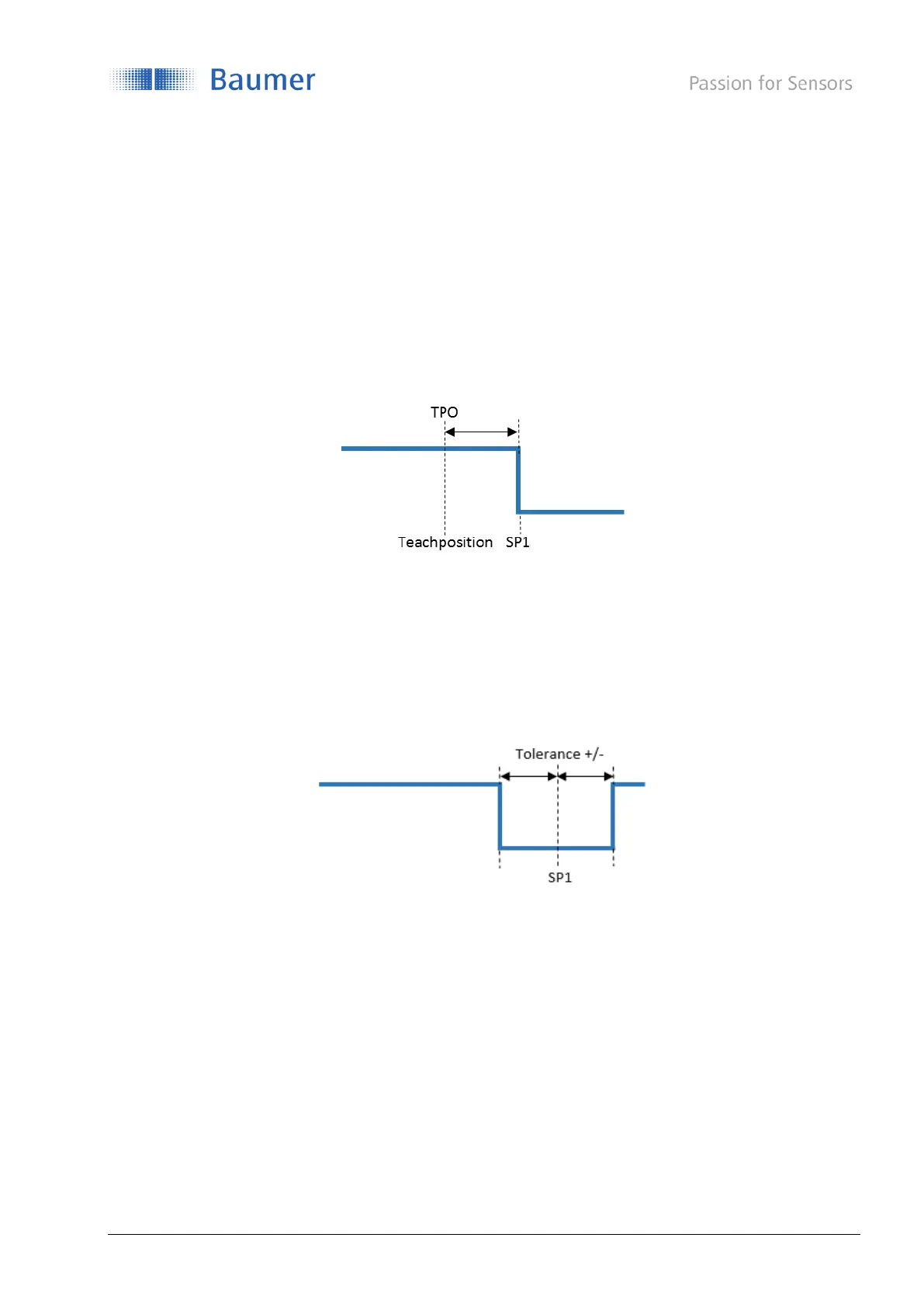
Figure 24: O200.G/O200.R: Single Point Teach, switching behavior
Figure 24 shows the switching behavior of the selected SSC if the teach-in was successful.
In single point mode, the TPO/Teach Point Offset will be added on the teached-in value to define the
setpoint.
O200.G: SP1 = TP + TPO
O200.R: SP1 = TP * TPO
Figure 25: O200.S: Single Point Teach, switching behavior
Figure 25 shows the switching behavior of the selected SSC if the teach-in was successful.
Regarding the O200.S SmartReflect sensors, the SP1 is related to the background position / position of the
reference part of the machine. Tolerance describes the allowed distance variation of the reference to be still
being detected.



 To Next Page