en_BA_O200_IO-Link_V1.docx 31/34 Baumer Electric AG
15.08.2018/ Frauenfeld, Switzerland
5.3 Dynamic (Only O200.G, O200.R)
By using the dynamic teach-in commands, it is possible to define the setpoints by evaluating the minimum
and maximum measurement values within a time frame.Accepted duration: 2 … 15 sec.
When to apply?
- For moving and/or small objects
The command sequence to perform a dynamic teach-in is the same for all switching modes.
Command sequence:
- Execute DynamicTeach Start to start the data acquisition
- Execute Dynamic Teach Stop to stop the data acquisition
- Execute Teach Apply to store the setpoint
By executing Teach Cancel the teach-in procedure can be canceled at any state as long Teach Apply has not
been used.
5.3.1 Dynamic in Single Point Mode
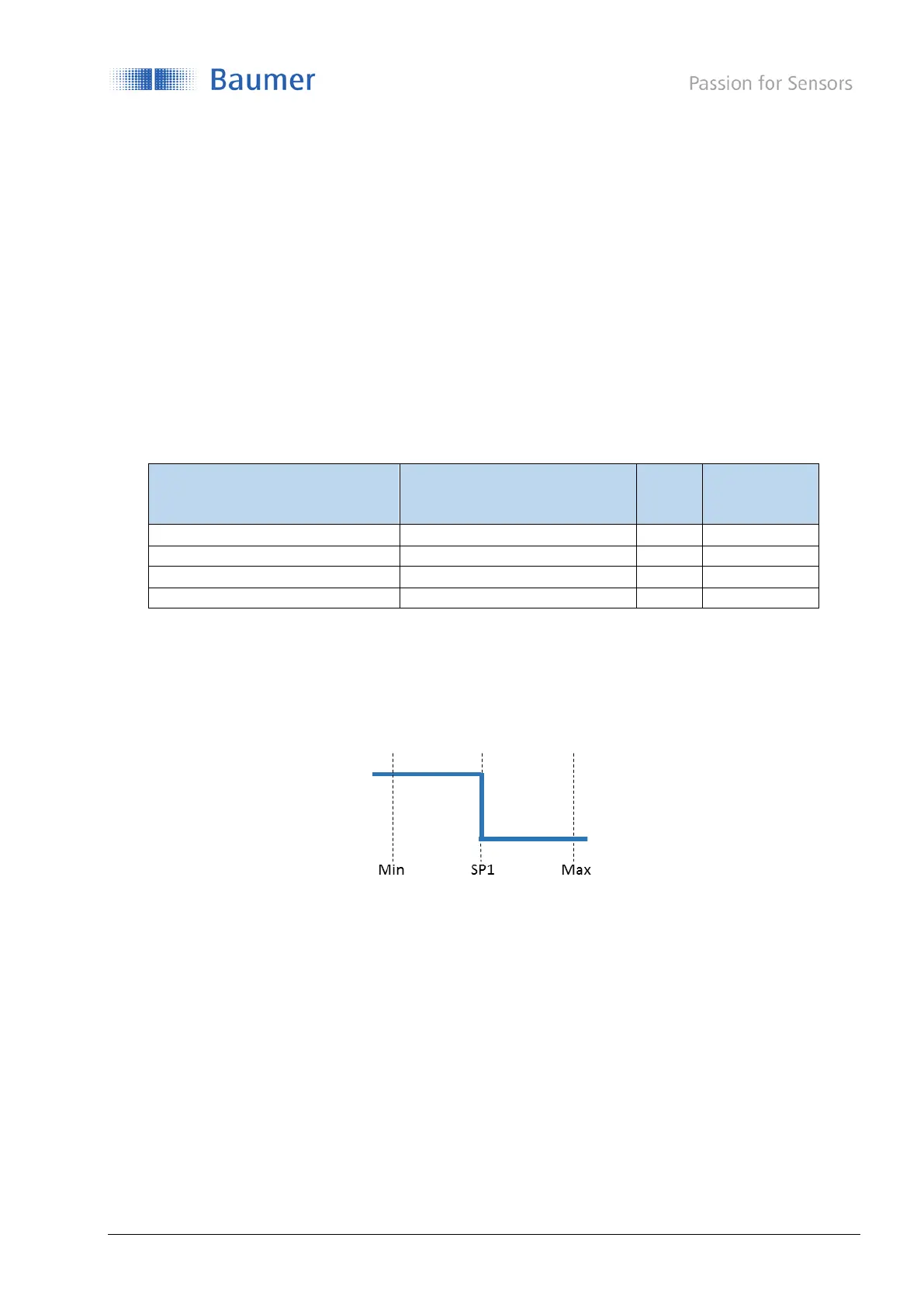
If the selected SSC is configured to Single Point mode (Section 4.3.2.1), during the dynamic teach-in the
minimum and maximum values are evaluated and the setpoint SP1 set to the middle
Figure 28: Dynamic Single Point Teach, switching behavior
O200.G: SP1 = (Min + Max) / 2
O200.R: SP1 = sqrt(Min * Max)



 To Next Page