en_BA_O200_IO-Link_V1.docx 24/34 Baumer Electric AG
15.08.2018/ Frauenfeld, Switzerland
4.6.2 Indication LEDs
While the underlying functionality of the LEDs is in general well defined, it is possible to deactivate or to
invert those.
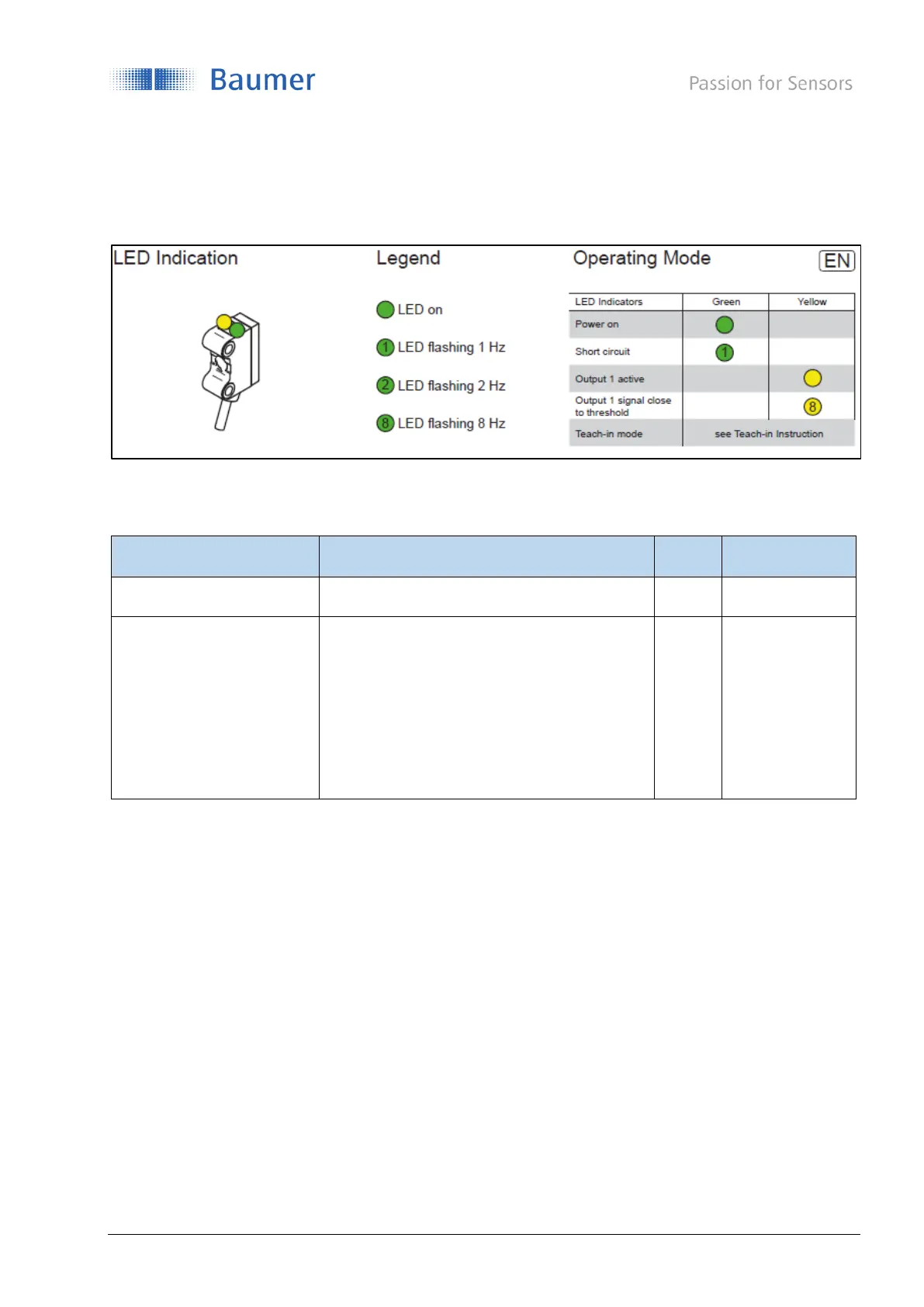
Figure 23 LED Indication - Standard-behavior in operating mode
Connected to output 1
- State
- Signal close to threshold/weak signal
The weak signal can be configured by using
the quality bit (section4.7)
Default:
LED on if output is active
If the LED mode is set
- On, the behaviour of the related LED is as described in Figure 23.
- Off, the LED is deactived except if the function Find Me is activated. (See section 3.2.2)
- Inverted, the LED behaviour is inverted to the definition in Figure 23.



 To Next Page