TA202
40 www.baumer.com
After completion of the first programming field, a dotted line ap-
pears in the display.
Programming field 2
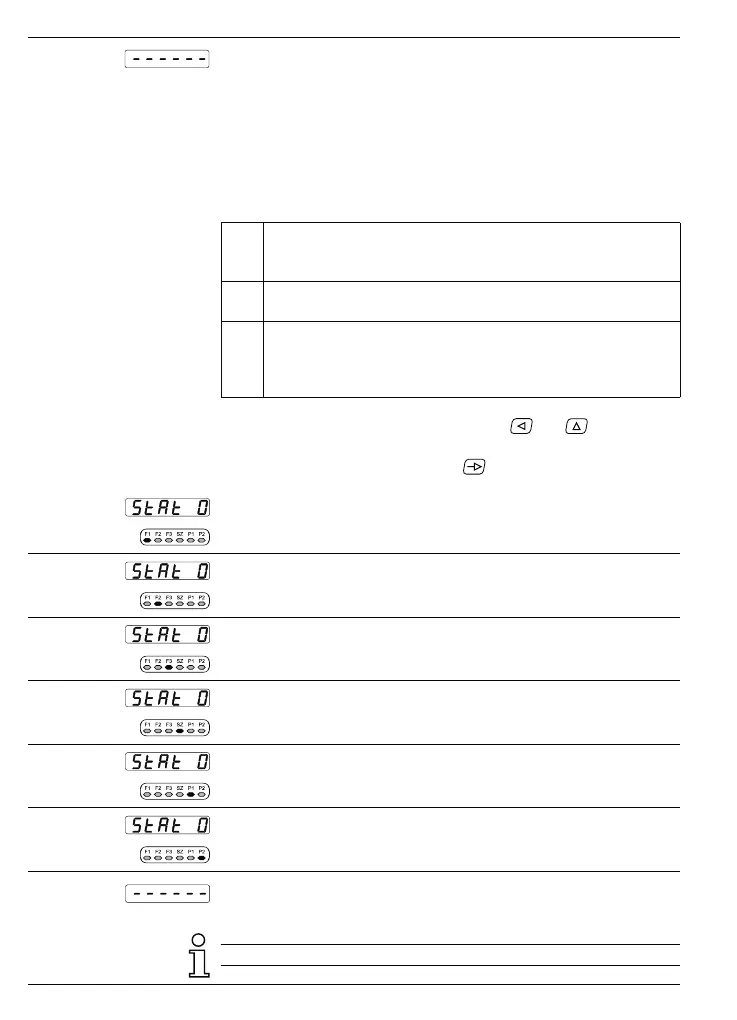
In the second programming field, the letters „StAt“ appear, standing
for status selection.
● „StAt“ appears in the display. The LED for the respective opera-
tingparameter flashes.
Meaning of the status numbers
0 Operating parameters can be selected and read in the
operating mode and P1, P2, SZ can be changed or deleted
without P/R key.
1 See status number 0 but the P/R key must be entered
before changes are possible.
2 Operating parameters is completely disabled for the opera-
ting mode. If this operating parameter is selected, it is not
displayed on the operating level but bypassed. The respec-
tive function is retained.
Modifying the status ➜ Enter the respective status number via
and keys.
● The altered status number is automatically stored when the next-
programming line is selected via
.
Line 11
F1 - display tachometer 1
Line 12
F2 - display tachometer 2
Line 13
F3 - display for the measurement function
Line 14
SZ - display for „Max hold“ (maximum memory)
Line 15
P1 - limit value 1
Line 16
P2 - limit value 2
The dotted line represents the end of the second programming
field.
The default operating parameter status is zero.



 To Next Page