The Menus
bbe BenthoTorch Manual Page 57
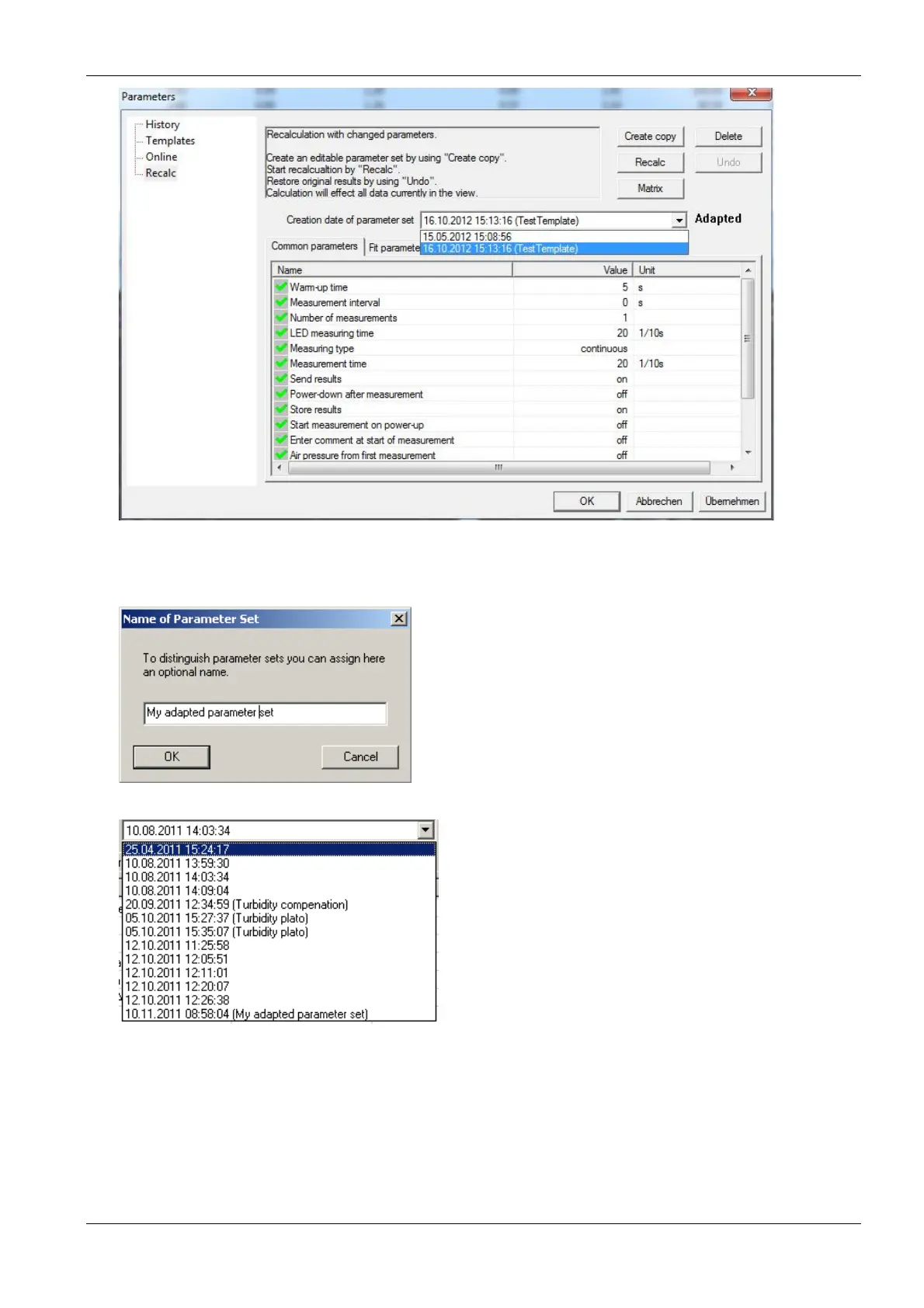
4. To create a new parameter set (not in the BenthoTorch), select one, click “C
REATE COPY
” and enter a name
for this parameter set.
5. Select the new parameter set and edit the settings as described in the “Template” section. Please note the
number and type of parameters shown depends on the user-level. Only the parameters marked with the
green symbol can be changed.



 To Next Page