Cura Updates
Firmware updates
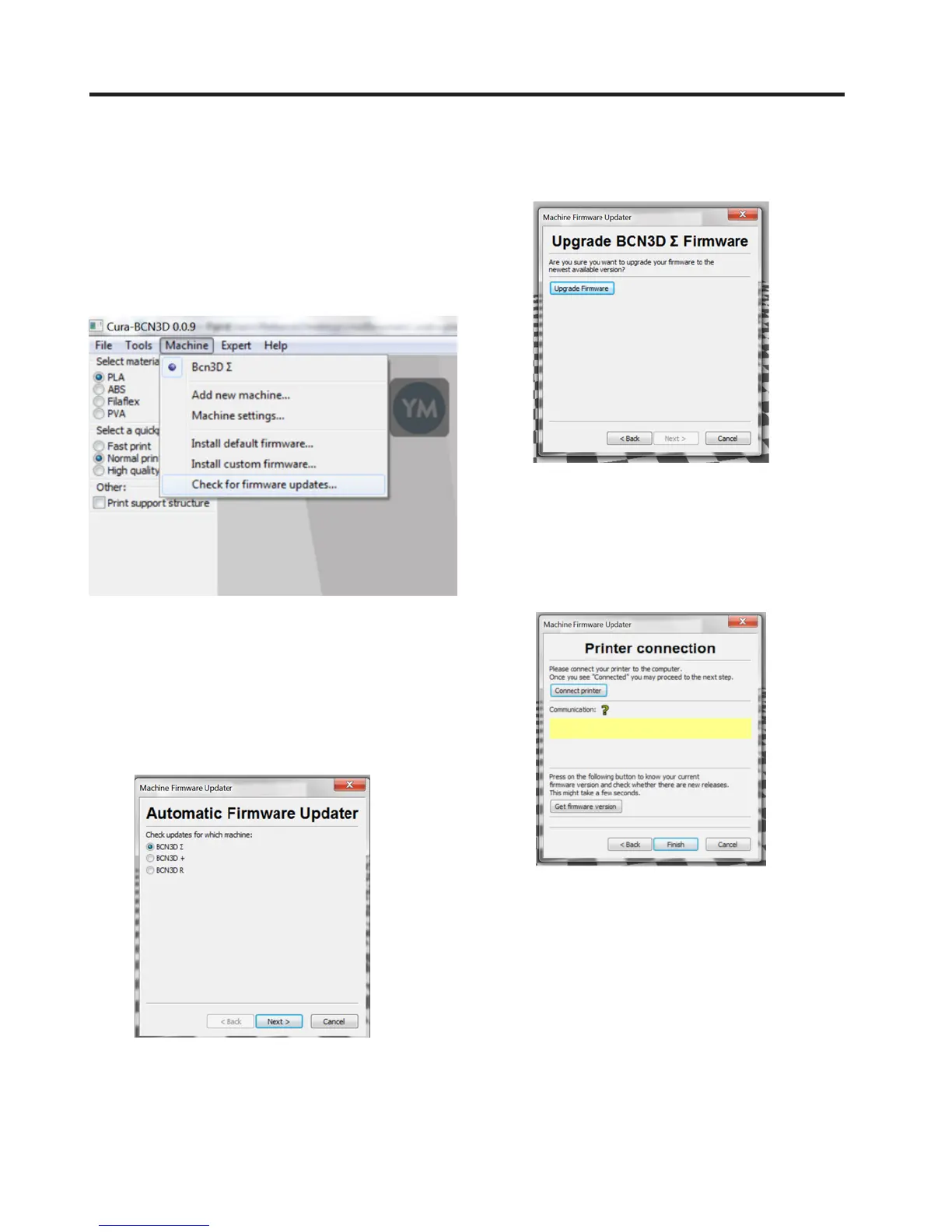
1. Make sure your BCN3D Sigma is connected to the
computer
2. Click on Machine > Check for firmware updates.
3. Next an automatic updater will appear, where you
should select BCN3D Sigma from the list of printers.
Although all BCN3D Technologies´ printers appear in
the list, at the moment only BCN3D Sigma firmware
updates are available.
4. Click on Upgrade Firmware.
5. If you want to check whether the printer´s firmware
is up-to-date you should connect the printer to the
computer with the USB cable, and then click on Connect
Printer.
28 User Manual



 To Next Page