User Manual 29
Cura Updates
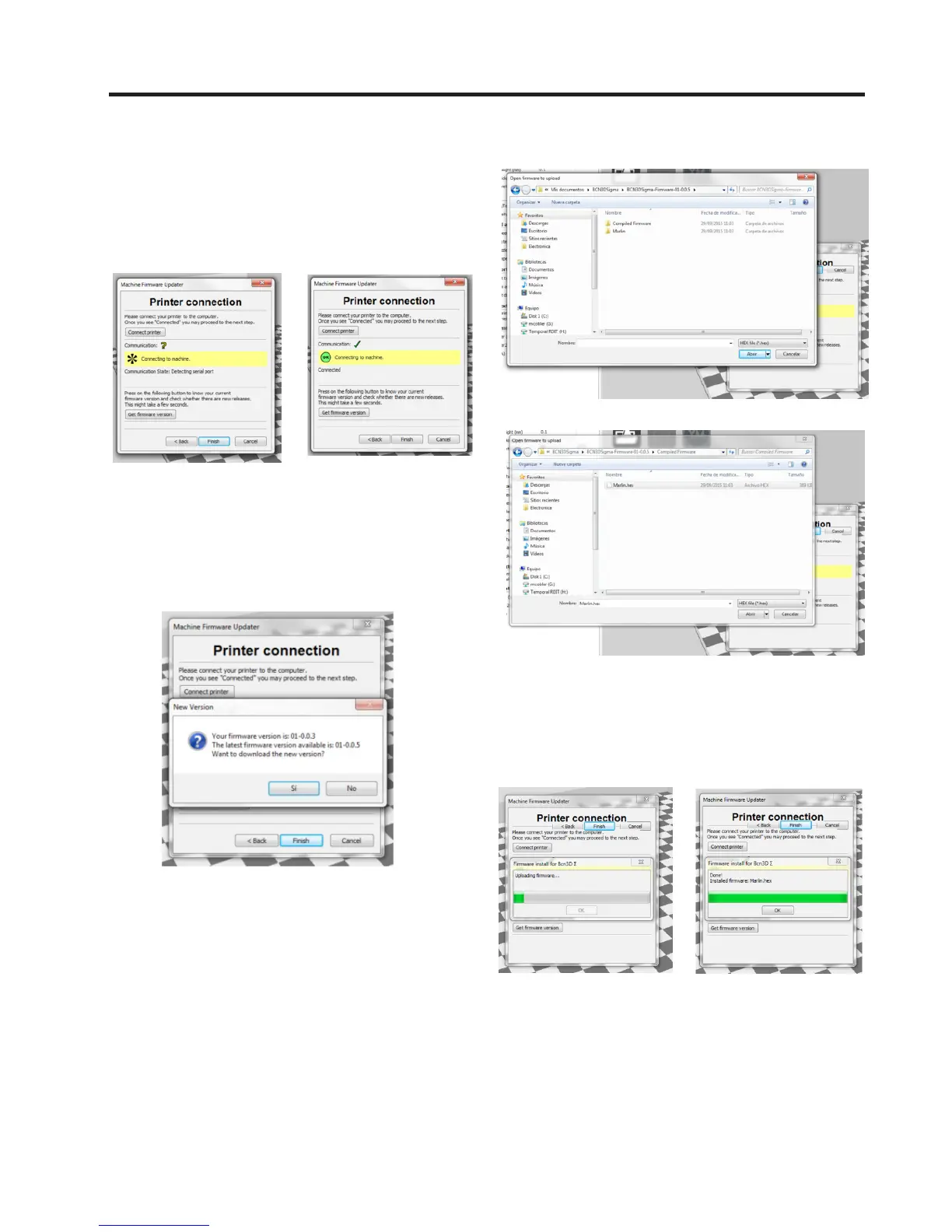
6. While the printer is connecting the updater will dis-
play the Connecting to Machine connection status. Once
the machine is connected the ball icon indicating status
will change to OK in green.
7. After the printer is connected, click on Get Firmware
Version. This button compares the printer´s version
of the firmware with GitHub´s latest version, and will
display an update option if a new version is available.
8. After you have opened it the firmware will start to
update. You can follow the updating process on the
green progress bar which fills from left to right.
8. The new version will start to download, and when it
is completed an Assistant will open displaying a folder
called Compiled Firmware. Open this folder, and then
select and open a file called Marlin.hex.



 To Next Page