Chapter 2: System overview 13
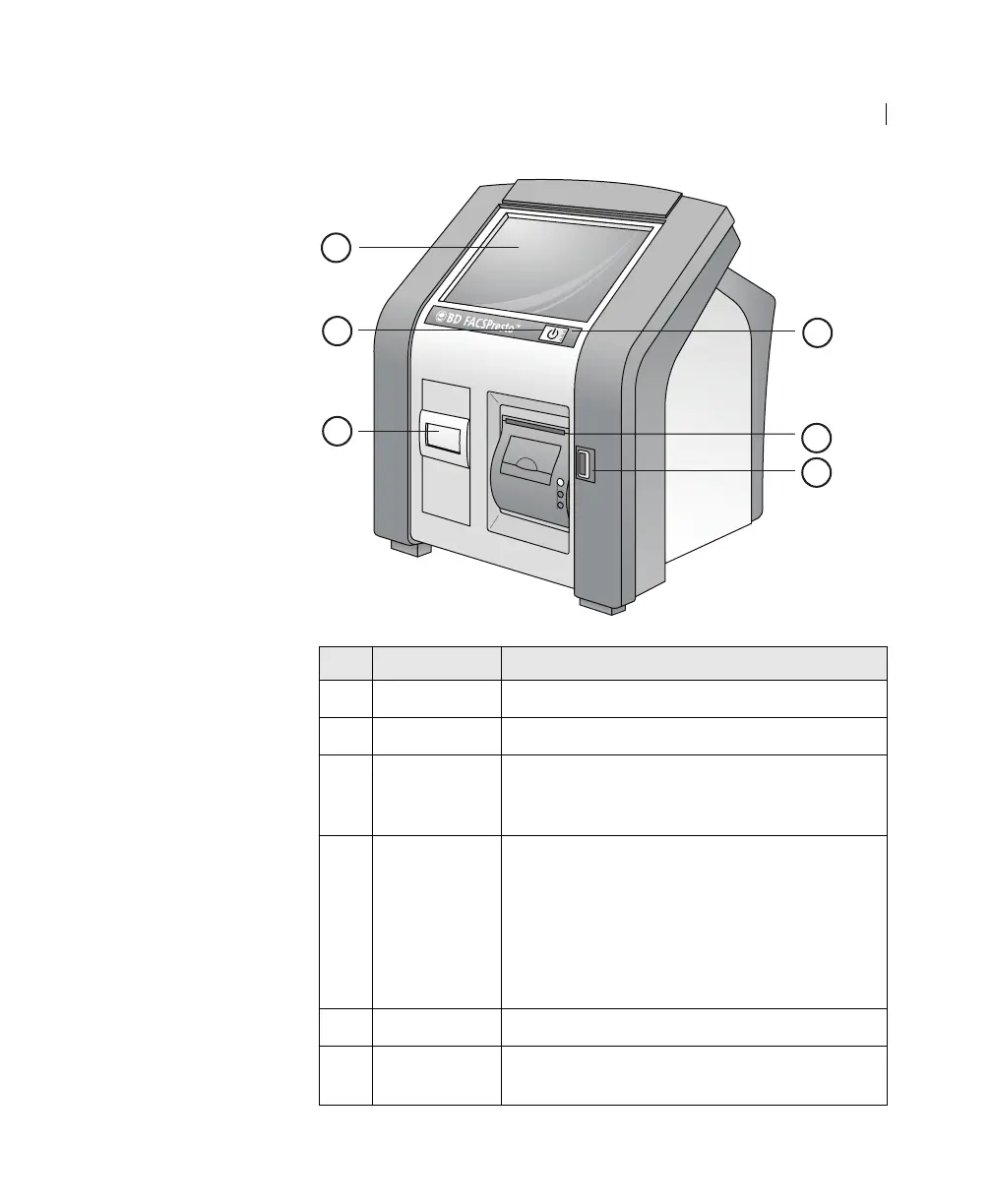
No. Component Description
1
Touchscreen Display for operating the instrument.
2 Power button Button used to turn the instrument on or off.
3 Cartridge
door
Door that automatically opens when you need
to insert or remove the cartridge. Do not
manually open the cartridge door.
4 Standby
LEDs
Lights that:
Are on if the instrument is on.
Are off if the instrument is off.
Blink if the instrument is running on battery
power only and not in use for 21 minutes
or more.
5
Printer Prints QC and test results.
6 USB port Port for exporting patient results and
upgrading the software.
1
2
3
4
5
6











 To Next Page