Chapter 2: System overview 19
Software overview
Introduction This topic describes the software for the BD FACSPresto
instrument and how to use it.
About the
touchscreen
Press the tabs and buttons on the touchscreen to use the software.
Avoid using sharp objects on the screen because they can damage
the screen.
Welcome screen
and navigation
tabs
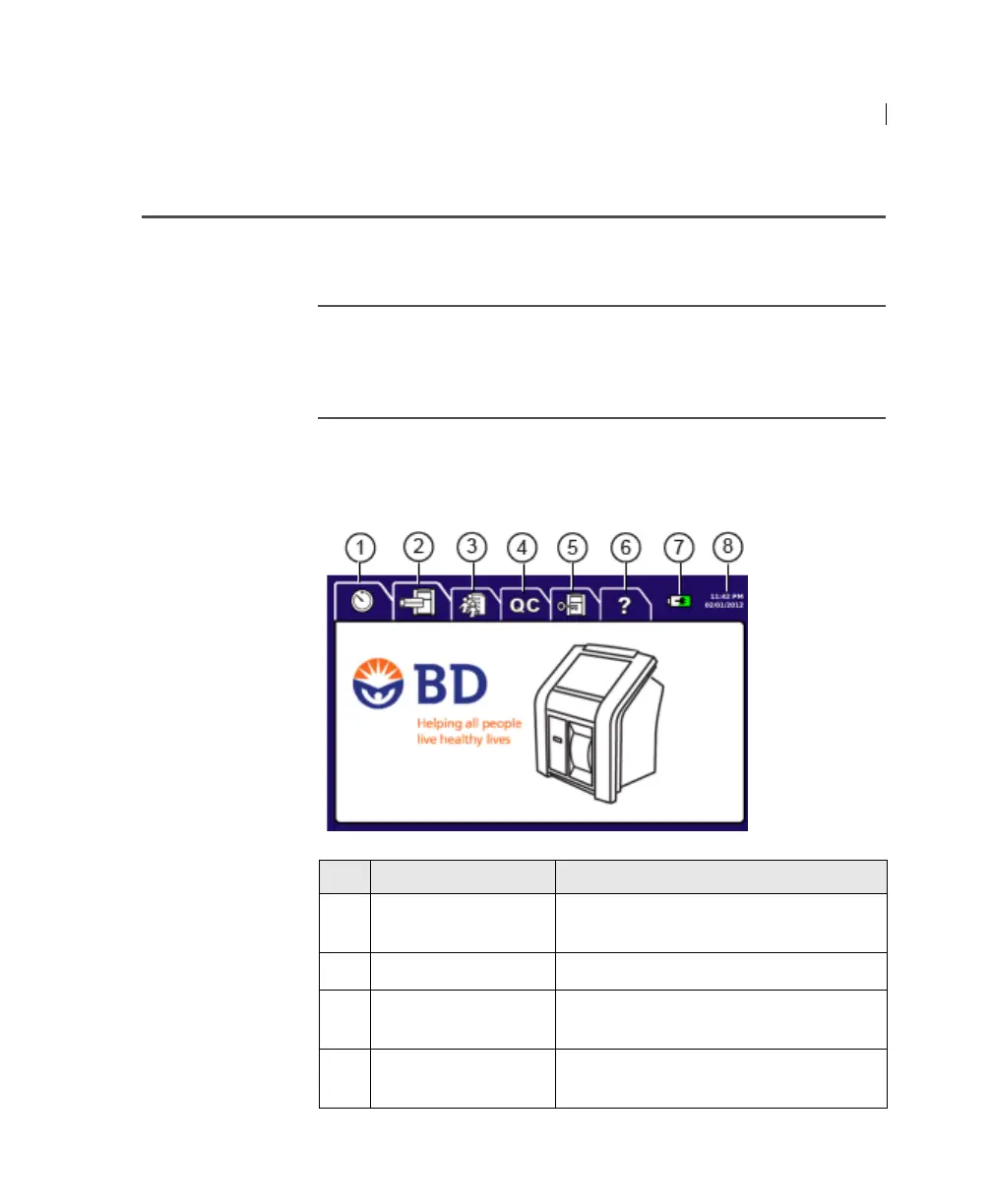
After you turn the instrument on, the welcome screen opens. Press
a navigation tab to adjust settings, perform tasks, and get help on
using the instrument.
No. Tab name or Icon Description
1
On-board Timer Use to set a timer for each cartridge’s
incubation period.
2 Run Test Use to run samples.
3 Results Use to view test results. You can search,
print, and export test results.
4 Quality Control
(QC)
Use to run instrument QC and process
controls.











 To Next Page