BD FACSPresto Near-Patient CD4 Counter Instructions For Use66
2. Remove the channel protector from the cartridge. Do not
touch the cartridge except for the closed cap.
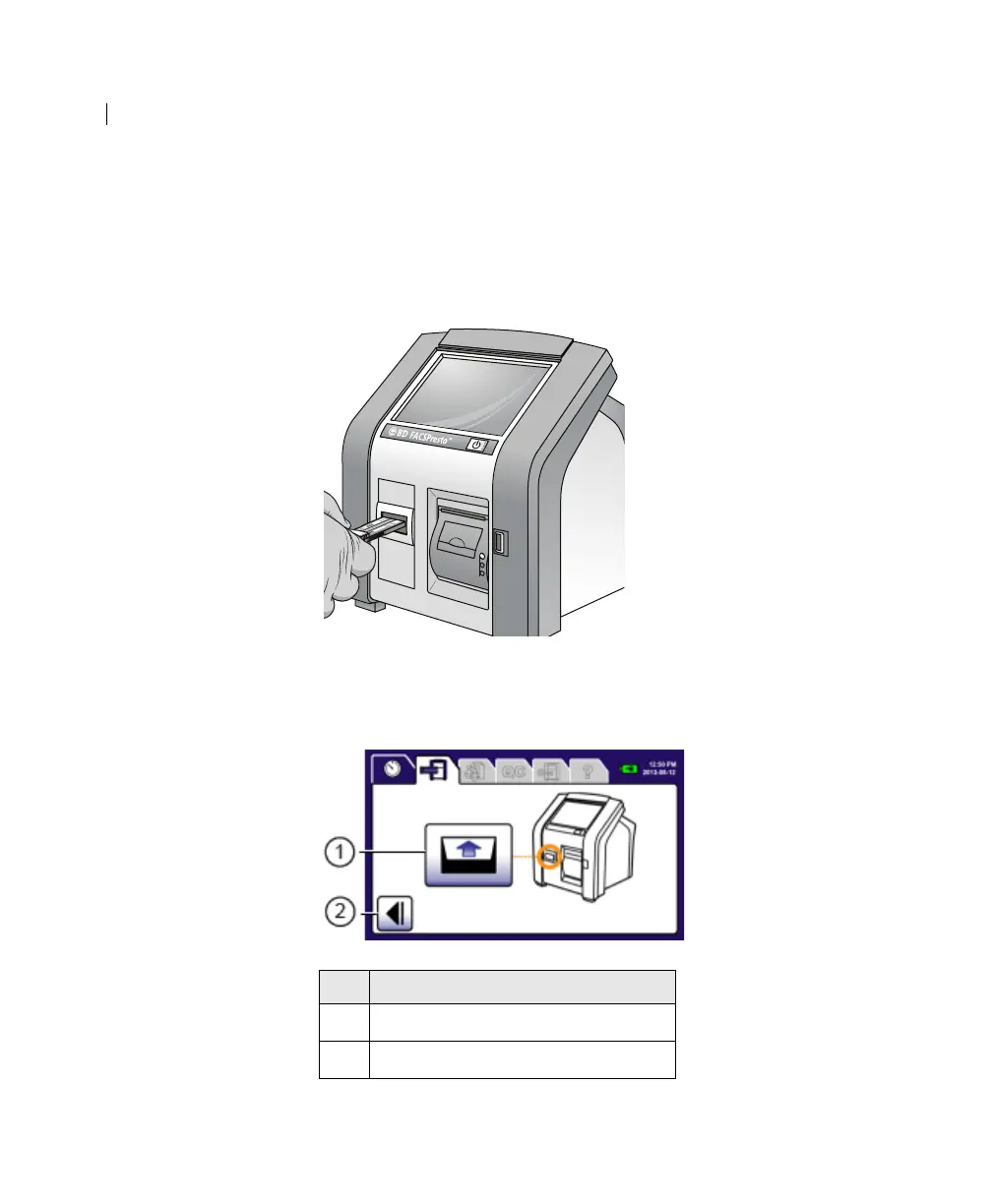
3. Hold the cap with the channel facing upwards. Insert the
prepared cartridge into the cartridge door, as shown in the
following figure.
The cartridge clicks in place. The cartridge door closes. If the
cartridge door closes before you insert the cartridge, press
Open Door.
No. Button
1
Open Door
2 Cancel











 To Next Page