BD Veritor™ Plus Analyzer Instructions for Use
10
BD Veritor™ InfoScan Module – Optional
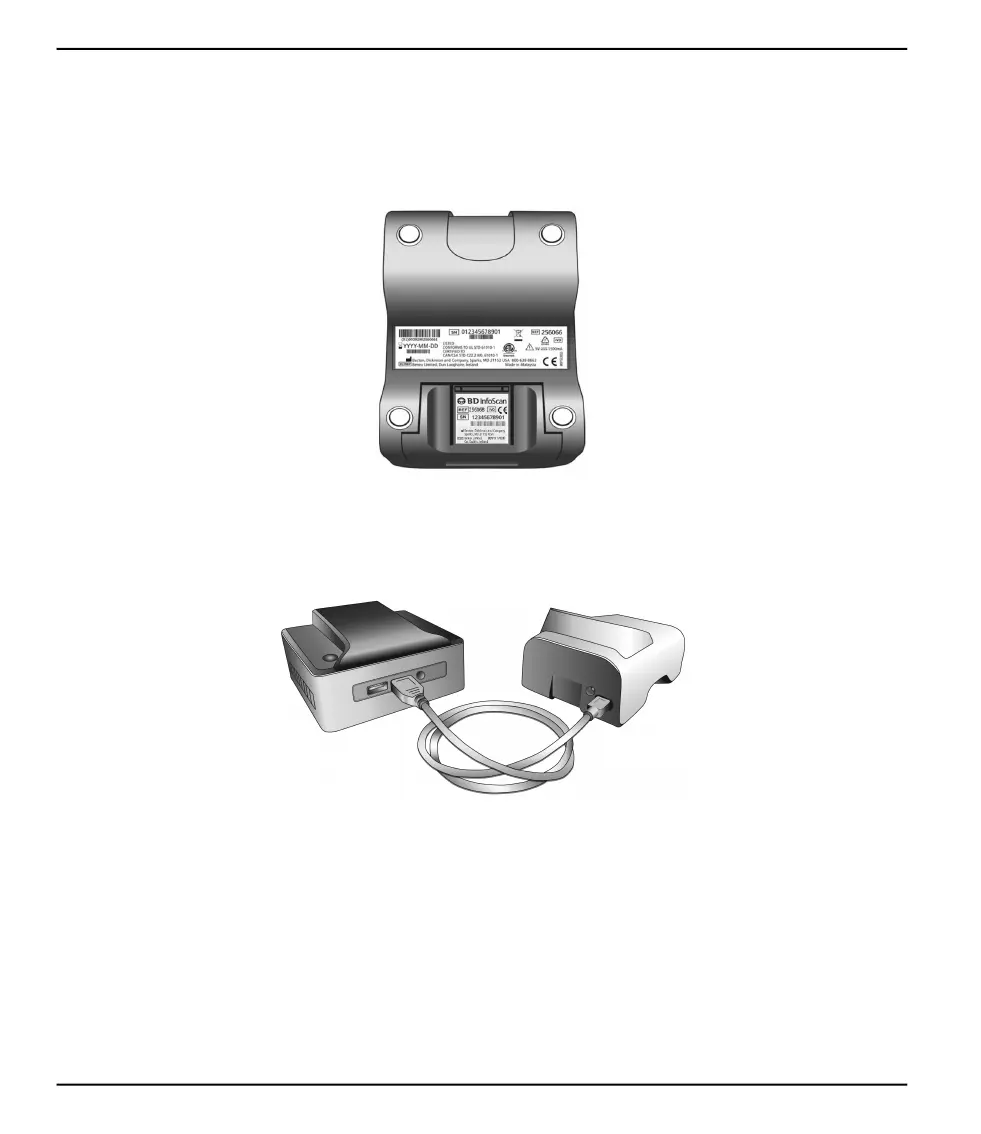
The BD Veritor™ InfoScan module is inserted into the BD Veritor™ Plus Analyzer to add the capability of reading specimen identification,
operator identification, reagent lot information, reagent expiration date, and modifying the on-screen display language of the BD Veritor™
Plus Analyzer. With the BD Veritor™ InfoScan module, users can unlock the unit’s data storage to download test information to a connected
computer over a USB connection. A BD Veritor™ Plus Analyzer configured with a BD Veritor™ InfoScan module can be identified by the
label on its underside, shown in the image below.
BD Veritor™ Plus Connect – Optional
When implemented with BD Synapsys™ Informatics Solution, BD Veritor™ Plus Connect enables BD Veritor™ Plus Analyzers equipped
with a BD Veritor™ barcode scanning module to securely transmit test results to a facility's information system via an Ethernet connection.
The Connect software runs on a separate dedicated computer networked to the BD Veritor™ Plus Analyzer with the USB cable provided
with the BD Veritor™ barcode scanning module. This is shown schematically below.



 To Next Page