17
2.6 BD Veritor™ InfoScan Module Setup – Optional
Addition of the BD Veritor™ InfoScan module enables the Analyzer to capture barcoded information and integrate it into the test record.
Utilized together with BD Veritor™ Plus Connect, and the BD Synapsys™ Informatics Solutions it allows secure transmission of test results
to a facility LIS. The included USB cable may be used to network the Analyzer either to a printer or to the BD Veritor™ Plus Connect.
Steps for installing the module are:
1 Turn the Analyzer power off.
2 Turn the Analyzer upside down.
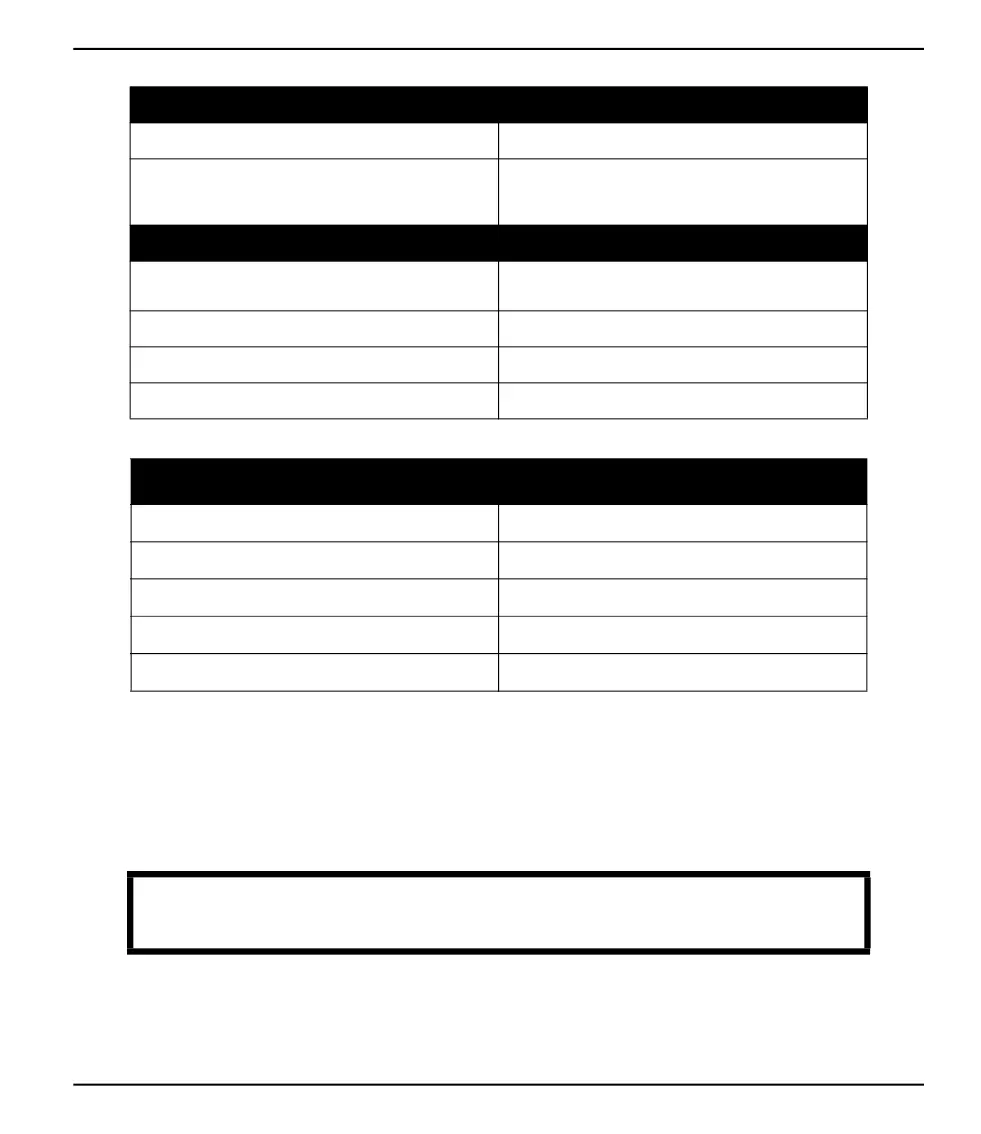
Other
Overvoltage Category II (per IEC 60664)
Lifetime Specification
The BD Veritor
™ barcode reader equipped modules do not
expire.
The BD Veritor
™ Plus Connect does not expire.
Performance Specifications
Compatible 1D Barcode Protocol
Code 128, Code 39, UPC / EAN, Interleaved 2 of 5, Codabar,
GS1 DataBar, GS1-128. ASCII-128 character set.
Operator ID Maximum Barcode Length 20 characters (Longer barcodes are truncated to 20 characters)
Specimen ID Maximum Barcode Length 20 characters (Longer barcodes are truncated to 20 characters)
Data Transmission Security Protocols HTTPS with SSL/TLS certification. AES-256 payload encryption.
Default Workflow Configuration
Operator Identification Scan Disabled
Specimen Identification Scan Enabled
Kit Lot Information Scan Disabled
Display Language English
USB Port Locked
CAUTION
Ensure that the power button is not accidentally pressed while the Analyzer is upside down.
Power to the Analyzer should remain off during module installation.



 To Next Page