1705Router Web Configuration Manual
The configuration method of filter lists is similar with access list configuration of NAT.
Their difference is: access lists of NAT is used to control communication of Internet and
PC in LAN, but filter lists of firewall is used to control the filter function of data packet.
Note:
The filter lists is a order sentence concourse, it match information of packet and parameter of access lists
by superincumbent order. Its judgement rule is that stop the matching rule if it pass some rule in access
lists, and it will not compare with latter rule.
There is a question in above configuration. The user’s purpose is that abandon all
packets except source IP 192.168.2.1. The figure is configured two items to achieve the
purpose. However the router match filter lists, its first row (deny row) has already finish
the matching, and it doesn’t match the second row. In this way, even if the source IP
address of data packet is 192.168.2.1, the router will filter this data packet.
The right method is that trade order of the two list item. You can adjust by up and dn
button in right.
2. Enable Firewall
Select “Enable” and click “Apply” to make the filter function effective.
1.5.5 Default Route
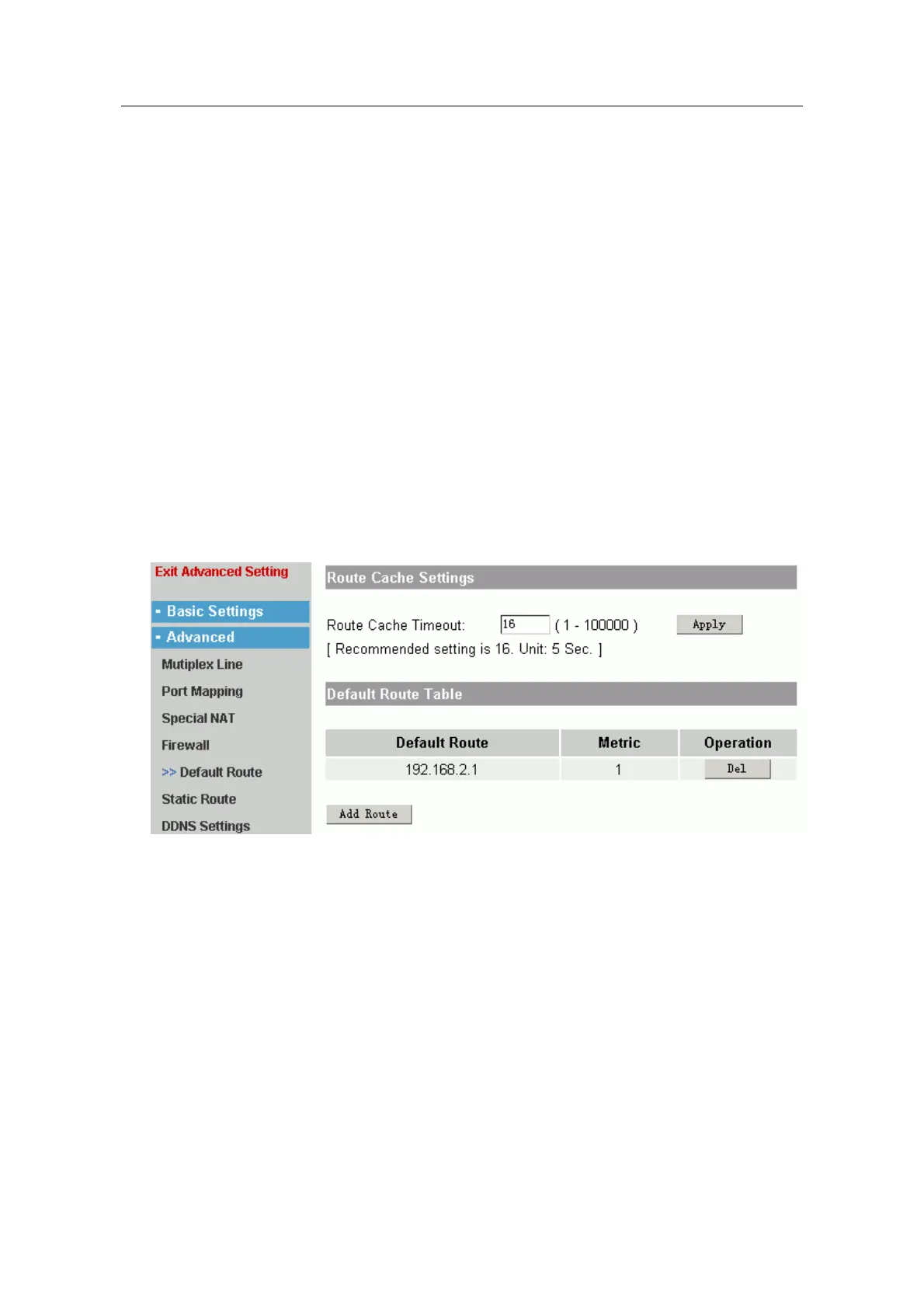
There are two parts in default route page layout:
Route Cache Settings:
It is used to configure aging time of route cache. The default is 16. Usually it is
used to be default value.
Default Route Table:
Click “Add Route” to add the default route.
- 18 -



 To Next Page