1705Router Web Configuration Manual
1.3.1 Typical setting
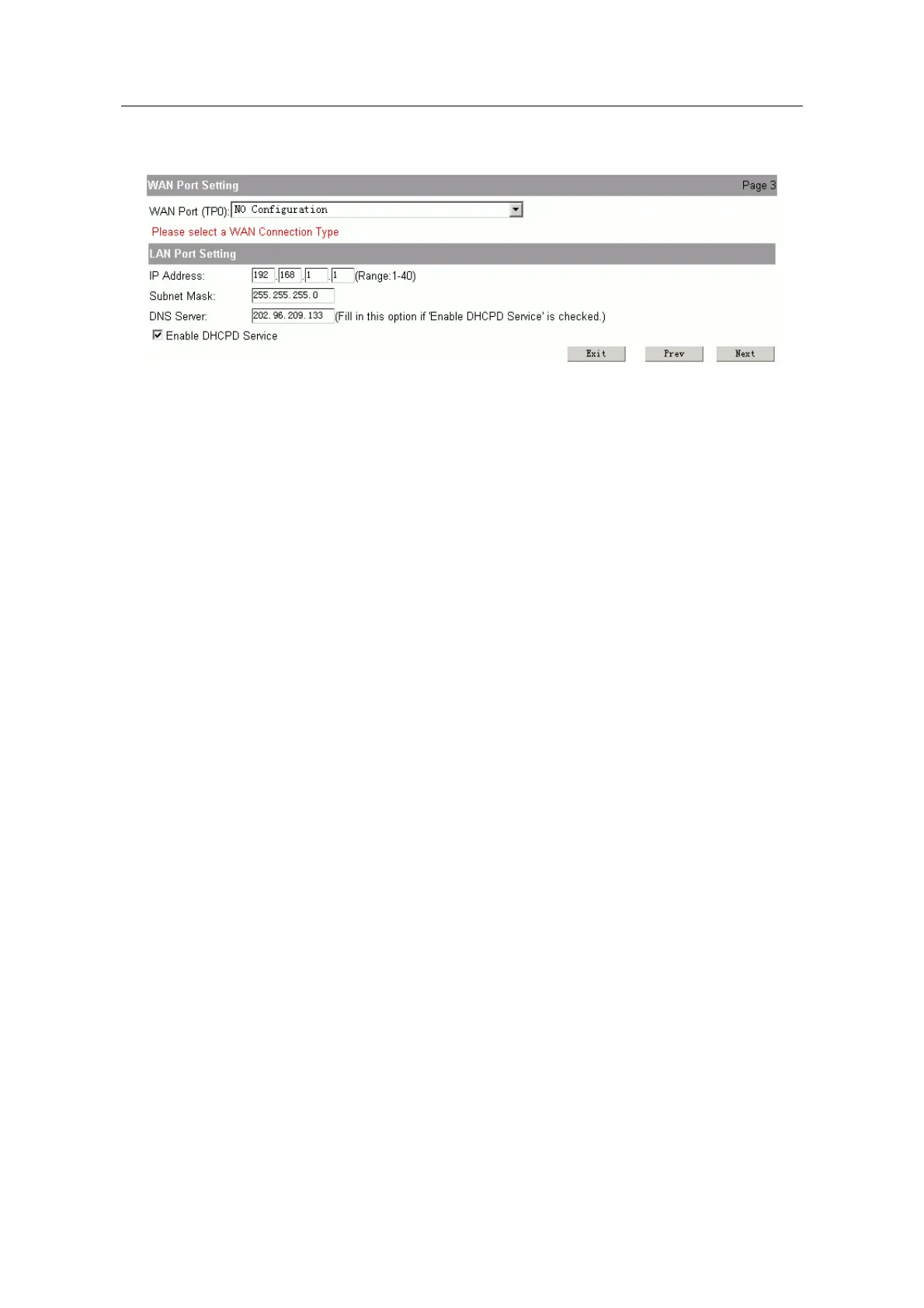
You should config two parts of content in typical setting:
WAN Port Setting:
that is configuring interface for connecting Internet. There are three
connection methods to choose:
Typical setting 1: Using static IP on WAN port
IP address: fill in the IP address obtained from ISP.
Subnet mask: fill in the subnet mask obtained from ISP.
Default route: fill in the default gateway obtained from ISP.
DNS server and secondary DNS server: fill in the DNS address obtained
from ISP.
Typical setting 2: Using PPPoE on WAN port
Username: fill in the username obtained from ISP.
Password: fill in the password obtained from ISP.
Typical setting 3: Using dynamic IP on WAN port.
It isn’t need to do any setting in this method.
LAN port setting:
that is configing interface for connecting LAN.
IP address: fill in the ip address of LAN port.
Note:
The range of last parameter is 1~40. And this IP address must be in the same net-segment with
LAN. User couldn’t use 192.168.2.1, because it is the reserved address, PC in LAN can logging
on router to config by 192.168.2.1.
DNS server: fill in the ip address of DNS server, the default is 202.96.209.133.
Enable DHCPD service: the default is enable. It is used to config IP address and
other parameters automatically. Don’t choose if you config manually.
Click “next” to show the configuration result, click “save and reboot” to finish
configuration and reboot the router.
1.3.2 Wizard setting
There are three steps to finish wizard setting.
WAN Port Setting: configure the port of connecting Internet.
- 6 -



 To Next Page