1705Router Web Configuration Manual
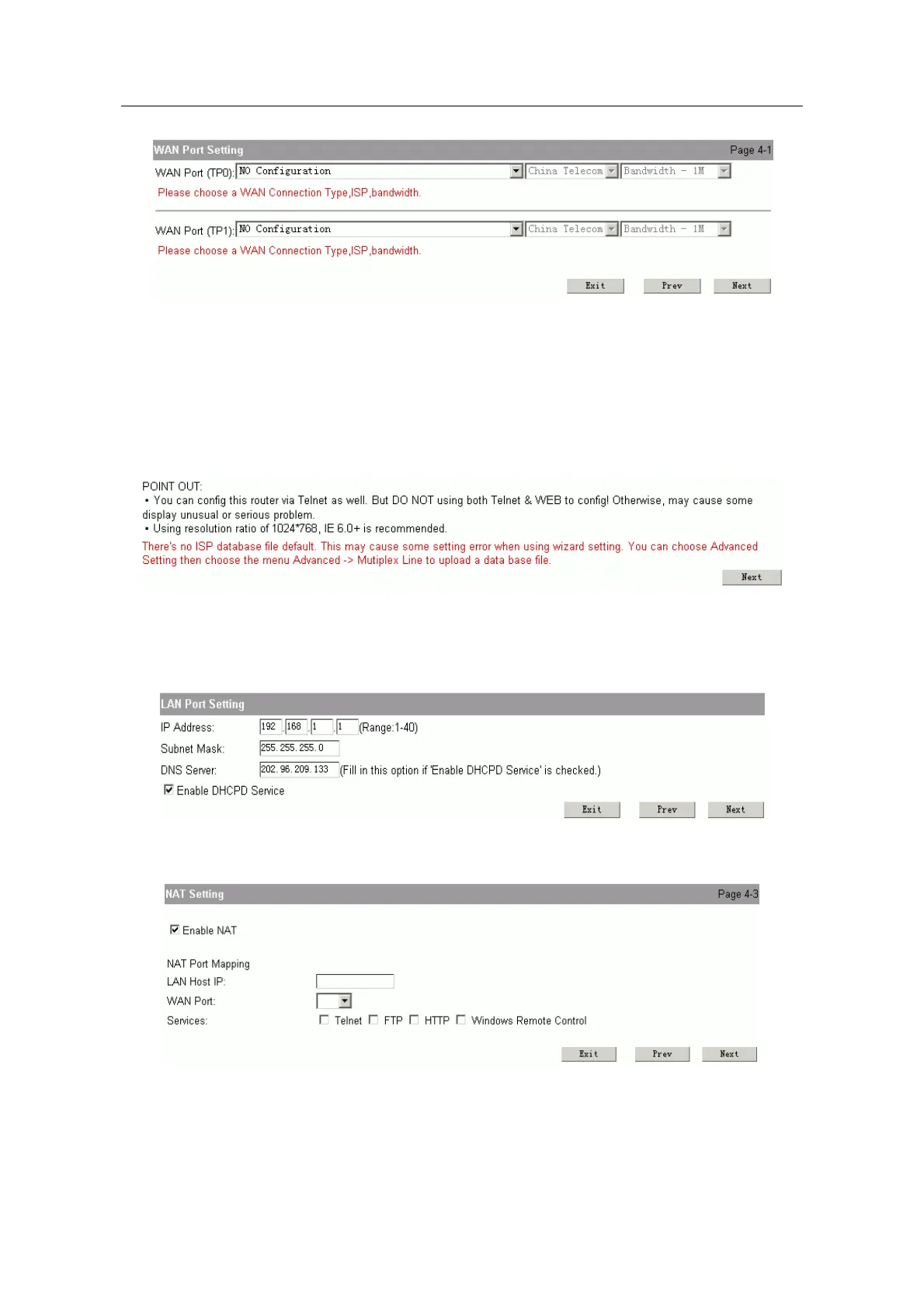
It is similar with WAN port setting of chapter 1.3.1, but it can configure one or two
ports. You can refer to chapter 1.3.1 to configure the parameter.
If you use two ports to connect Internet, you should configure the parameter of
ISP and bandwidth.
Note:
ISP chosen is used to make the configuration high-efficient in mutiplex line. We provide a
file named “isp_db” in order to achieve the configuration result( it is in router when leave
factory ). But this file isn’t necessary. If the system show the following page when you
logging on router:
It is show that the file named “isp_db” is lost. You can do follow this: Advanced
setting->Mutiplex line, to upgrade this file. ( Refer to chapter 1.5.1)
LAN Port Setting: configure the parameter of port for connecting LAN.
NAT Setting: Configure NAT.
Note:
If you
don’t know how to configure, please use the default configuration and click “next”.
Enable NAT: The default is enable. Enable NAT in order to make PC connect
Internet.
- 7 -



 To Next Page