6/8
0
9
F1
F2
...
?
1
2
3
4
5
6
7
8
9
0
F1
F2
...
0
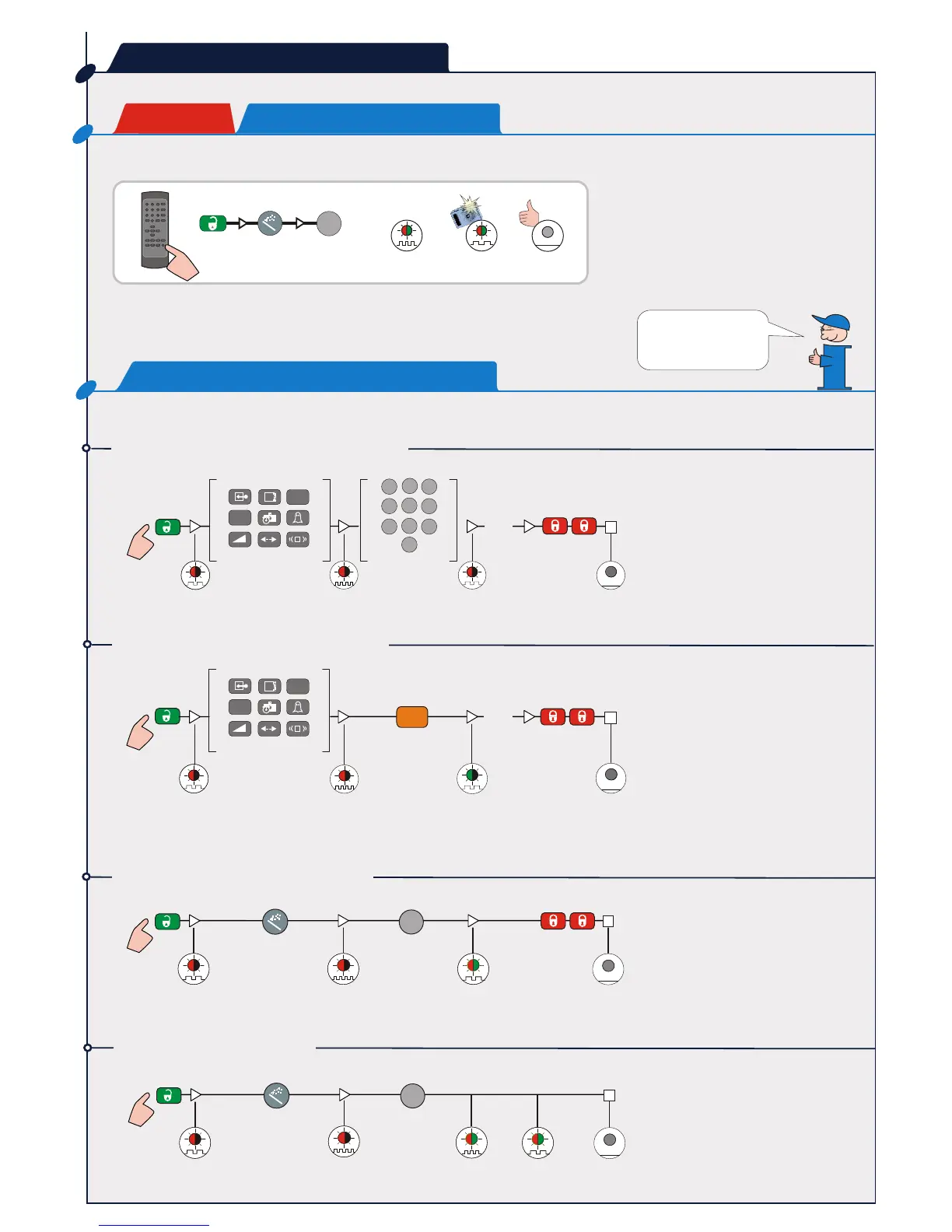
REMOTE CONTROL
STEP 6
SETUP
Launch a setup to make a reference
picture.
RED-GREEN
RED-GREEN
Step out of the detection field and do not
leave any tools inside the detection field
during the setup procedure.
How to adjust one or more parameters?
How to check one or more values?
How to reset to factory values?
How to launch a setup?
HOW TO USE?
RED
RED
RED
RED
RED OFF
GREEN OFF
Select parameter
Set value
Select parameter
The number of green
flashes indicates the
value of the chosen
X value
RED
RED
RED/GREEN
OFF
RED
RED
RED/GREEN
RED/GREEN
OFF
The installation is
completed!


 To Next Page