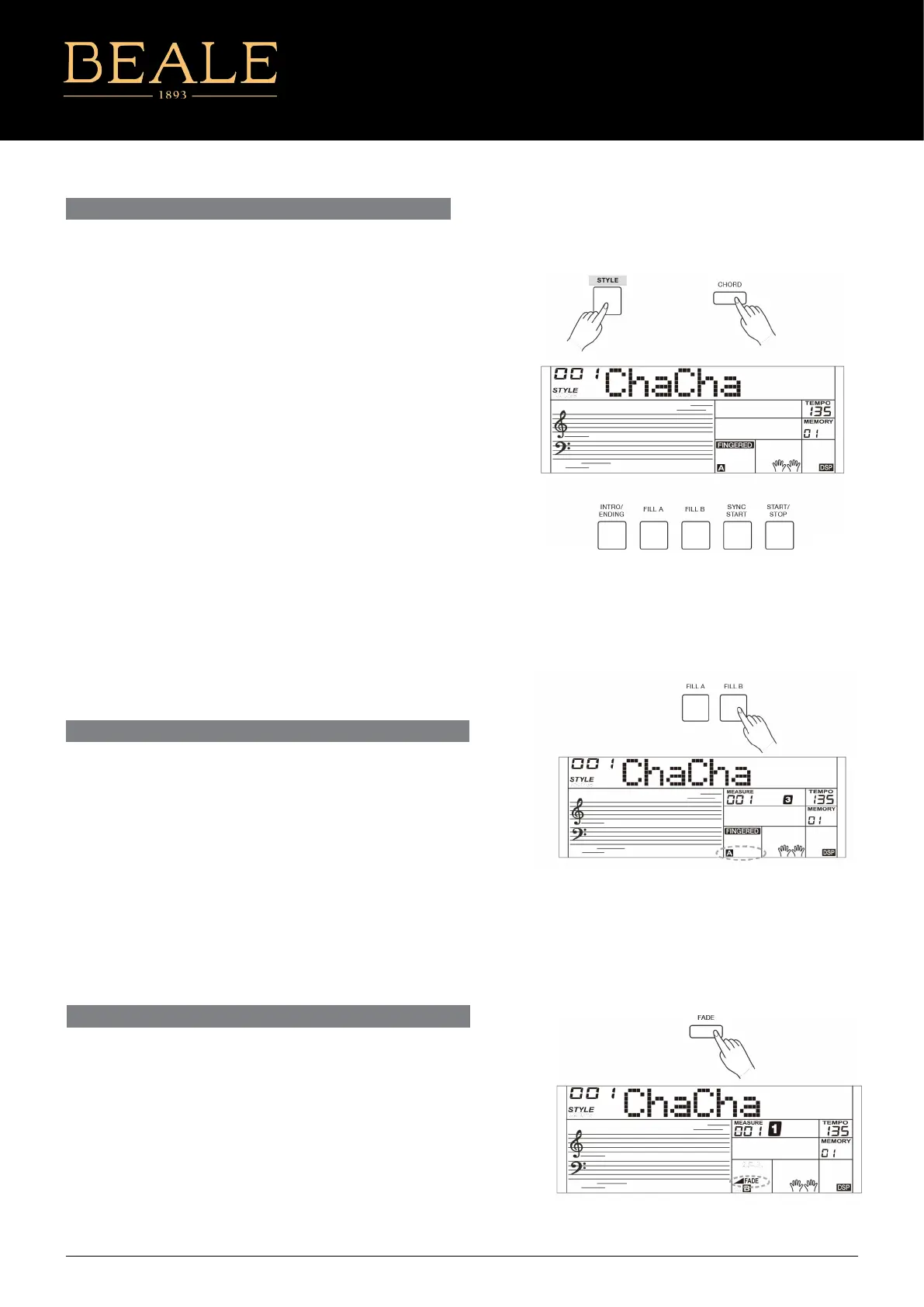
The intro is an opening section of a song. When the intro pattern
nished, the system will automatically shift to the main section.
Ending is the ending section of a song. When the ending is nished,
accompaniment automatically stops. The length of the ending diers
depending on the selected style.
1. Press the [STYLE] button.
2. Select a style.
3. Turn the Chord Mode on.
4. Turn SYNC START on.
5. By pressing the [INTRO/ENDING], the “A” or "B" ashes on the
LCD. The style is ready to play.
6. It will start the accompaniment as soon as you start playing
in Chord section. When the playback of the intro is nished, it
automatically switched to main A or B section.
7. Press the [INTRO/ENDING] again to play the ending section.
When the ending is nished, the auto accompaniment
automatically stops.
Note:
If you press [FILL A] or [FILL B] before the ending is nished, it will
play a ll-in then switch to the corresponding main section.
INTRO/ENDING
PLAYING A FILL
Auto ll in function automatically adds a ll to your performance.
When the ll-in is nished, accompaniment shifts to the Main section
(A,B).
Note:
If you keep pressing [FILL A]/[FILL B] buttons during style playback, the
ll-in pattern will repeat playing until the button is released.
Playback will then shift to the related MAIN section.
When style stops, press the [FILL A]/[FILL B] buttons to select a MAIN
section. “A or B” will highlight on LCD.
FADE IN/OUT
Fade In
Starting the style with fade in produces a smooth beginning, the
volume increases from low to high. Press the [FADE] button when
Style is stopped, LCD will show FADE. Press the [START/STOP] button
to start Style playing. LCD will show◢FADE.
The Accompaniment Volume will change from 0 to the set value in
about 8 seconds. The keyboard volume will change from 0 to default
value at the same time.
AK160
9



 To Next Page