PLAYING THE SONGS
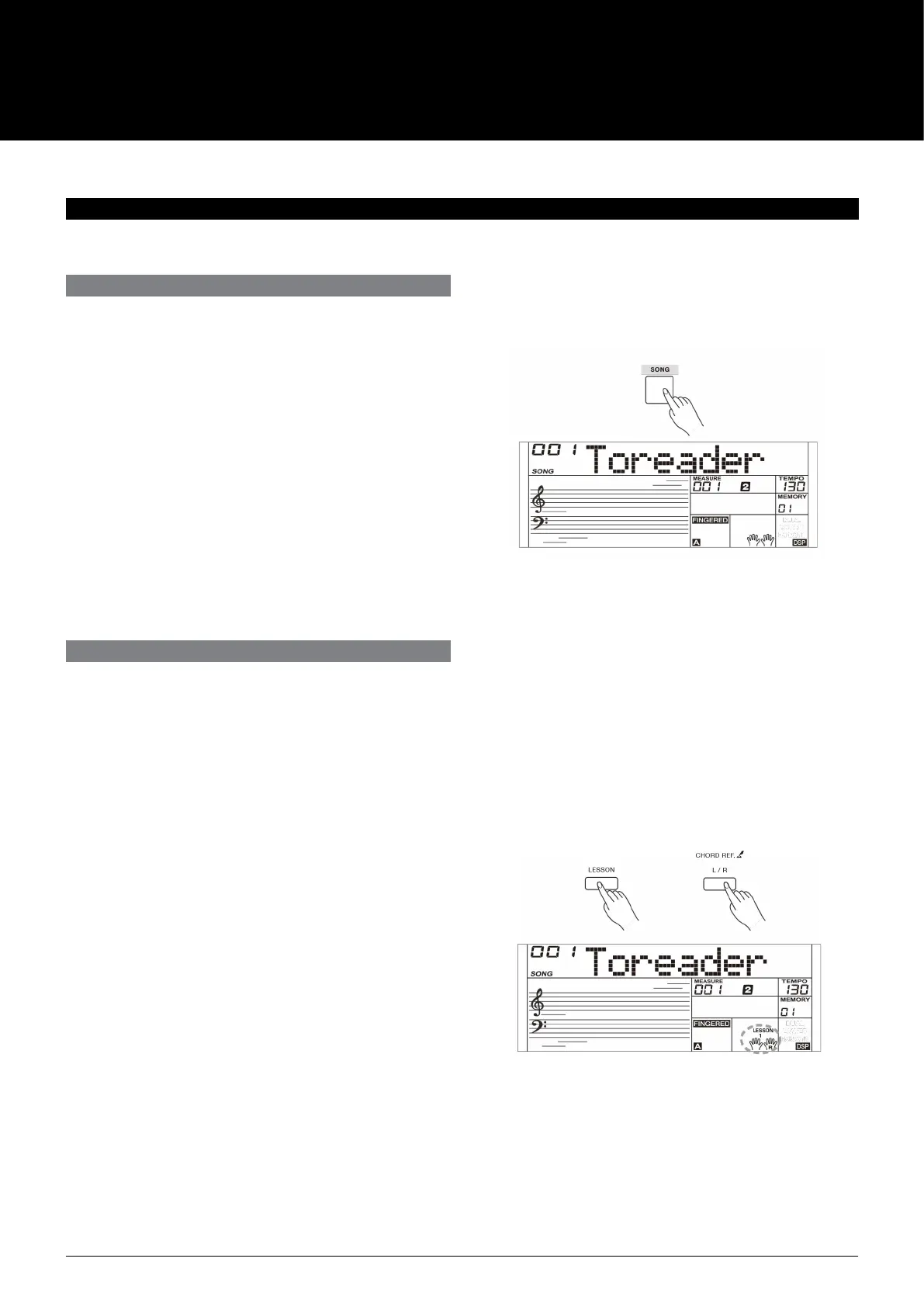
1. Press the [SONG] button to enter the song mode. It will play
all songs circularly. Press the [SONG] button again, it will stop
the song.
2. In song mode, use the number keys and [+]/[-] buttons to
select a song.
3. During song playback, you can press the [START/STOP] button
to stop the song, press it again to play the current song
repeatedly.
4. Use the [TEMPO+]/[TEMPO-] buttons to change the tempo of
the current song.
5. When the song is stopped, press [STYLE], [SOUND], [LAYER],
[M1] - [M4] to exit the song mode.
The instrument presets 3 dierent ways to practice a song, as
specied in Lesson 1, Lesson 2 and Lesson 3. The instrument will
grade your practice when you nish a lesson, helping you to keep
track of your progress.
1. When song playback is stopped, press the [LESSON] button to
enter the lesson mode or select a lesson to practice.
2. Press the [START/STOP] button to start the lesson. The LCD
displays the note that needs to be played.
3. Press the [START/STOP] button again to stop the lesson.
4. In lesson mode, press repeatedly the [L/R] button to select to
practice the left hand part, the right hand part, or both hands.
5. You can select to practice one of the three lessons. It will
grade your practice when you nish a lesson.
Lesson 1: You will learn to practice at the correct time value. It
doesn't matter even you play the wrong notes.
Lesson 2: You will learn to play the correct notes. The lesson
will continue only when you have played correctly
the note displayed on LCD.
The instrument has a variety of songs (Please refer to the Song List). Each song can be practiced in LESSON mode.
LISTENING TO THE SONGS
LESSON MODE
AK160
18



 To Next Page