FUNCTION MENU
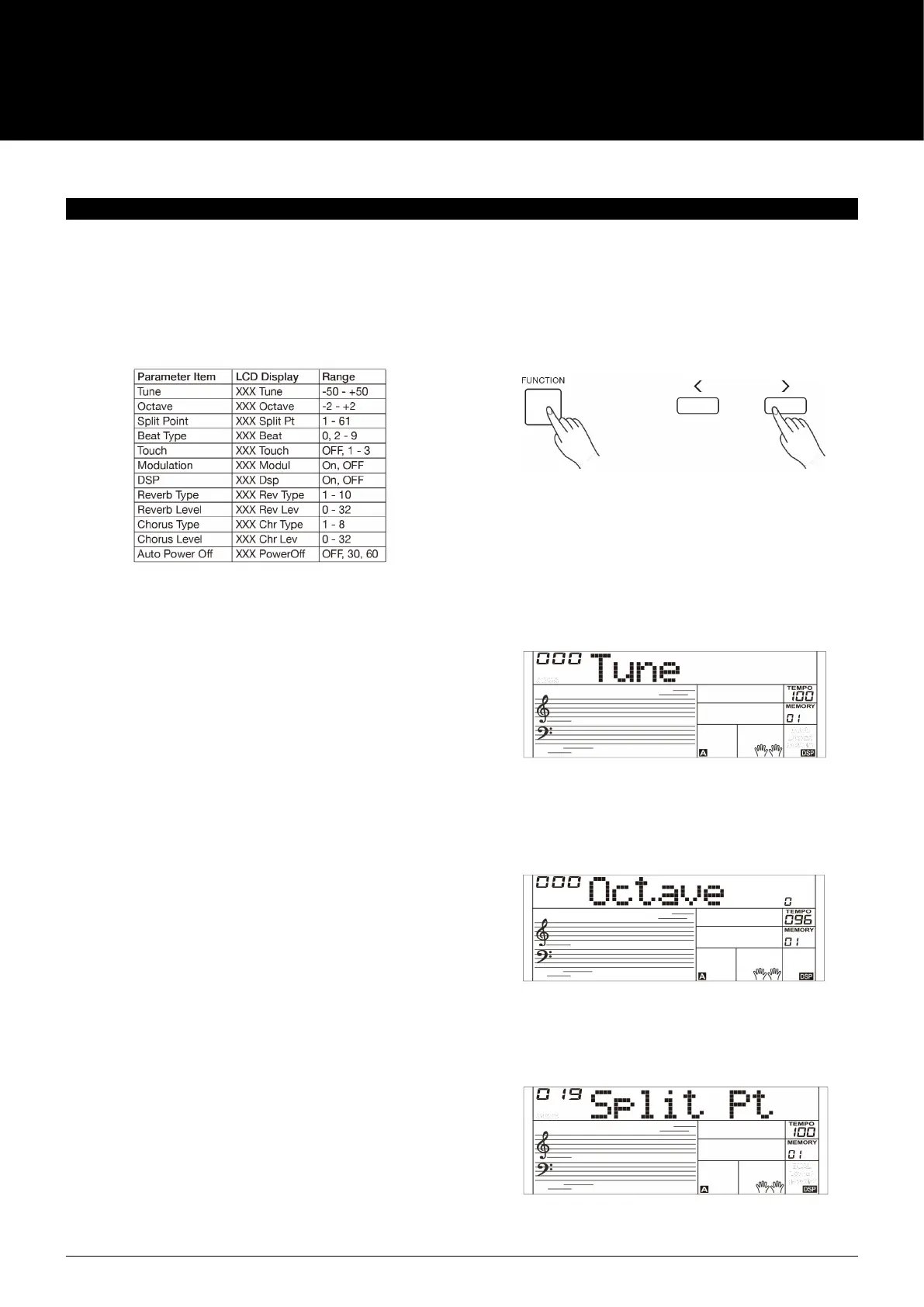
Press the [FUNCTION] button to enter the function menu. The LCD
displays the current parameter item.
Press repeatedly the [FUNCTION] button to select an item, then use
the [+]/ [-] buttons to change the value of the selected item.
Parameter items and the value range are as follows:
Note:
It will exit the function menu if there is no operation in 3 seconds.
TUNE
The function adjusts the pitch of the entire keyboard in a 2-cent
increment.
1. Repeatedly press the [FUNCTION] button to select the tune
menu. The LCD displays “Tune”. Use the [+] / [-] buttons to
change the value over the range of -50 - +50.
2. Pressing [+] and [-] buttons at the same time will reset the
tune value to default “000”. The setting applies to both
accompaniment and the sound.
OCTAVE
1. Repeatedly press the [FUNCTION] button to select the octave
menu. The LCD displays “Octave”. Use the [+] / [-] buttons to
change the value over the range of -2 - +2.
2. Pressing [+] and [-] buttons at the same time will reset the
octave value to default “000”.
SPLIT POINT
The Point on the keyboard that separates sound L and sound R1/R2
is called the "split point". Left hand section controls the auto bass
chord accompaniment when the CHORD mode is on, or it plays the
split sounds when the CHORD mode is o.
1. Repeatedly press the [FUNCTION] button to select split point
menu. The LCD displays “Split Pt”. Use [+] / [-] buttons to
change Split Point. The range of Split Point is: 1~61.
2. Press [+] / [-] buttons simultaneously will set the split point
value to its default setting: F#3 (19).
AK160
14



 To Next Page