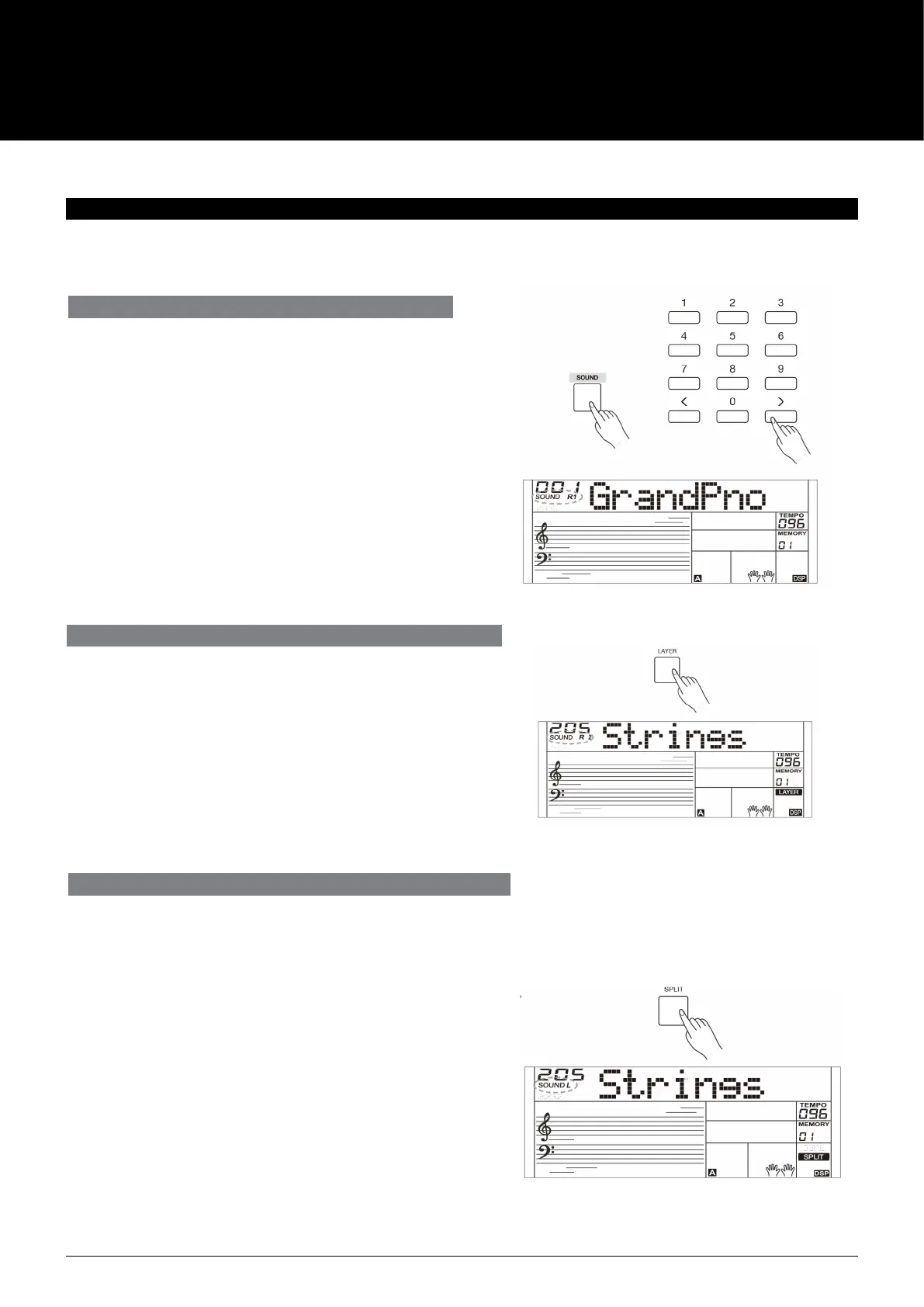
1. Press the [LAYER] button to turn on the layer function. LCD
shows “SOUND R2”, the layered sound number and name.
2. Use the number keys, the [+]/[-] buttons to select the sound
for SOUND R2.
3. Play the keyboard, you will hear two dierent sounds layered
together, just like two dierent instruments being played at
the same time.
4. Press the [LAYER] button again to turn o the layer function.
1. In idle mode, press the [SPLIT] button to turn the split function on.
The LCD displays the left hand sound name and number, and the
indicator “SOUND L” and “SPLIT”.
2. Use the number keys, the [+]/[-] buttons to select the sound for
SOUND L.
3. Play the keyboard with both hands, and you will hear two dierent
sounds.
4. Press the [SPLIT] button again to turn o the split function.
Split Point:
The key on the keyboard that separates sound L and sound R1/R2 is called
the “split point”. The default split point is at F#3 (19) , however you can
assign it to any other key. Refer to the Function Menu.
PLAYING THE SOUNDS
PLAYING A SOUND
1. Press the [SOUND] button.
Enter the SOUND mode. LCD shows “SOUND R1”, the sound
number and the sound name.
2. Select a sound.
Use the number keys, the [+]/[-] buttons to select the sound
you want to play.
3. Play the sound.
Play the keyboard notes and enjoy the selected sound.
Note:
When the LAYER and SPLIT function is on, you can press [SOUND]
button repeatedly to choose the sound source. The corresponding
LCD indicator will highlight between R1, R2, and L.
The instrument features a variety of exceptionally realistic sounds.
Please refer to Sound List pages in this manual.
PLAYING TWO SOUNDS SIMULTANEOUSLY–LAYER
PLAYING DIFFERENT SOUNDS WITH BOTH HANDS-SPLIT
The Split function splits the keyboard into two areas so to create dierent
sounds for each of your hands playing positions. The left hand sound is the
split sound “L”.
AK160
6



 To Next Page