CONNECTIONS
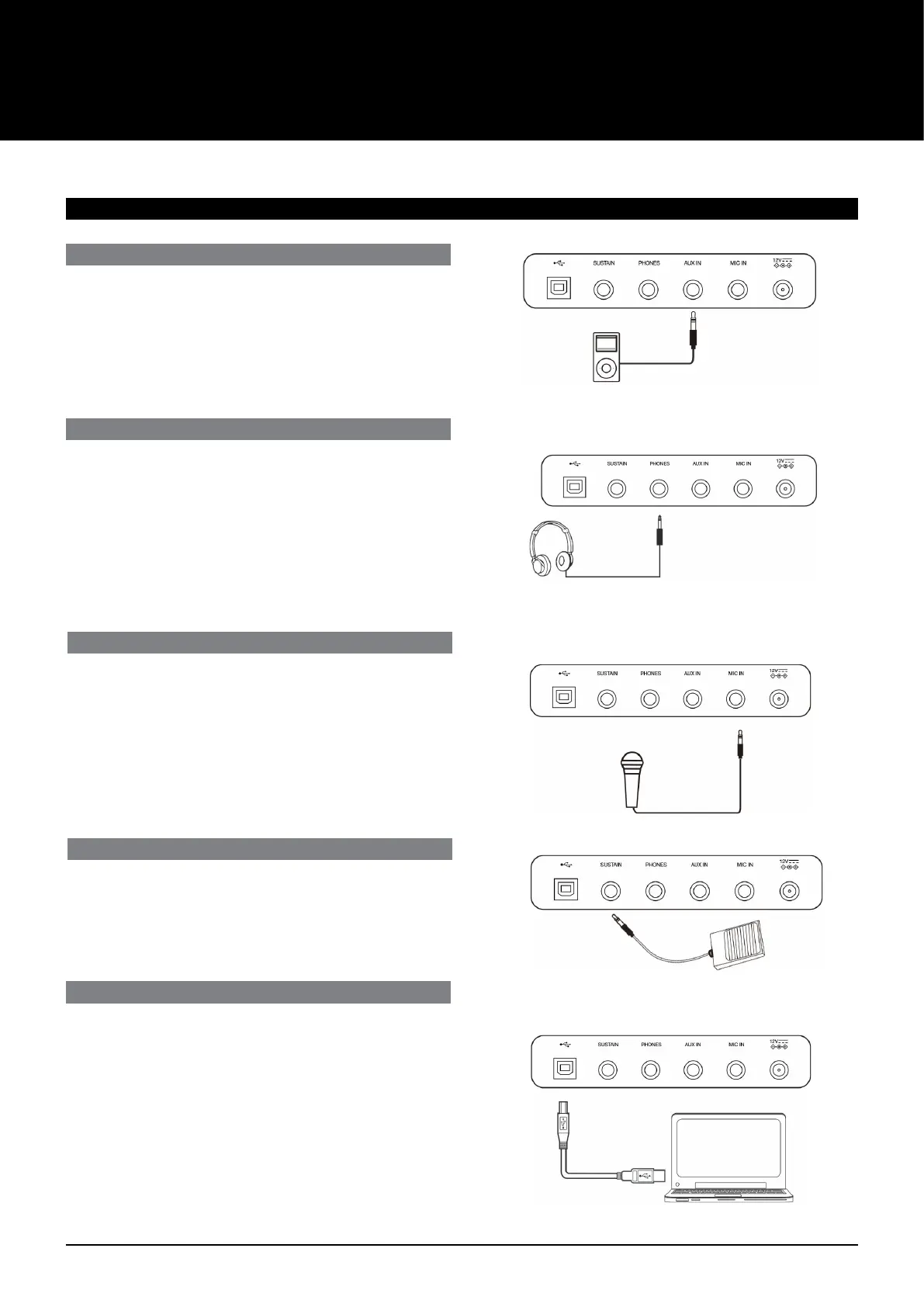
CONNECTING A COMPUTER
Use a standard USB cable to connect the USB jack of the
instrument to the USB port of a computer. You can transmit MIDI
messages between the instrument and the computer.
Note:
1. Do not set the USB device to be input and output
simultaneously when setting the software on the computer.
Otherwise, the sound will be overlapped when playing the
keyboard.
2. We recommend using a USB2.0 interface to connect the
instrument to computer.
CONNECTING AN AUDIO PLAYER
The rear-panel AUX IN jack receives audio signals from an external
audio source such as an MP3 or a Streaming player. Use an audio
cable to connect the AUX IN jack of the instrument to the OUTPUT
jack of the MP3/Streaming player. The instrument’s speakers will
play the music transmitted from the external player, and you can
play along.
CONNECTING A PAIR OF HEADPHONES
A standard pair of stereo headphones can be connected to the
PHONES/OUTPUT jack for private practice or late-night playing. The
internal stereo speaker system is automatically shut o when a pair
of headphones is plugged into this jack.
Note:
Do not listen with the headphones at high volume for long periods
of time. Doing so may cause hearing loss.
CONNECTING A MICROPHONE
You can plug a microphone to the MIC jack to sing along with your
keyboard performance or song playback.
1. Set the master volume to minimum level before connecting or
disconnecting a microphone.
2. Plug a microphone into the MIC jack.
3. Adjust the master volume to an appropriate level.
CONNECTING A SUSTAIN PEDAL
An optional foot switch can be plugged into the sustain jack and be
used to switch sustain on or o. Simply by pressing the pedal, you
will have the notes sustain as you play.
AK160
4



 To Next Page