GB Sound module USM-RC-3
11.10.2021 BEIER-Electronic 103
Sound simulation
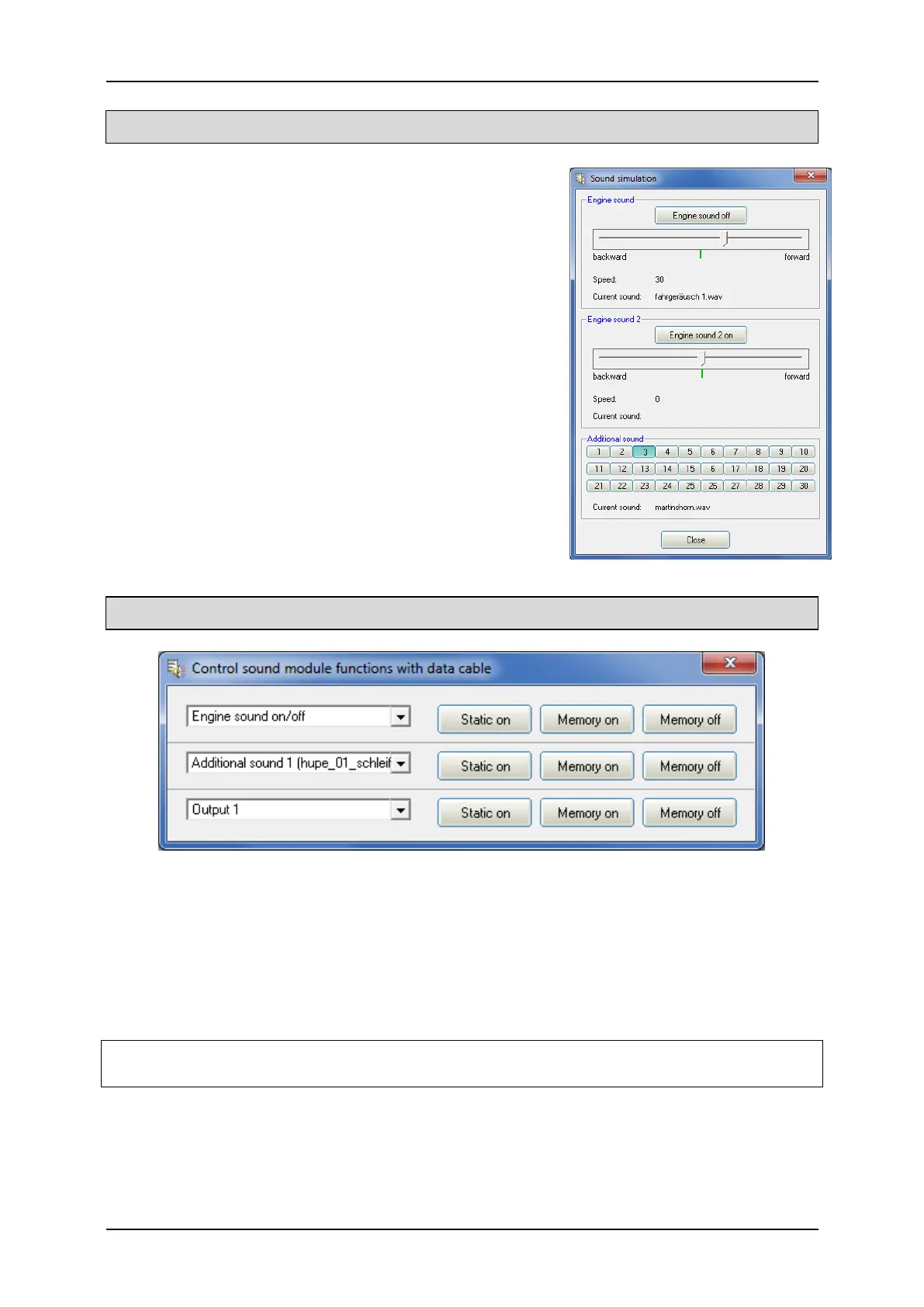
The sound simulation can be started with a click on
“Sound simulation” in the menue “Help”.
You can play-back the driving sounds and the
additional sounds 1 to 30 of your current project at
your pc. This is an easy way to check your sounds
and configurations without copying all files to SD
card.
The driving sound can be switched on and off and
even the driving speed can be simulated by the slider.
To trigger an additional sound, just click on the
corresponding button. The additional sounds can also
be triggerd by the keyboard:
• Button F1 - F10 Additional sound 1 - 10
• Button 1 - 0 Additional sound 11 - 20
Testing functions with help of data cable K-USB-2
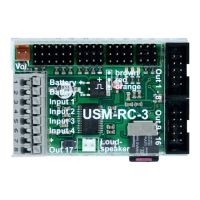
The function “Control USM-RC-3 functions with data cable” can be found under
menu “Data cable”. With the help of the data cable K-USB-2, all functions can be
controlled directly from the PC and not only via the remote control. This can be very
helpful for tests without transmitter.
As usual, the functions can be selected with drop boxes. It is possible to activate the
functions static or in memory at the USM-RC-3.
While the functions are being controlled with the data cable, the connection to an IR
or BT light module in the trailer is repeatedly briefly interrupted!


 To Next Page