GB Sound module USM-RC-3
112 BEIER-Electronic 11.10.2021
How to edit sounds with the PC
"Amplify" sounds
So that the sound is played loud enough, the sound must be controlled accordingly.
In practice, it has been shown that a certain amount of overdrive does not
immediately deteriorate the sound quality, but of course increases the volume.
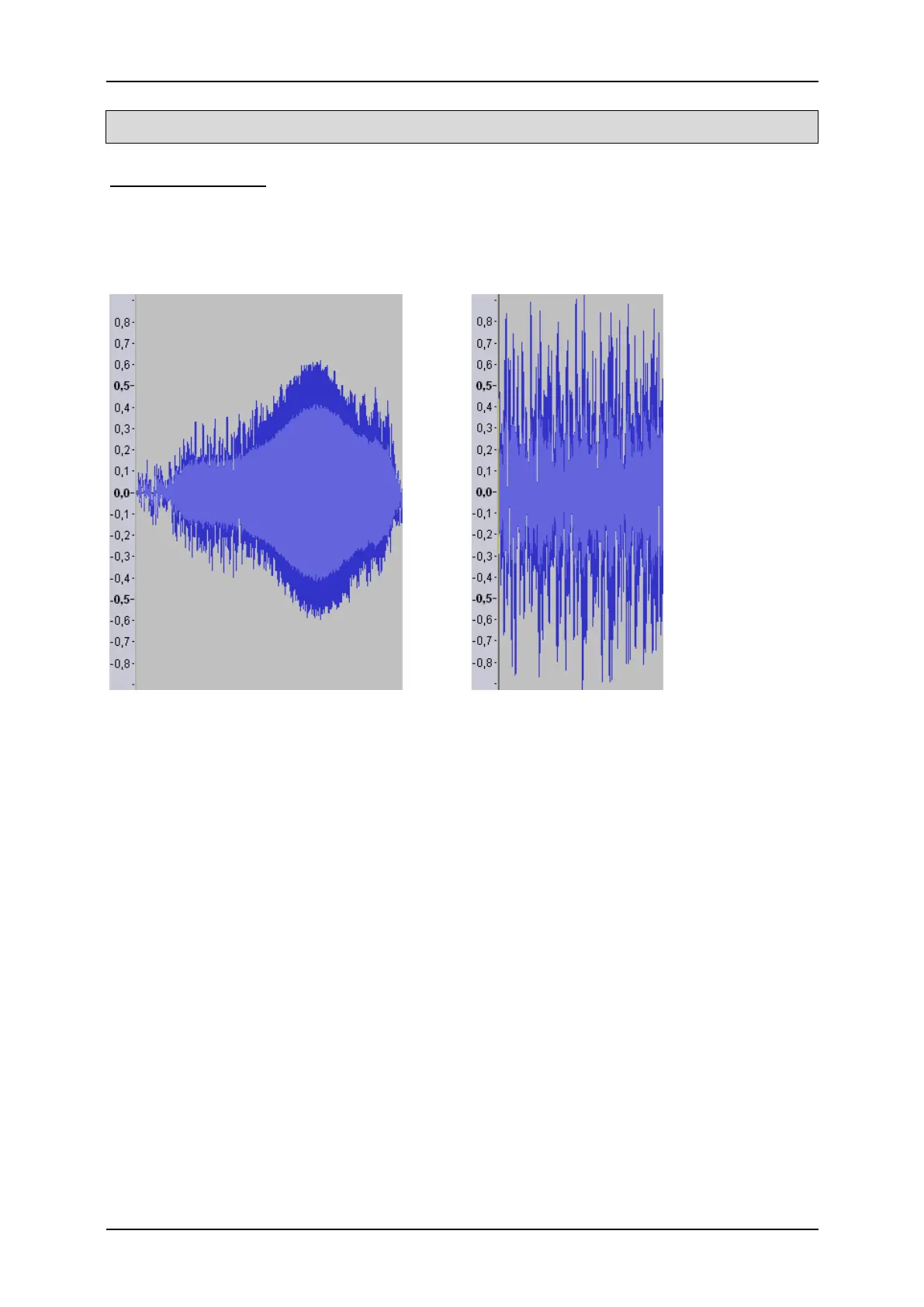
Poor controlled sound: Good controlled sound:
The sound on the right could also be further amplified without significantly affecting
the sound quality, since only a few peak samples would be lost.
To amplify a sound with Audacity, proceed as follows:
1. If the sound is not well controlled over its entire length, it should first be
"normalized". In the “Effect” menu, select “Normalize…” and confirm your
selection with “OK”.
2. In the "Effect" menu, select the "Boost ..." item.
3. Activate the "Allow override" field.
4. The gain must be specified in "dB".
5. However, the unit dB is not linear. 3 dB correspond approximately to a gain
of 40% and 6 dB to 100%.
6. Confirm your selection with "OK".
7. Changes can also be easily undone using the key combination "Ctrl + Z".



 To Next Page