GB Sound module USM-RC-3
52 BEIER-Electronic 11.10.2021
Output „Stationary/Motion“
With this function the output is always active, regardless of whether the model is
moving or not. The value “Intensity” defines the light intensity during standing.
“Option 1” defines the intensity when the model is in motion (0 – 100 %). The change
between both light intensities is executed smoothly.
Output “At accelerating on“
This output is always switched on briefly as soon as the model accelerates from
standing.
Output “At driving speed on“
This output is switched on when the model exceeds a defined running speed level.
This level is entered under “Option 1“.
Outputs for ships
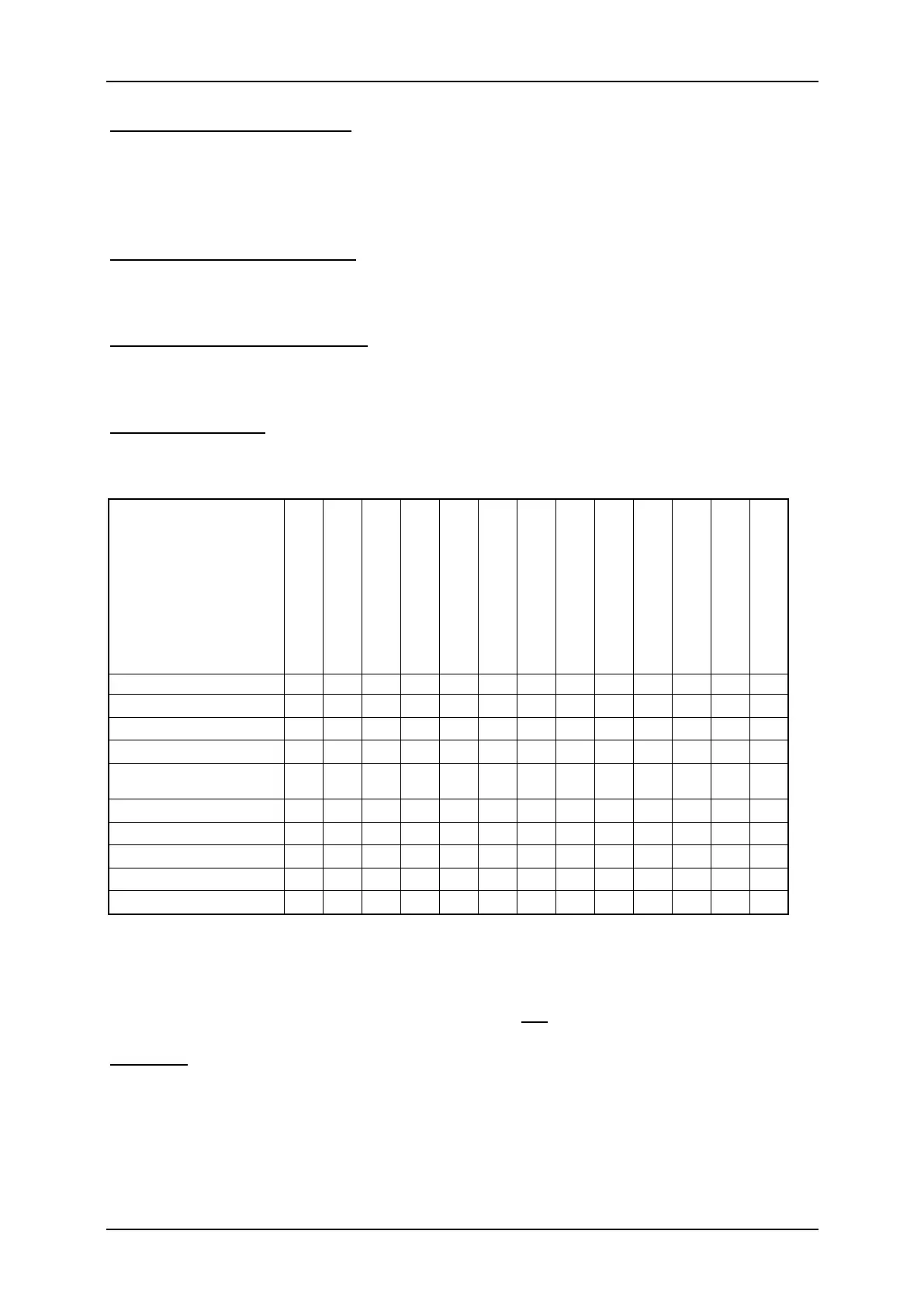
With these outputs the lights of ships can be authentically simulated. The lights are
controlled using this logic-table:
Output
-round light red top
-round light red middle
-round light red bottom
-round light green top
-round light white
-round light white
Restricted in ability to
manoeuvre
= output is active
= output is only active, if the ship is in operation
This table is fixed stored in the firmware and can not be changed!
Example:
If the function “In operation“ is active, the outputs which are configured as “1.
Masthead“, “Side light“ and “Stern light“ are switched on.
If you want to use light functions, the outputs must be configured (which light is
connected to which output) and secondly the functions must be allocated to the
control elements (e.g. nautic switch) of the transmitter. You should use “Memory“
functions for this.


 To Next Page