VAV – Module NMV-D2M
N-A4.2.3 Addressing by manual disengagement push-button
Procedure:
- Set the required address in the ‘MP address’ field.
- Activate ‘Manual addressing by acknowledgement’
- Press ‘OK’
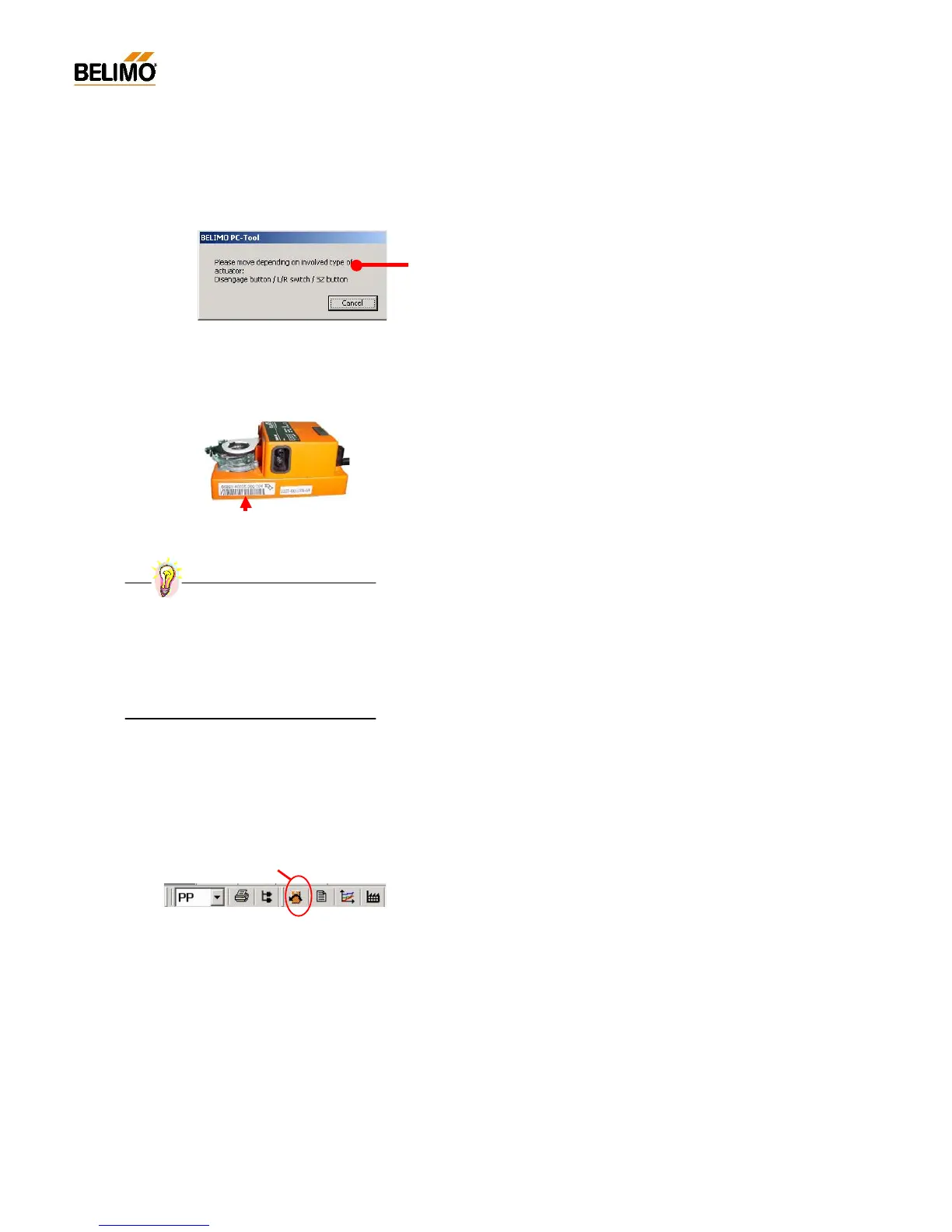
- Press the manual disengagement push-button on the NMV-D2M. An
appropriate signal is given if the setting of the address is successful.
Repeat the procedure if a fault alarm is given.
N-A4.2.4 Addressing according to serial number
Procedure:
- Set the required address in the ‘MP address’ field.
- Activate ‘Addressing according to serial number’
- Enter the serial number (by hand or bar code reader)
When there is a direct link to the actuator the serial number read from
the NMV-D2M appears as the default value.
- Press ‘OK’
- An appropriate signal is given if the setting of the address is successful.
Repeat the procedure if a fault alarm is given.
N-A4.3 Reset to OEM setting <F5>
This function allows changed settings of operating volumetric flow to be
reset to the unit manufacturer’s default values.
The following values are reset:
V’max
V’mid
V’min
Reset to OEM setting <F5>
Practical tip – Address sticker



 To Next Page