VAV – Module NMV-D2M
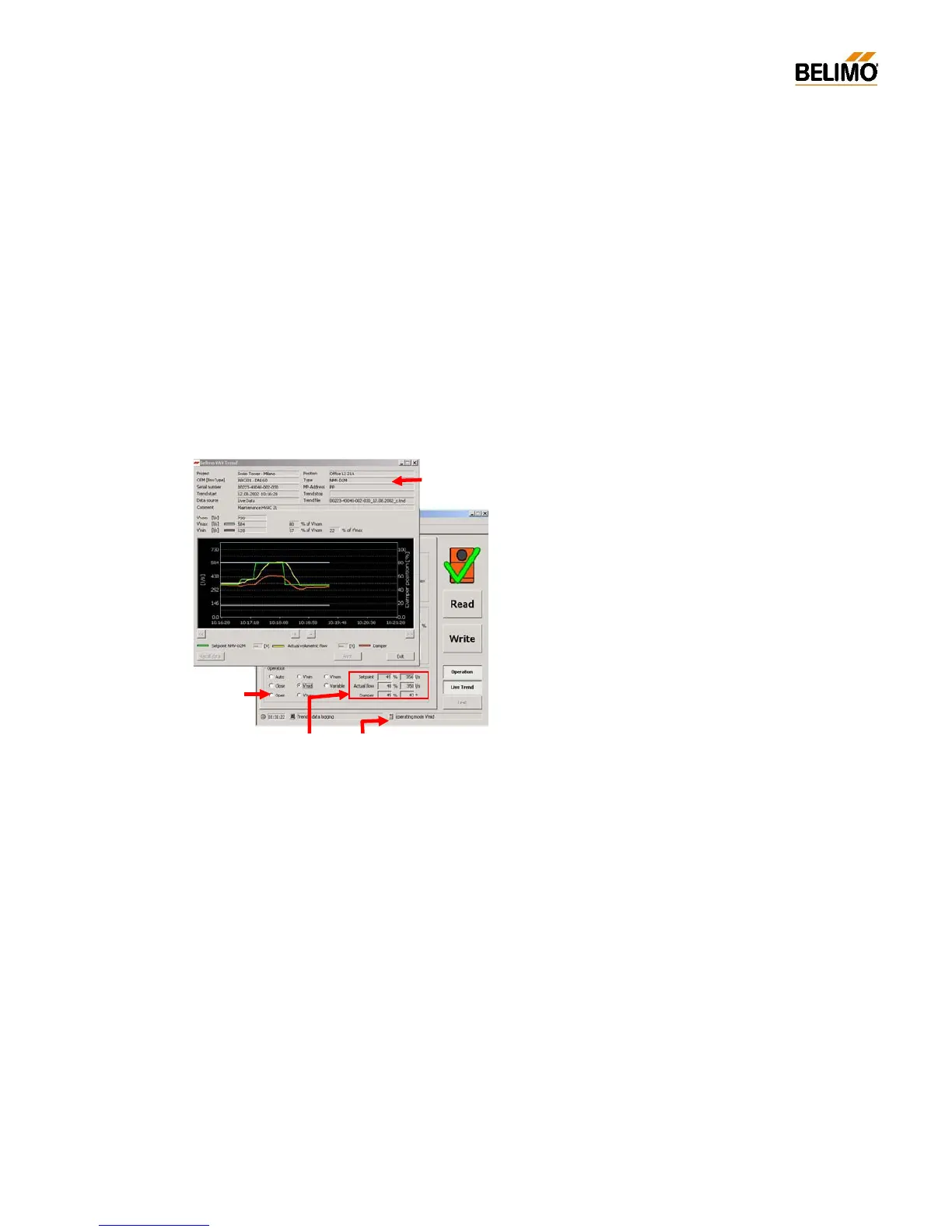
N-S4.2 Live trend
The ‘LIVE TREND’ function requires an active communication link to the
NMV-D2M controller. This function allows a VAV controller to be checked
under real operating conditions or a setpoint of volumetric flow to be is-
sued, both options showing the active control behaviour of the VAV /
CAV-box to which it is connected.
N-S4.2.1 Start/Stop
Start: with the ‘LIVE TREND’ button
Stop: - with the ‘LIVE TREND’ or ‘STOP’ buttons
- with the <ESC> key
- by leaving the ‘Service’ register
- by interrupting communication
- by local initiation of synchronising or adaption
‘Live Trend’ cannot be started when ‘OPERATION’ is activated.
N-S4.2.2 Selecting the operating step
Simultaneous display of the two windows allows the volumetric flow rate
to be changed while a trend is being recorded so that the resulting system
response can be observed.
N-S4.2.3 Voltage readings in ‘Live Trend’
The voltage readings for ‘Setpoint NMV-D2M’ and ‘Actual value of volu-
metric flow’ are only available when the ‘Auto’ mode is active and the
NMV-D2M address setting is ‘PP’.
The solution:
- Reference value NMV-D2M V’min...V’max
- Actual volumetric flow 0...100% V’nom
Note – Voltage display:
The voltage readings shown are values deter



 To Next Page