12
G+ MIMO Wireless Modem Router
SECTIONSTable of Contents 1 2 4 5 6 7 8 9 103
KNOWING YOUR MODEM ROUTER
(I)
(G)
(J)
(H)
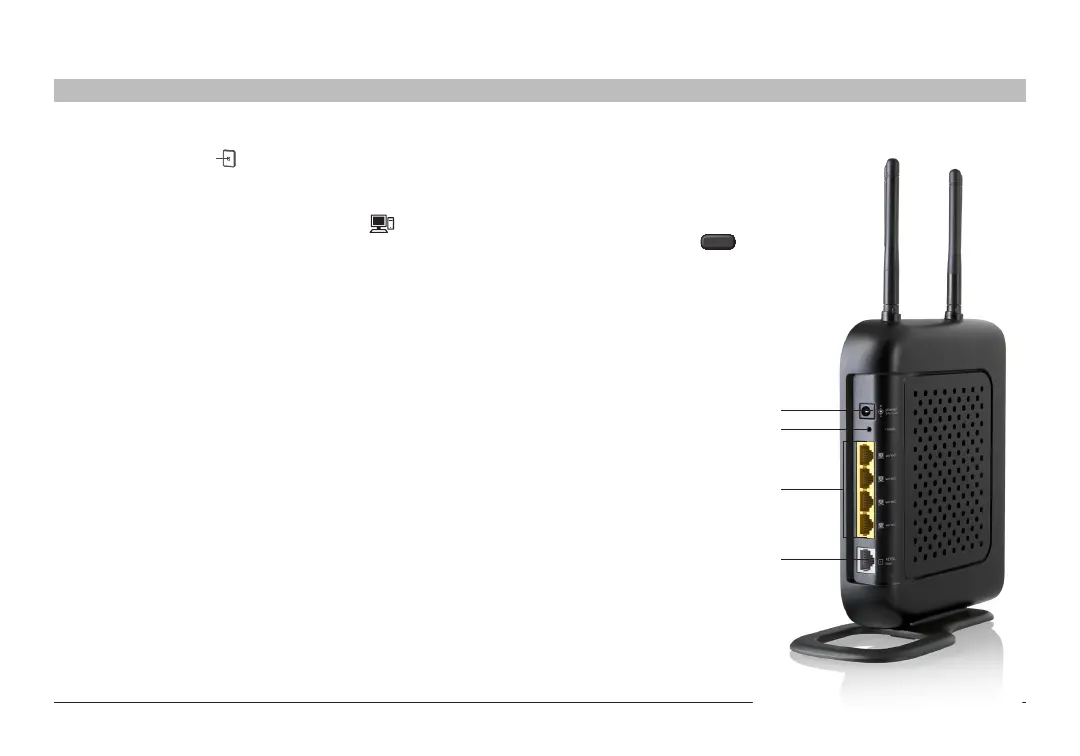
G. Connection to ADSL – Gray
This port is for connection to your ADSL� Connect your ADSL to this
port� An RJ11 telephone cord is provided in the package�
H. Connections to Wired Computers – Yellow
Connect your wired (non-wireless) computers to these ports� These
ports are RJ45, 10/100 auto-negotiation, auto-uplinking ports for
standard UTP category 5 or 6 Ethernet cable� The ports are labeled 1
through 4, with onboard LEDs on the connectors�
I. Reset Button
The “Reset” button is used in rare cases when the Router may function
improperly� Resetting the Router will restore the Router’s normal
operation while maintaining the programmed settings� You can also
restore the factory default settings by using the “Reset” button� Use the
restore option in instances where you may have forgotten your custom
password�
i. Resetting the Router
Push and release the “Reset” button� The lights on the Router will
momentarily flash� The “Router” light will begin to blink� When the
“Router” light becomes solid again, the reset is complete�
ii. Restoring the Factory Defaults
Press and hold the “Reset” button for at least 10 seconds, then
release it� The lights on the Router will momentarily flash� The
“Router” light will begin to blink� When the “Router” light becomes
solid again, the restore is complete�
J. Power Jack – Black
Connect the included 15V/�08A DC
power supply to this jack�
K. WPS Push Button
This button is for the Wi-Fi Protected
Setup feature� Refer to the “Changing
the Wireless Security Settings” section
for more details�











 To Next Page