EasyManua.ls Logo

Bell System CS106 - Managing Access Codes and Security Key

Default Icon
48 pages
Print Icon
To Next Page IconTo Next Page
To Previous Page IconTo Previous Page
Loading...
CS106/BL106 Combined Door Entry and Coded Access
17
Programming a New Access Code (Functions 1 to 10)
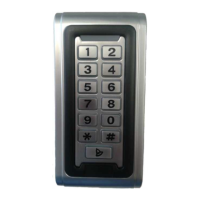
The C106 Keypad has ten access codes. Each code may be between 1 to 8
digits long.
NOTE
By default code 2 will only work when the TIME terminals are shorted and codes
3 to 10 are disabled. The Action codes should be adjusted as required, refer to
page 20

Procedure
Enter the current Security
key (default 1212). Check
the red LED flashes
continuously.
Type :
< 1 - 10 >
+
++
+
<New Code> #
Both LEDs flash once
Exit program mode by
pressing
++
++++
++
Example
1
+
++
+
7754 #
(code 1 = 7754)
5
+
++
+
8652 #
(code 5 = 8652