CS106/BL106 Combined Door Entry and Coded Access
28
Commissioning
After installation of the C106 unit, follow the two test procedures below; any
problems can be diagnosed from the troubleshooting section. Finally program
the required security and access codes (page 16).
Testing the Lock Release Outputs
Ensure that the lock release is connected to the correct output (as shown in the
Wiring diagram on page 9).
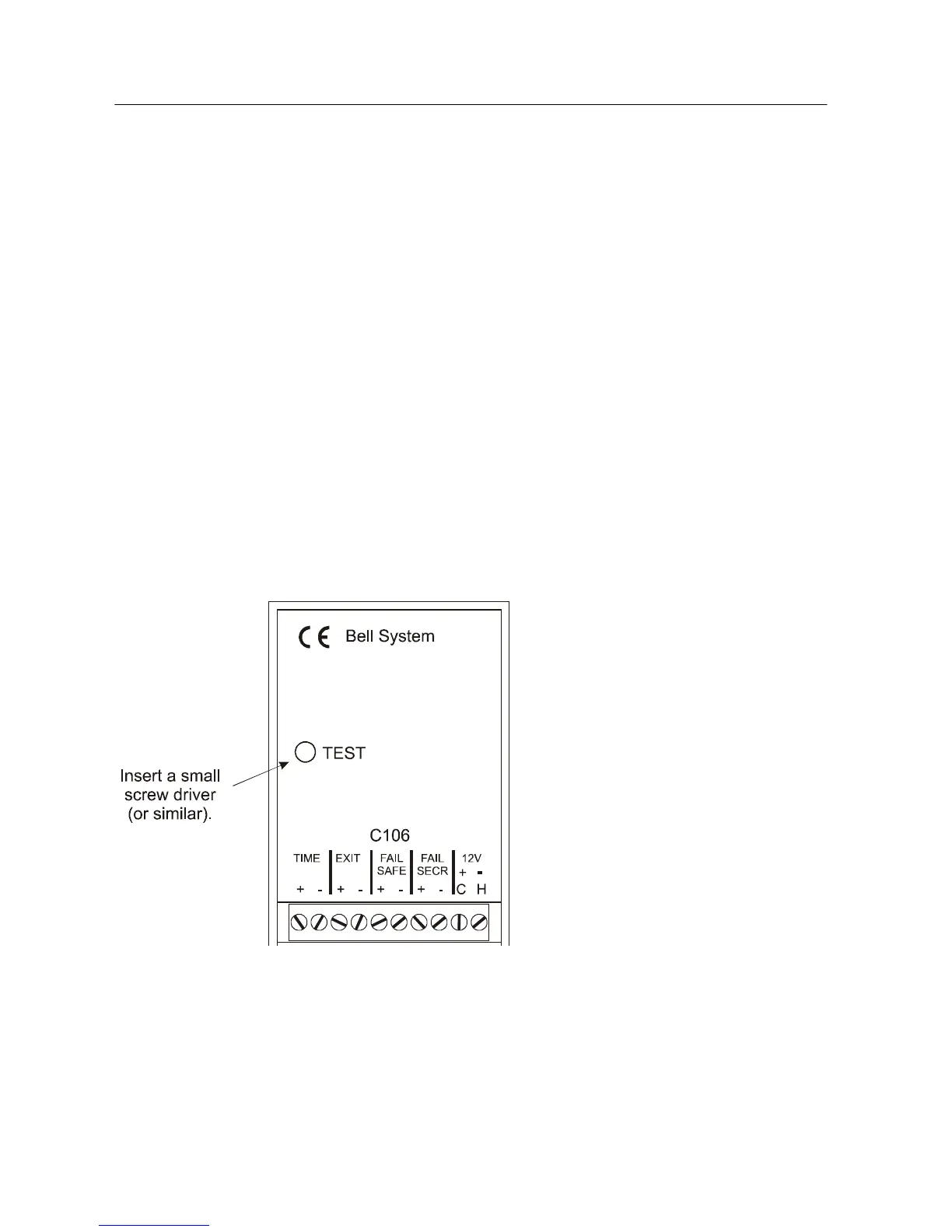
Press and hold the C106 Keypad TEST button:
Both of the Lock Outputs
(Fail-Safe and
Fail-Secure) and both
red and green LEDs will
illuminate.
• After 5 seconds the LEDs
will start to alternate and
the lock output will stop
operating; you should
release the test button at
this stage to avoid
programming the factory
settings (see page 32).



 To Next Page