The OSD (On-Screen Display) menu 19
Operations in the OSD menu
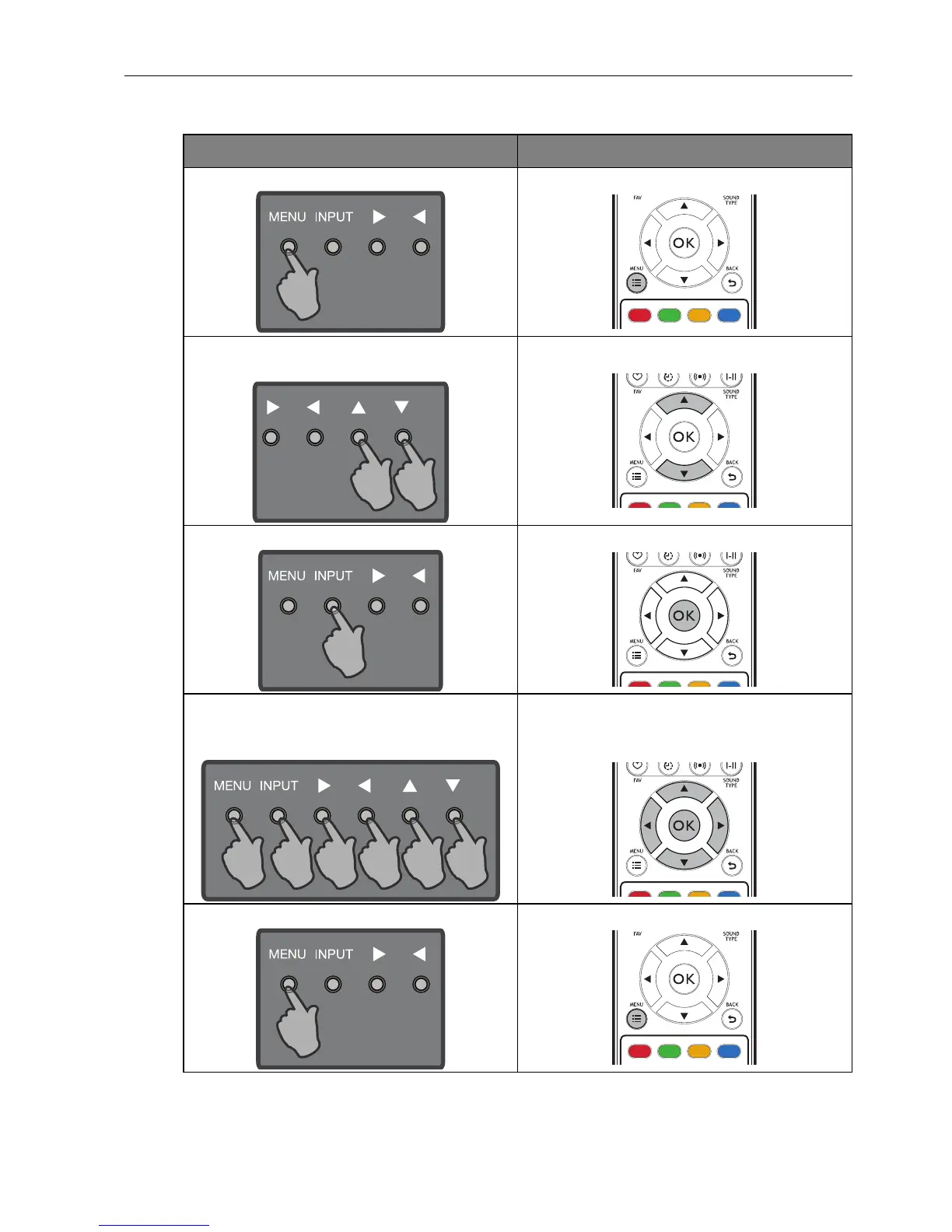
Using the control panel buttons Using the remote control
1. Press MENU to open the OSD menu. 1. Press MENU to open the OSD menu.
2. In the OSD menu, press or to
select an item.
2. Press or to select an item.
3. Press INPUT to confirm selections. 3. Press OK to confirm selections.
4. Press or to select a feature and
press or to adjust settings. Press
INPUT to save changes.
4. Press or to select a feature and
press or to adjust settings. Press OK
to save changes.
5. Press MENU to close the OSD menu. 5. Press MENU to close the OSD menu.



 To Next Page