Installing the pen holder18
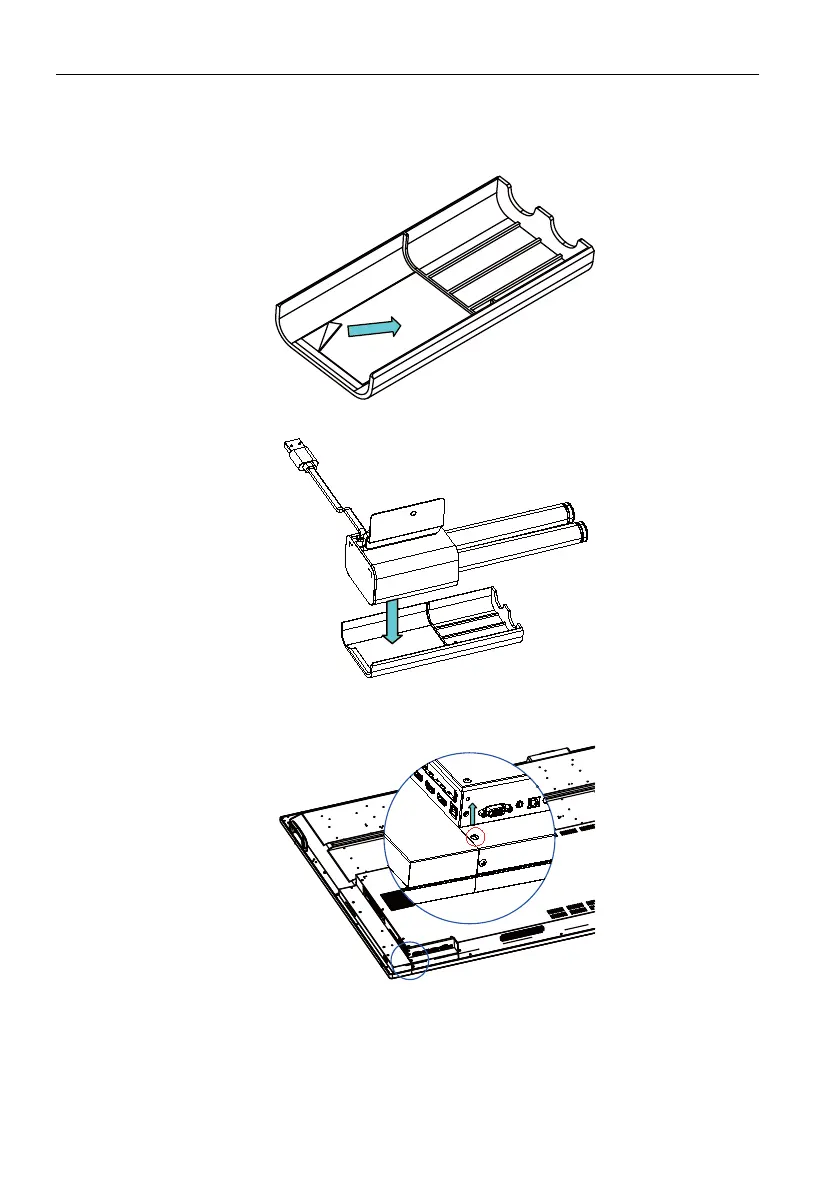
Installing the pen holder
1. Assemble the pen holder.
- Remove the protective film from the adhesive on the cover.
- Attach the pen holder to the cover.
2. Attach the bracket.
- Remove the screw.
- Align the bracket with the hole, then attach the screw.



 To Next Page