Android system interface72
Meeting Room 365
With Meeting Room 365, you can coordinate, schedule, and organize your meeting
rooms effectively and efficiently. Log into your account to customize the display and
administer all of the mobile devices from a single website.
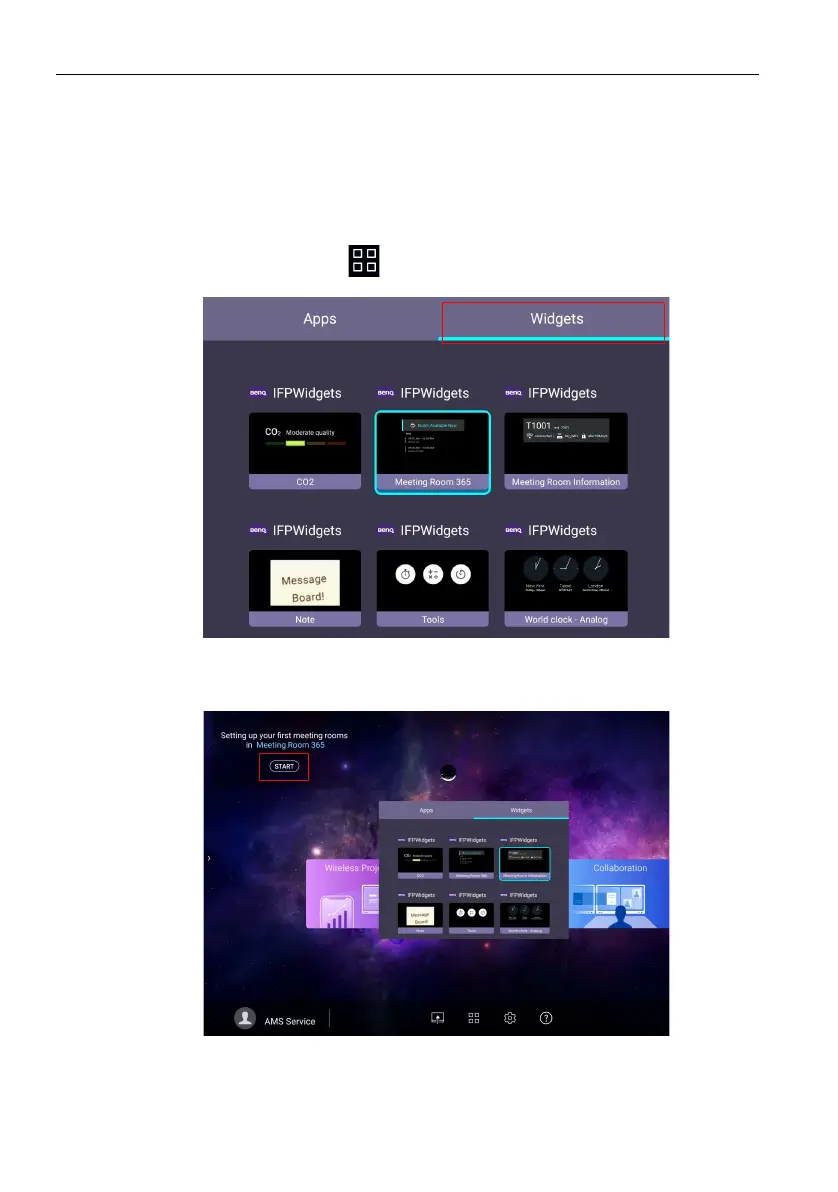
Adding Meeting Room 365 widget
To add Meeting Room 365 widget, follow the steps below:
1. On the main interface, click to access Apps and Widgets. Select Widgets to
proceed.
2. Drag and drop the Meeting Room 365 widget to the launcher.
3. The Meeting Room 365 widget is shown on the home screen launcher. Press
START to proceed.



 To Next Page