Basic operations44
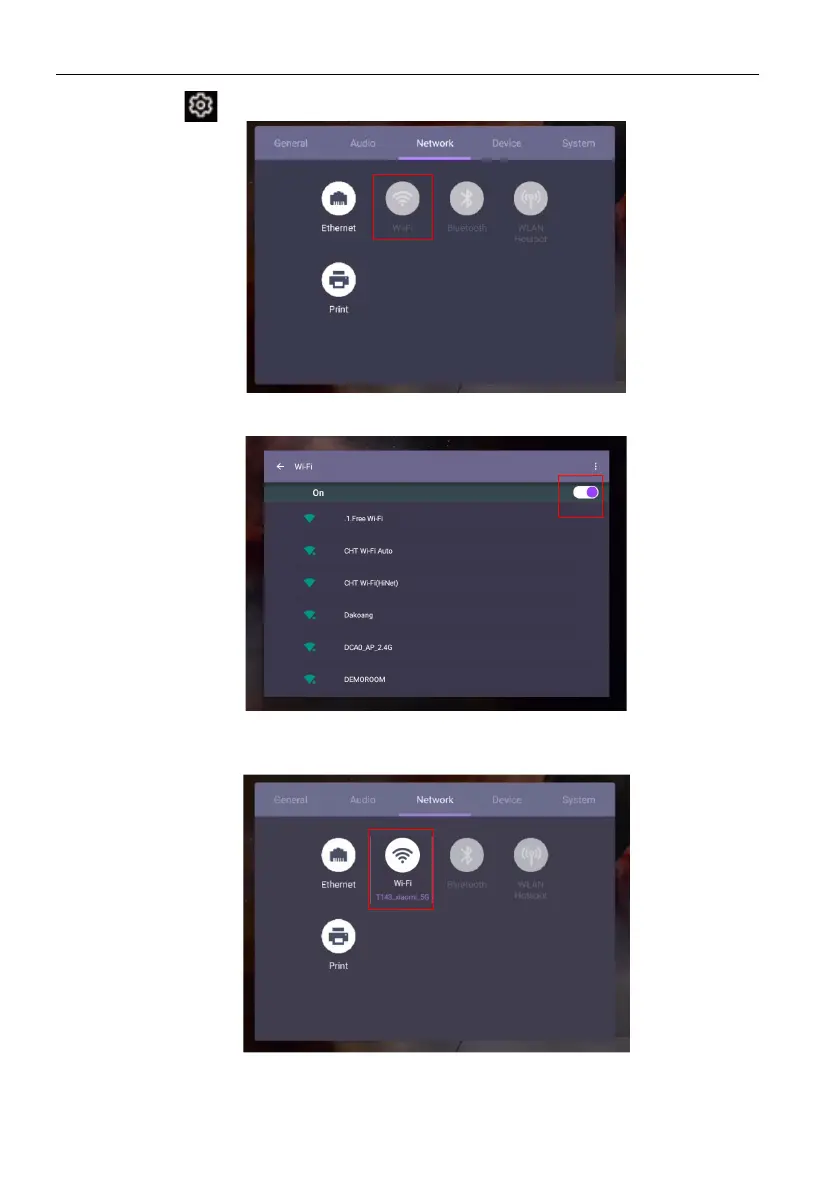
1. Press on the remote control, or go to Network > Wi-Fi.
2. Insert the Wi-Fi dongle and the switcher will automatically change to ON. A list of
available networks will show on the screen.
3. Touch the network’s name to connect to the network. The password is needed if it
is your first time to use the network. Key in the password and press Connect. The
device is now connected to the WLAN.



 To Next Page