Android system interface 75
Multimedia files
Multimedia files such as images, audio files, and videos can be played by directly tapping
on the file icon.
Image
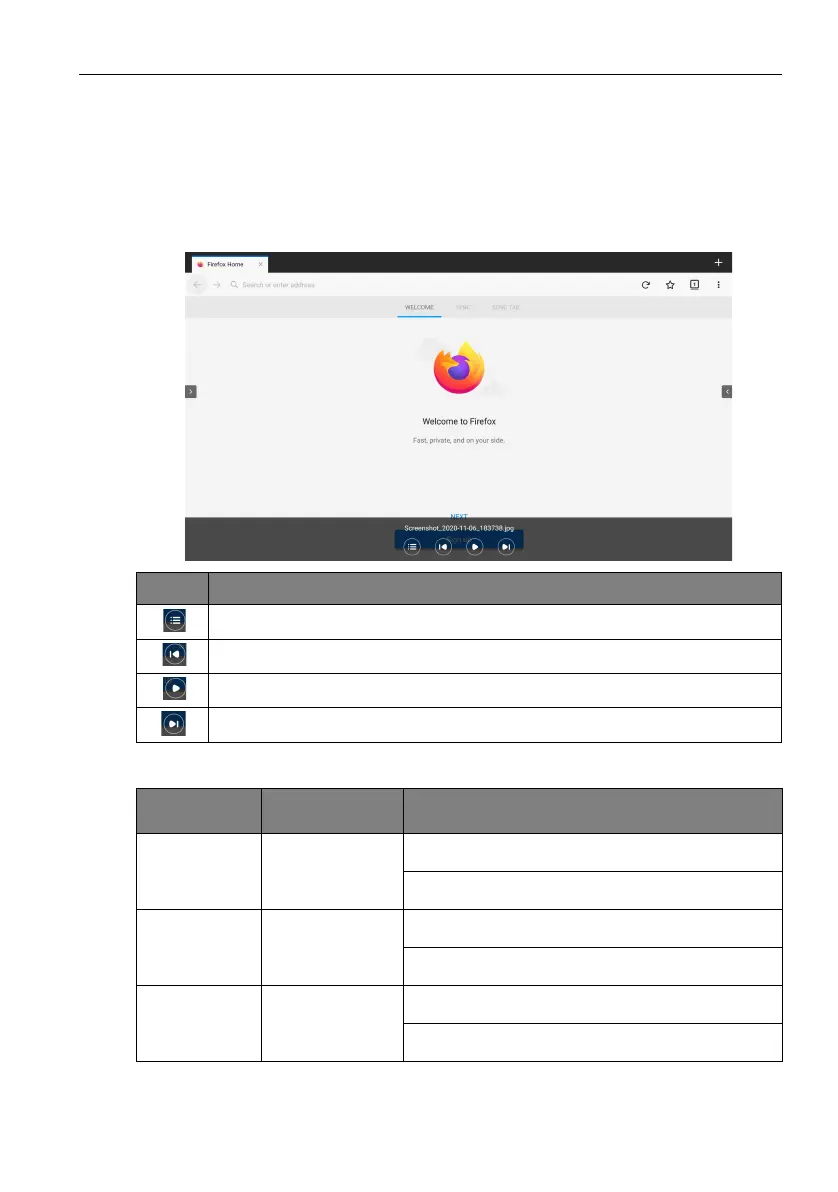
Select an image file you want to show on the display and perform any of the functions
shown on the screen.
Supported image format (maximum resolution)
Icon Function
Preview thumbnails of photos in the same folder.
Play the previous image.
Play/pause the current playback.
Play the next image.
File
Image Supported range
.bmp BMP Max Resolution: 8000 × 8000
Min Resolution: 4 x 4
.gif GIF Max Resolution: 8000 × 8000
Min Resolution: 4 x 4
.jpeg/.jpg JPEG/JPG Max Resolution: 8000 × 8000
Min Resolution: 4 x 4



 To Next Page