Working with Android OS 93
Duo OS
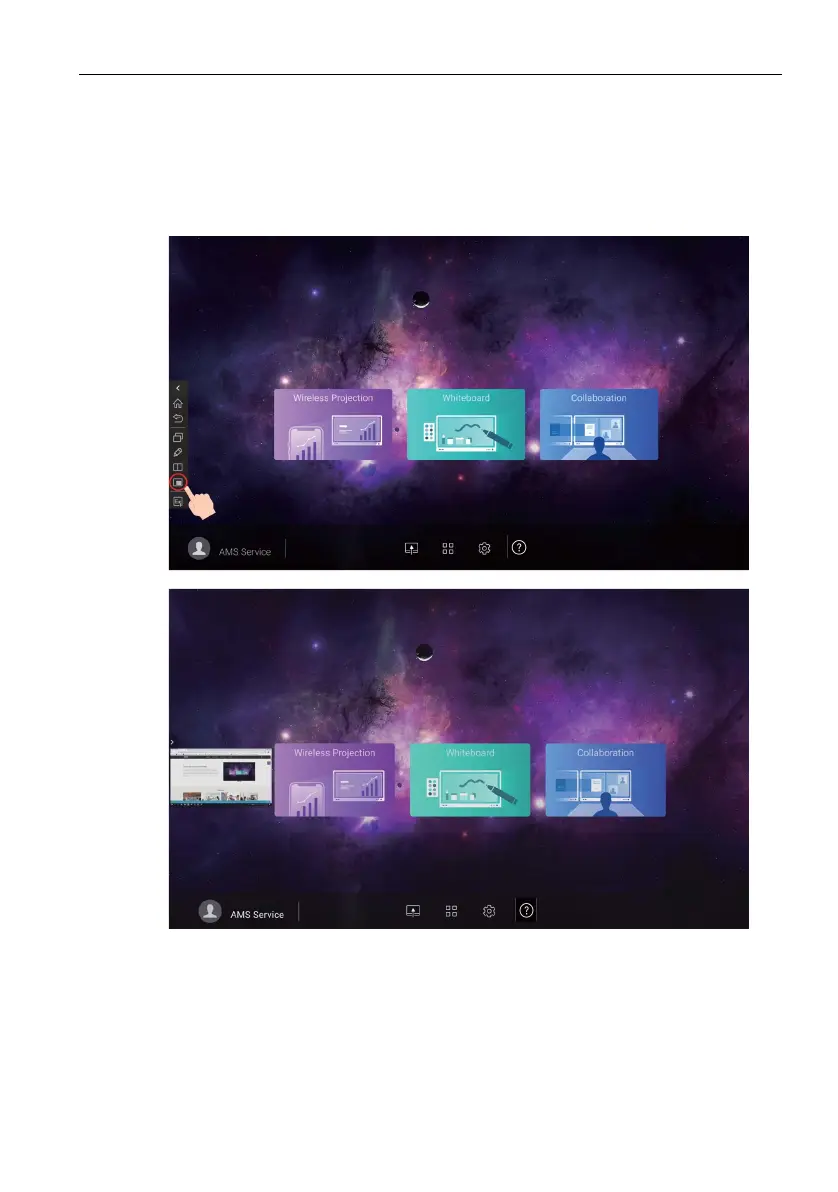
With Duo OS, you can use a floating window in any Apps. The floating window shows
the current screen image of the external source (HDMI 1/ HDMI 2/ HDMI 3/ VGA/
OPS). The current screen image can be captured and imported to EZWrite or can be
saved as an image file. To use Duo OS, follow the steps below:
1. Open the Sidebar, then tap to open Duo OS.



 To Next Page