BenQ DC 5530 User’s Manual
E
EE
En
nn
ng
gg
gl
ll
li
ii
is
ss
sh
hh
h
Other Recording Functions 13
4
44
4 O
OO
O
T
TT
TH
HH
HE
EE
ER
RR
R
R
R R
R
E
EE
EC
CC
CO
OO
OR
RR
RD
DD
DI
II
IN
NN
NG
GG
G
F
F F
F
U
UU
UN
NN
NC
CC
CT
TT
TI
II
IO
OO
ON
NN
NS
SS
S
4.1
4.14.1
4.1 Selecting the Focus Mode
Selecting the Focus ModeSelecting the Focus Mode
Selecting the Focus Mode
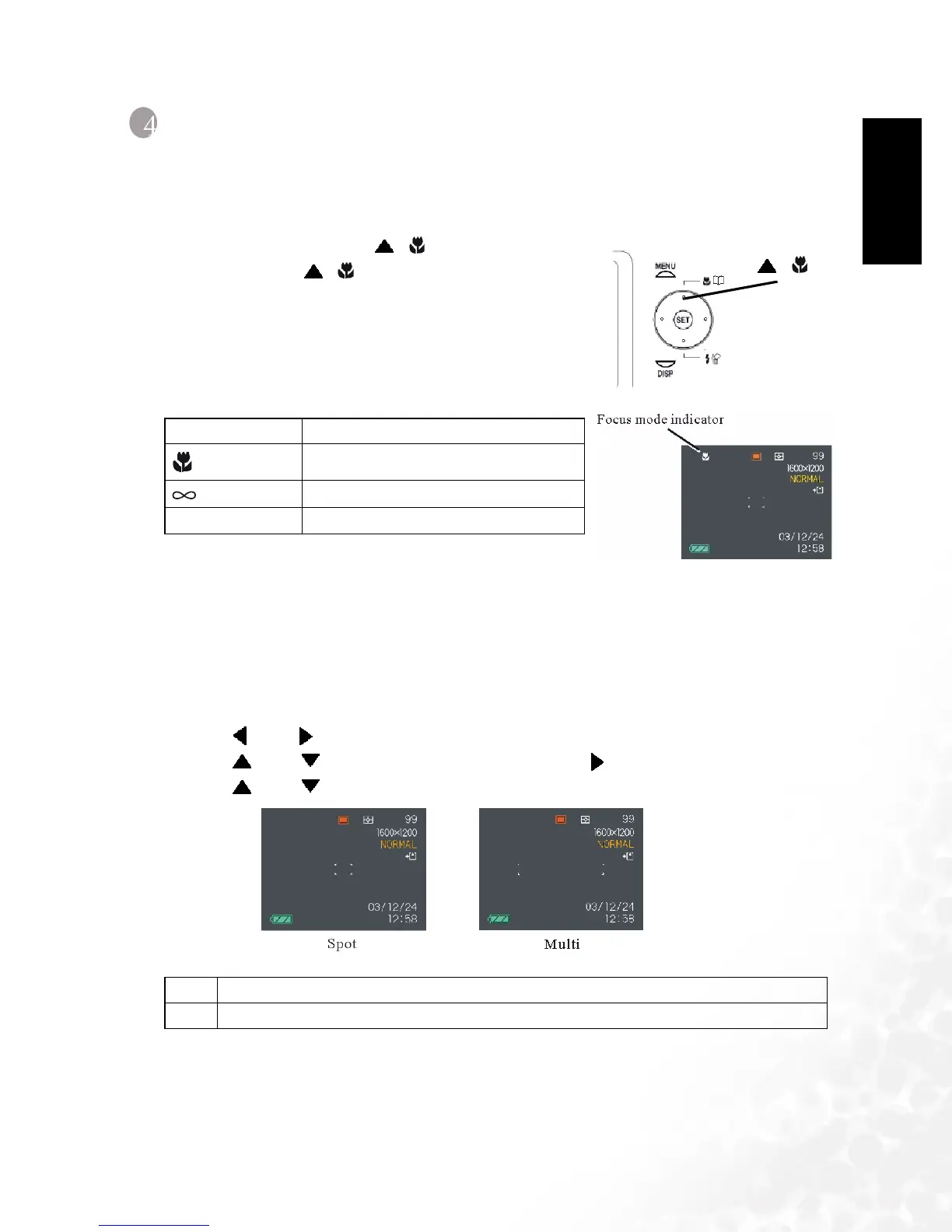
You can select one of four different focus modes: Auto Focus, Macro, Infinity, and Manual.
1. In the REC mode, press [ ] .
2. Each press of [ ] cycles thorough the focus
mode settings shown below on the LCD monitor.
4.1.1
4.1.14.1.1
4.1.1 Specifying the Auto Focus Area
Specifying the Auto Focus AreaSpecifying the Auto Focus Area
Specifying the Auto Focus Area
You can use the following procedure to change the Auto Focus area used in the Auto Focus
Mode and the Macro Mode.
1. In the REC mode, press [MENU].
2. Use [ ] and [ ] to select the "REC" tab.
3. Use [ ] and [ ] to select "AF Area", and then press [ ].
4. Use [ ] and [ ] to select the auto focus area you want, and then press [SET].
None Auto Focus
Close-up focus (Macro)
Infinity focus
MF Manual focus
Spot Very limited range in the center of the screen.
Multi Automatic selection of the focus area where the subject closest to the camera is located.
[]



 To Next Page