Introduction 11
Controls and functions
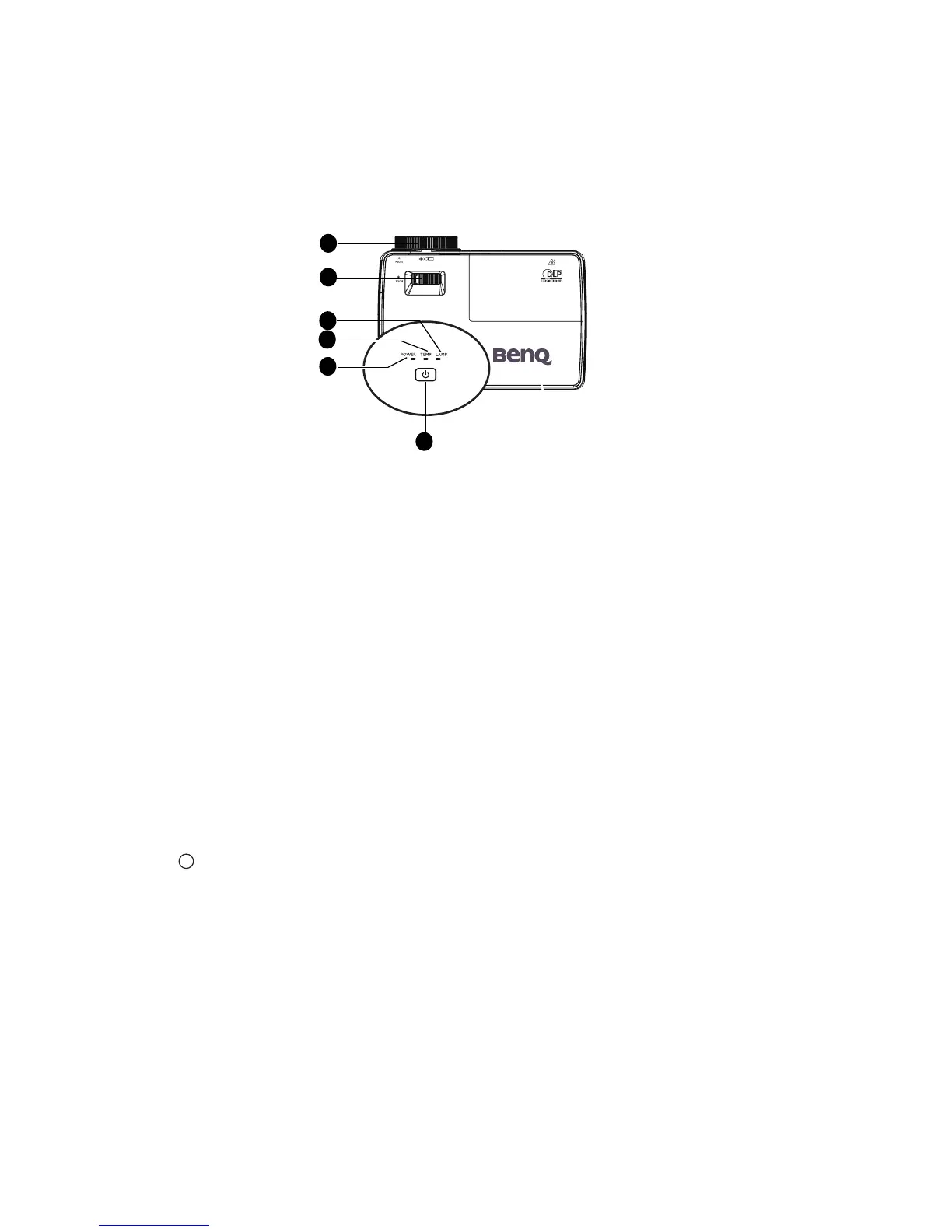
Projector
1. Focus ring
Adjusts the focus of the projected image. See "Fine-tuning the image size and clarity"
on page 24 for details.
2. Zoom ring
Adjusts the size of the image. See "Fine-tuning the image size and clarity" on page 24
for details.
3. LAMP indicator light
Indicates the status of the lamp. Lights up or flashes when the lamp has developed a
problem. See "Indicators" on page 63 for details.
4. TEMP(temperature) warning light
Lights up red if the projector's temperature becomes too high. See "Indicators" on
page 63 for details.
5. POWER indicator light
Lights up or flashes when the projector is under operation. See "Indicators" on page
63 for detail.
6. POWER
Toggles the projector between standby mode and on.See "Starting up the projector"
on page 21 and "Shutting down the projector" on page 42 for details.
1
5
6
3
4
2











 To Next Page