Connection 19
Connecting a computer or monitor
Connecting a computer
The projector can connect to both IBM
®
compatibles and Macintosh
®
computers. A
Mac adapter is needed if you are connecting legacy version Macintosh computers.
To connect the projector to a notebook or desktop computer:
1. Take the supplied VGA cable and connect one end to the D-Sub output socket
of the computer.
2. Connect the other end of the VGA cable to the COMPUTER signal input jack
on the projector.
Many notebooks do not turn on their external video ports when connected
to a projector. Usually a key combo like FN + F3 or CRT/LCD key turns the
external display on/off. Locate a function key labeled CRT/LCD or a
function key with a monitor symbol on the notebook. Press FN and the
labeled function key simultaneously. Refer to your notebook's
documentation to find your notebook's key combination.
Connecting Video source devices
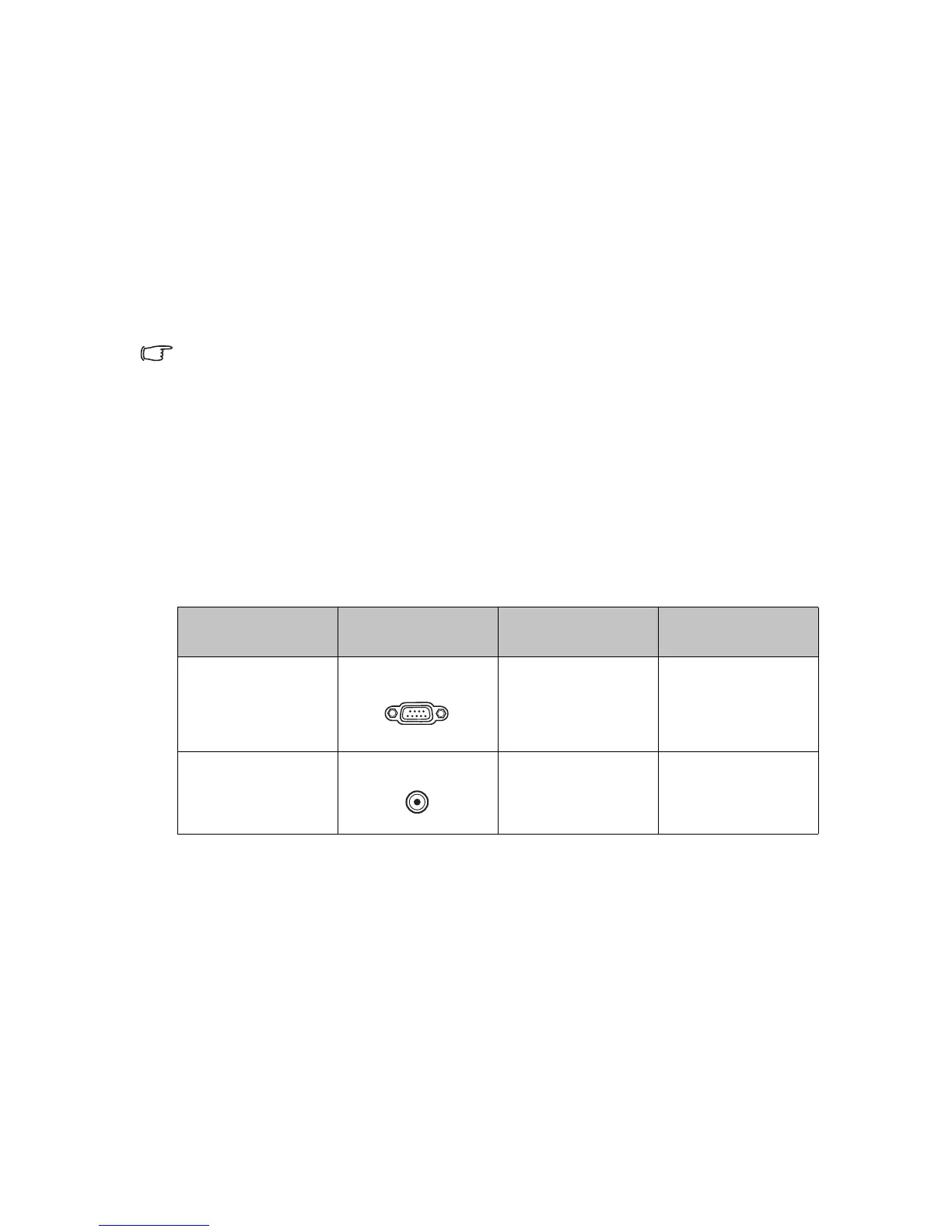
You need only connect the projector to a Video source device using just one of the
above connecting methods, however each provides a different level of video quality.
The method you choose will most likely depend upon the availability of matching
terminals on both the projector and the Video source device as described below:
Te r m i n a l
name
Te r m i n a l
appearance
Reference Picture quality
Component Video
COMPUTER
"Connecting a
Component Video
source device" on
page 20
Better
Video
VIDEO "Connecting a
Composite source
device" on page 20
Good











 To Next Page