Operation 35
2. Press Mode/Enter and the 3D Color Management page displays.
3. Highlight Primary Color and press / to select a color from among Red,
Yellow, Green, Cyan, Blue, or Magenta.
4. Press to highlight Hue and press / to select its range. Increase in the
range will include colors consisted of more proportions of its two adjacent
colors.
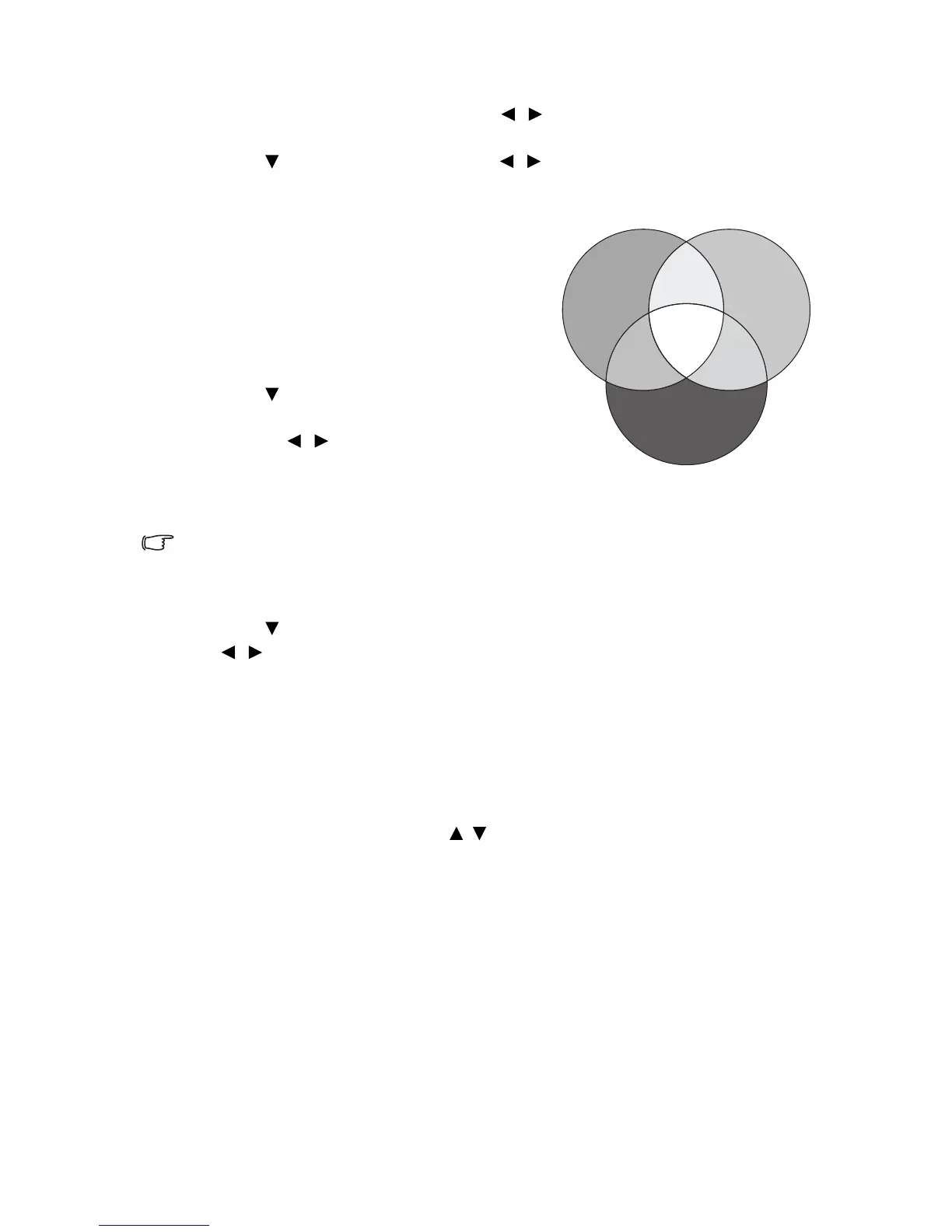
Please refer to the illustration to the right
for how the colors relate to each other.
For example, if you select Red and set its
range at 0, only pure red in the projected
picture will be selected. Increasing its
range will include red close to yellow and
red close to magenta.
5. Press to highlight Saturation and
adjust its values to your preference by
pressing / . Every adjustment made
will reflect to the image immediately.
For example, if you select Red and set its
value at 0, only the saturation of pure red will be affected.
Saturation is the amount of that color in a video picture. Lower settings
produce less saturated colors; a setting of “0” removes that color from the
image entirely. If the saturation is too high, that color will be overpowering and
unrealistic.
6. Press to highlight Gain and adjust its values to your preference by pressing
/ . The contrast level of the primary color you select will be affected. Every
adjustment made will reflect to the image immediately.
7. Repeat steps 3 to 6 for other color adjustments.
8. Make sure you have made all of the desired adjustments.
9. Press Menu/Exit to exit and save the settings.
Resetting current or all picture modes
1. Go to the PICTURE menu and highlight Reset Picture Settings.
2. Press Mode/Enter and press / to select Current or All.
• Current: returns current picture mode to the factory preset settings.
• All: returns all settings, except
User 1/User 2 in the PICTURE menu to the
factory preset settings.
RED
BLUE
GREEN
Ye ll ow
Cyan
Magenta











 To Next Page