31
Using the projector in an outdoor setting
The projector is designed mainly for indoor use but its portable design also allows it to support occasional outdoor use. When using the projector
outdoors, the following items are suggested to enhance the viewing experience:
• Install the projector on a tripod if there is no flat surface to place the projector. See Installing the projector on a tripod (purchased separately) on
page 79 for more details.
• Set the picture mode to the most suitable setting (e.g. Day Time for a brightly lit environment). See Picture Mode on page 61 for more details.
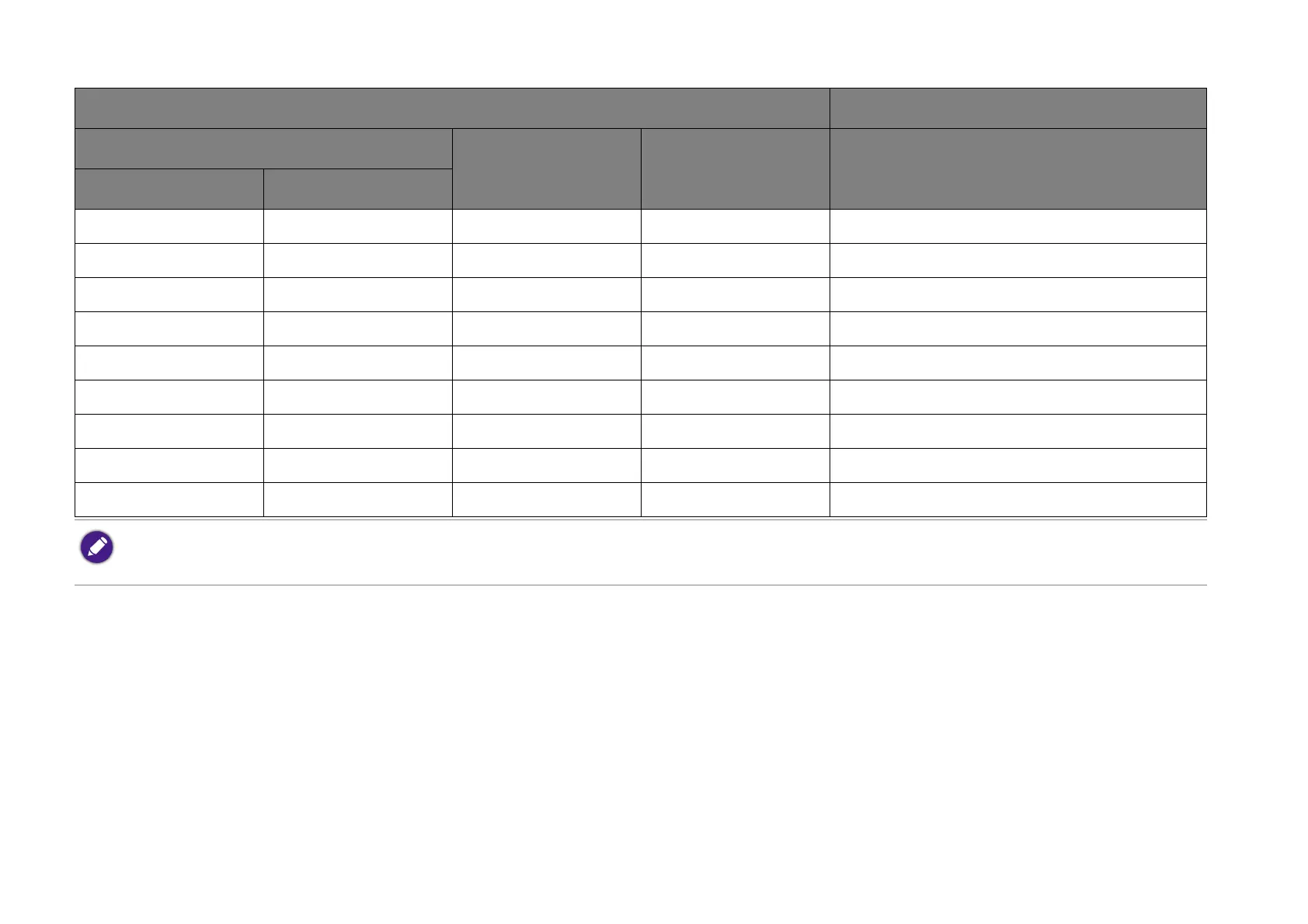
60 1524 747 1329 1727
65 1651 809 1439 1871
70 1778 871 1550 2015
75 1905 933 1661 2159
80 2032 996 1771 2303
85 2159 1058 1882 2447
90 2286 1120 1993 2591
95 2413 1182 2104 2735
100 2540 1245 2214 2879
All measurements are approximate and may vary from the actual sizes. If you want a permanent installation of the projector, we recommend that you use the actual
projector to physically test the projection size, distance, and the projector's optical characteristics prior to the installation. This helps you determine the exact mounting
position which best suits your installation.
Screen size Projector distance (mm)
Diagonal
H (mm) W (mm) Average
Inch mm


 To Next Page