55
Bluetooth connections
The projector allows the following types of Bluetooth connections:
• Connect a mobile device to the projector to play audio files through the projector’s speakers.
• Connect to a Bluetooth-enabled speaker or headphones to output audio directly for greater sound.
Using the projector as a Bluetooth speaker
1. Make sure the ATV dongle is installed properly (see Installing the ATV dongle on page 32).
2. Power on the projector (see Starting up the projector on page 35).
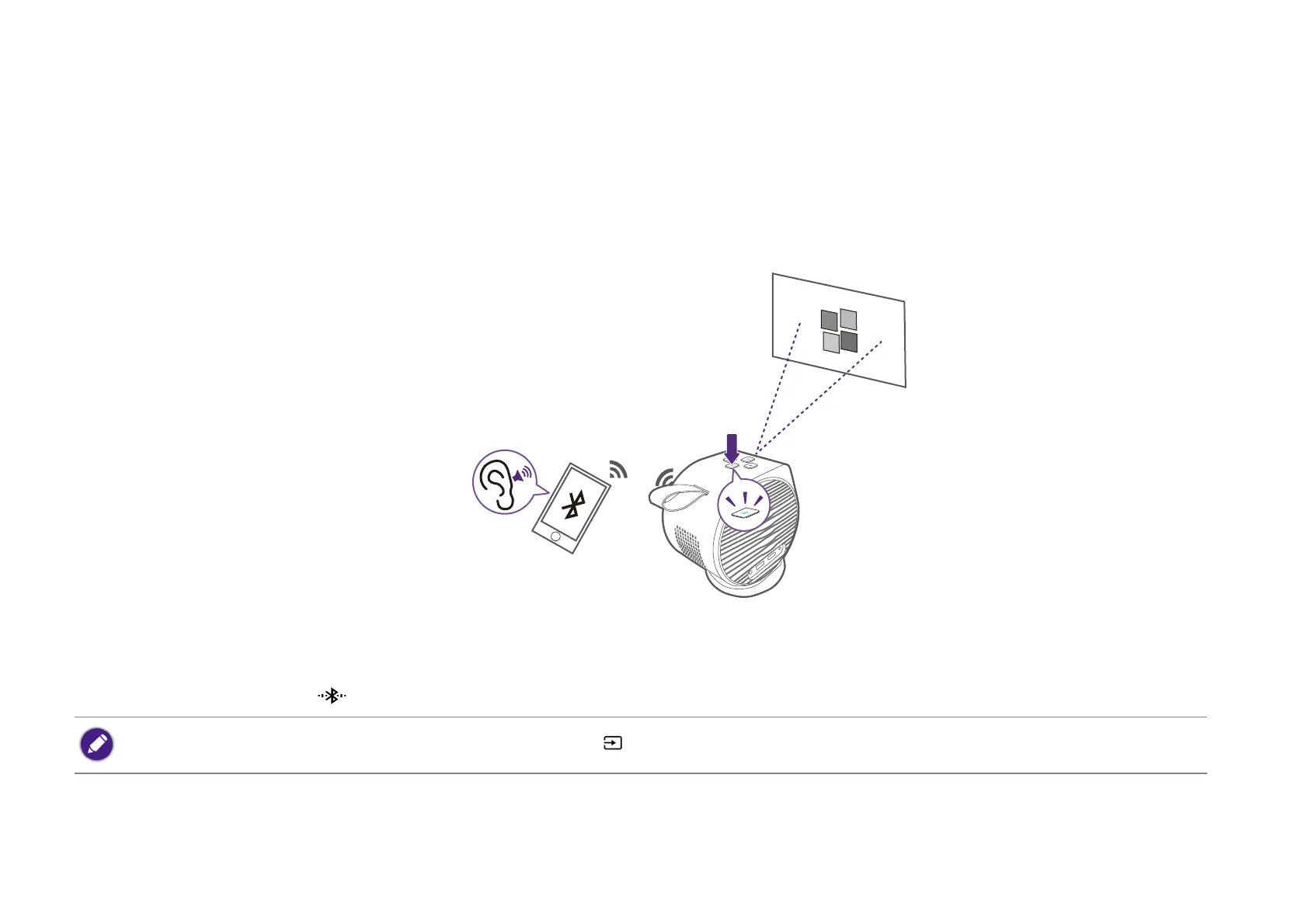
3. Press the Bluetooth button on the top side of the projector. The projector will stop projecting and switch over to Bluetooth speaker mode.
4. Pair your external device to the projector.
You may also enable Bluetooth speaker mode by pressing the source button on the remote control and selecting BT Speaker.


 To Next Page