English
41
Using the menu
Main menu
The projector is equipped with On-Screen Display (OSD) menus for making various adjustments
and settings.
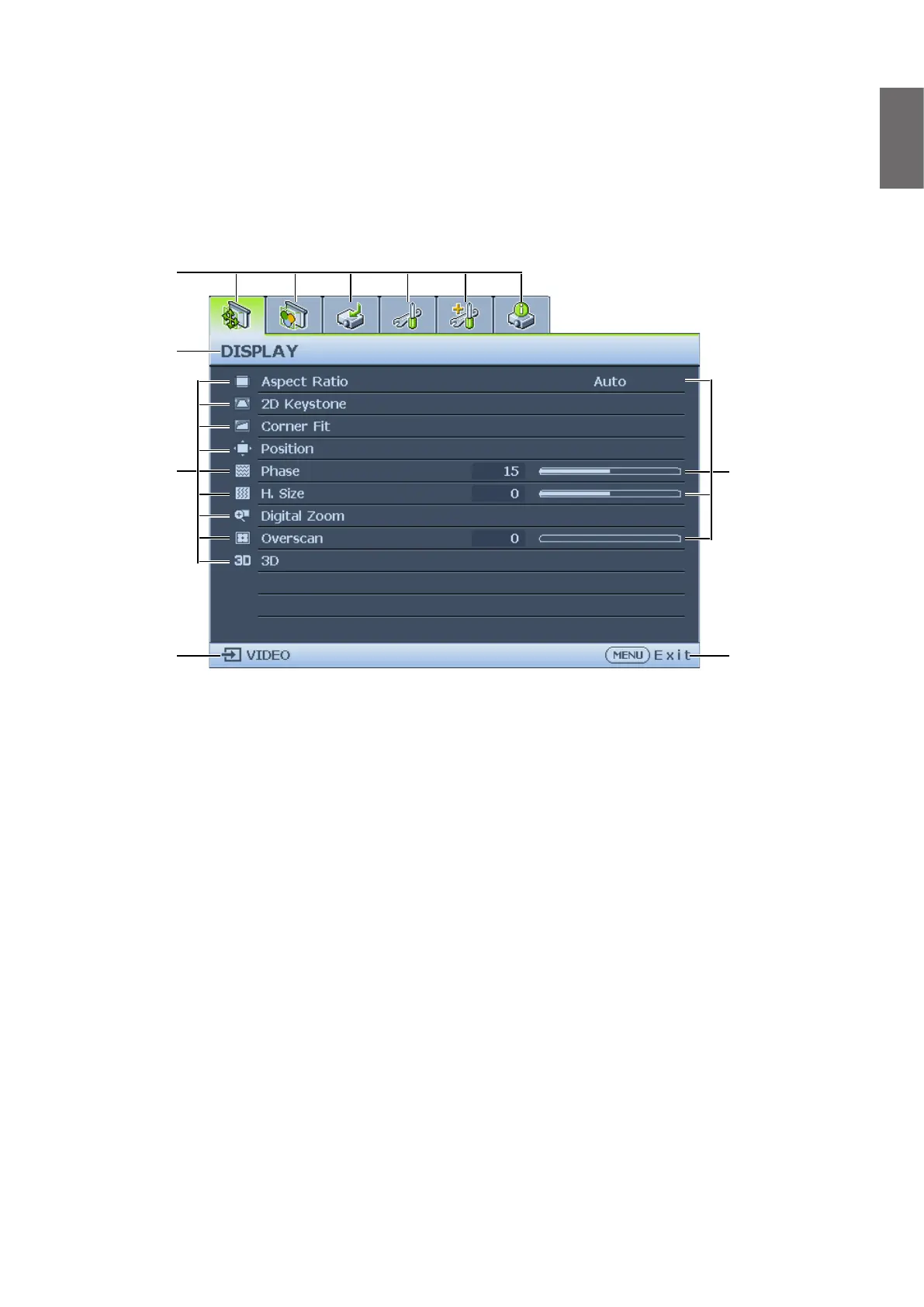
Below is the overview of the OSD menu.
Status
Press MENU to
the previous page
or to exit.
Main menu icon
Main menu
Sub-menu
Current input
signal
1. Display menu (see "Display menu" on page 42)
2. Picture menu (see "Picture menu" on page 45)
3. Source menu (see "Source menu" on page 49)
4. System Setup : Basic menu (see "System setup : Basic menu" on page 50)
5. System Setup : Advanced menu (see "System setup : Advanced menu" on page 52)
6. Information menu (see "Information menu" on page 57)
Available menu items may vary depending on the connected video sources or specied settings.
Menu items that are not available will become grayed out.
• Use the arrow keys (
▲
/
▼
/
◄
/
►
) on the projector or remote control to move through the
menu items.
• Use ENTER to conrm the selected menu item.



 To Next Page