English
44
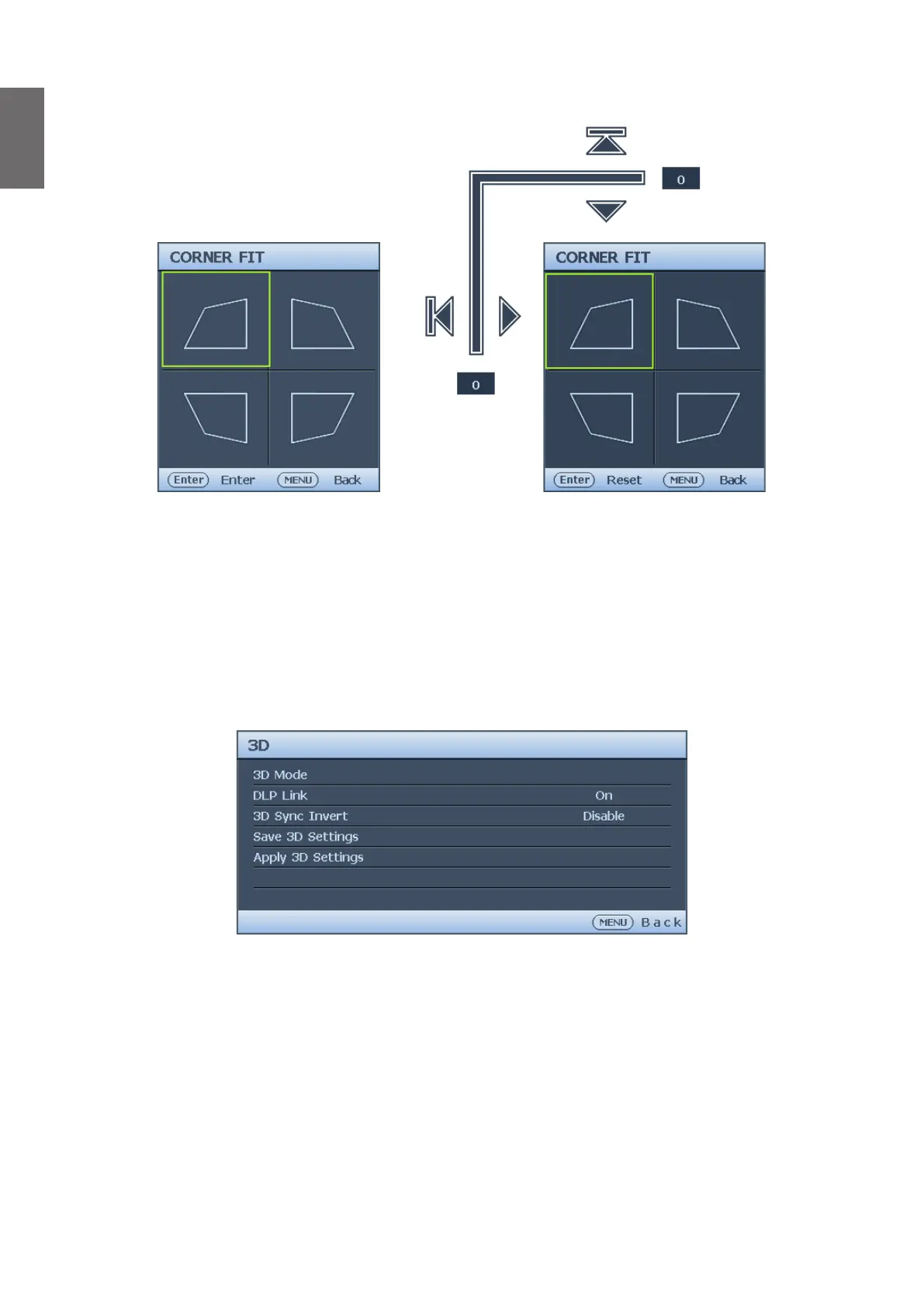
Corner Fit menu
• Top Lef t
Press ENTER and press
▲
/
▼
/
◄
/
►
to correct the top left corner.
• Top Right
Press ENTER and press
▲
/
▼
/
◄
/
►
to correct the top right corner.
• Bottom Left
Press ENTER and press
▲
/
▼
/
◄
/
►
to correct the bottom left corner.
• Bottom Right
Press ENTER and press
▲
/
▼
/
◄
/
►
to correct the bottom right corner.
3D menu
• 3D Mode
Press ENTER to enter the 3D Mode menu. Press
▲
/
▼
to select the 3D format. The options
are Auto, Top Bottom, Frame Sequential, Frame Packing, Side by Side and Off.
• DLP Link
Press
◄
/
►
to disable or enable DLP Link sync. The options are On and Off.
• 3D Sync Invert
Press
◄
/
►
to enable or disable 3D Sync Invert.
• Save 3D Settings
Press ENTER to enter the Save 3D Settings menu. Press
▲
/
▼
and ENTER to save the
current 3D settings.
• Apply 3D Settings
Press ENTER to enter the Apply 3D Settings menu. Press
▲
/
▼
and ENTER to apply the
saved 3D settings.



 To Next Page