Parts of the display and their functions 14
Using the remote control
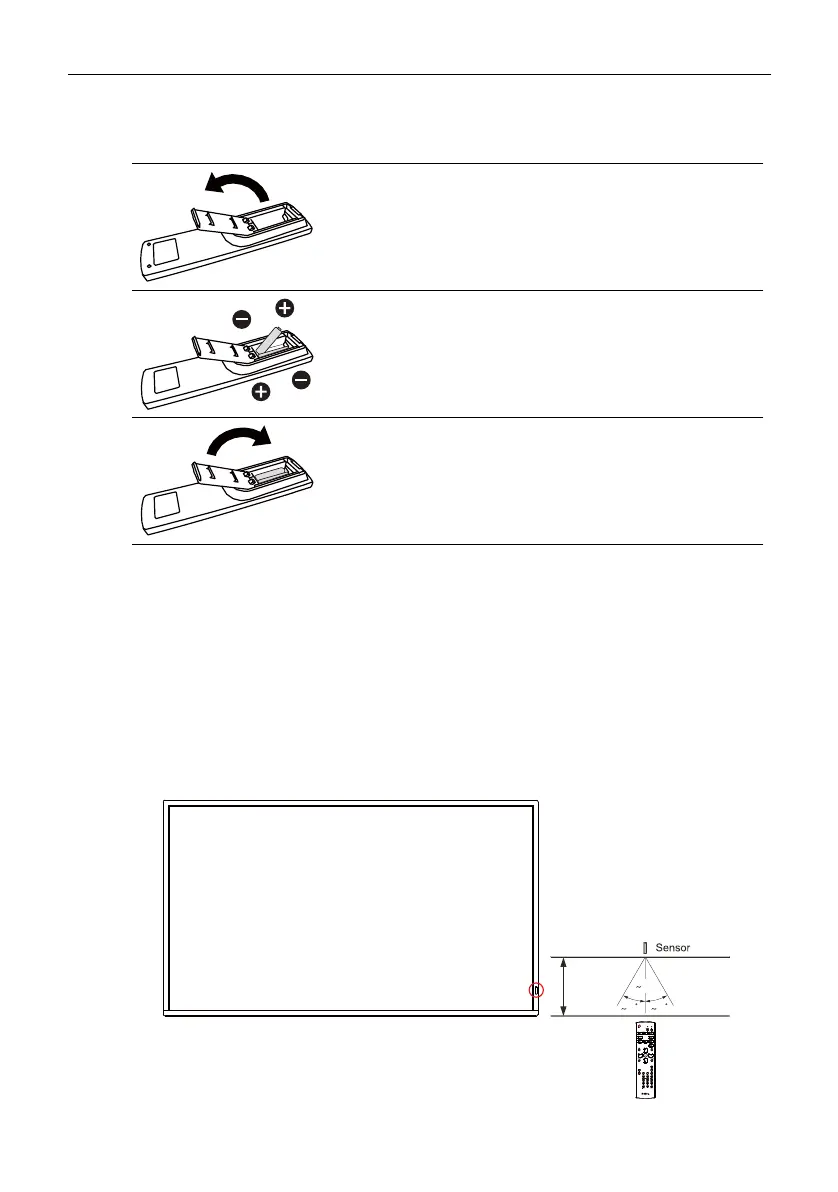
Installing remote control batteries
Remote control usage tips
• When using the remote control, aim the remote control at the sensor at the display’s
bottom-right side within a distance of less than 5m, and a horizontal and vertical angle
of less than 20 degrees.
• Do not let the remote control become wet or place it in humid environments (like
bathrooms).
• If the display’s remote control sensor window is exposed to direct sunlight or strong
light, the remote control may not operate properly. In this situation, change the light
source, readjust the angle of the display or operate the remote control from a location
closer to the display’s remote control sensor window.
1. Press and flip open the battery compartment cover.
2. Insert two AAA batteries into the battery
compartment ensuring that the (+) and (-) signs on
the batteries match the (+) and (-) indications on the
battery compartment.
3. Flip and slide the cover over the battery
compartment so the tab on the cover is inserted into
the opening in the compartment.
20 20
5m



 To Next Page